
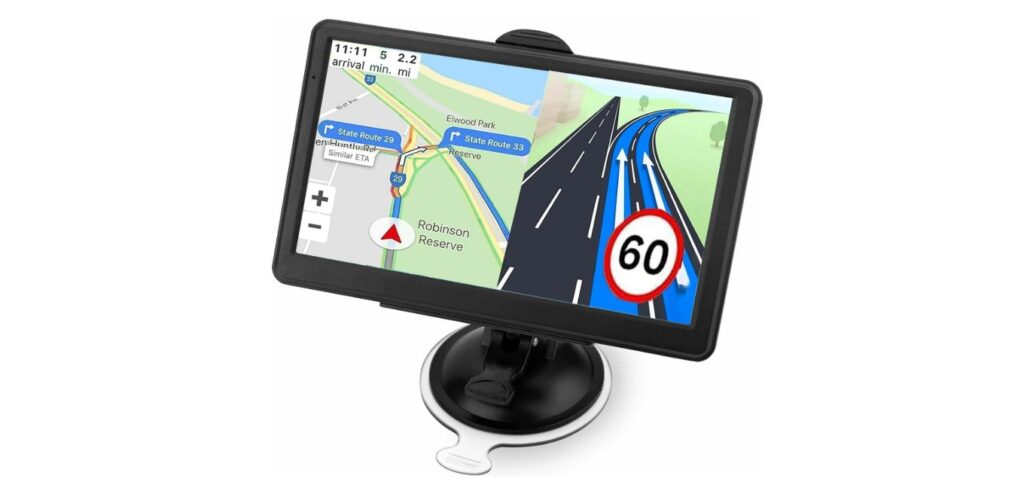
GPS devices for cars help drivers find routes and navigate unfamiliar places with ease. These devices show maps, traffic updates, and turn-by-turn directions. They are designed to make driving safer and less stressful by keeping your eyes on the road and off your phone.
Easy-to-use GPS units focus on a simple interface, clear screen, and quick route calculation. They usually have features like voice prompts and large buttons. This helps drivers quickly understand directions without distraction.
When choosing a GPS for a car, important things to check include screen size, map updates, and ease of setup. Battery life and voice guidance clarity also matter. We spent time testing several models to find the best easy-to-use GPS devices for cars that make navigation simple and reliable.
Best Easy to Use GPS for Car
We have tested and reviewed several GPS devices to find the easiest ones to use while driving. Our list includes simple, reliable options that help you reach your destination without hassle. Here are the best easy-to-use GPS units for your car.
Garmin Drive 53 GPS

This GPS is a solid choice if you want a simple, clear device that helps you get to your destination without fuss.
Pros
- Bright, easy-to-see 5” touchscreen
- Useful driver alerts for road safety
- Shows stops like food, fuel, and rest areas on your route
Cons
- Battery life is very short without power
- Map updates are limited to North America
- Some features require updates that aren’t very clear
We found the Garmin Drive 53 easy to set up and even easier to use. The screen is sharp, and the touch controls respond well, which made programming addresses quick. The voice directions matched what we saw on screen, making navigation smooth.
The driver alerts helped us feel safer by warning about sharp curves and school zones. Road trip planning was easier thanks to the info on restaurants and rest stops right on the map. The national parks directory was a handy touch for a quick trip out of town.
One downside is the battery; the device really needs to stay plugged in during use. Also, it only covers North America, so it’s not for international travel. Overall, it’s a practical GPS with a clear interface and enough features for most drivers.
HINYFVOZ 7″ GPS Navigator

This GPS is a solid choice for anyone wanting a clear, easy-to-use navigation system with up-to-date maps and helpful driving alerts.
Pros
- Large 7-inch screen is bright and easy to read
- Voice guidance is clear and reliable
- Custom routes for different vehicle types keep us on safe roads
Cons
- Suction mount can lose grip in extreme temperatures
- Some menu navigation feels a bit fiddly
- No built-in FM radio, only GPS audio transmission
We found the screen size perfect for quick glances while driving. The 2025 North America maps were accurate right from the start, cutting down our prep time. The lifetime free updates via USB mean we won’t worry about outdated routes.
Setting up the device was straightforward, especially with the included dashboard and windshield mounts. We noticed that the suction cup holds well on clean, dry surfaces, but it needed re-securing after very hot or cold days. The voice directions helped us keep our focus on the road rather than on the screen.
The vehicle-specific routing impressed us, as it factored in height and weight limits for trucks and RVs. It saved us from tricky routes and unexpected restrictions. Overall, it’s a practical GPS solution for daily drives and longer trips, as long as you keep an eye on the mount’s grip during weather changes.
Yinnovay Mini Hidden GPS Tracker

This GPS tracker is a solid choice for those who want a small, easy-to-use device that works with iOS and requires no monthly fees.
Pros
- Very compact and lightweight
- No monthly fees or SIM card needed
- Works smoothly with Apple Find My app
Cons
- Only compatible with iOS devices
- Location updates can be delayed sometimes
- Can be detected by professionals with special equipment
We found the Yinnovay tracker easy to hide in our car due to its slim size and magnetic backing. It felt secure under the chassis and didn’t interfere with anything. The battery life stood out, lasting nearly a year without needing a change.
The setup was simple, especially since it pairs directly with the Apple Find My app. We liked that we didn’t have to pay extra fees or deal with SIM cards. However, if you’re not an iPhone user, this product won’t work for you.
While the tracking mostly updated quickly, sometimes the location info took a bit longer to show. For everyday use, though, it provided reliable peace of mind knowing where our vehicle was at all times.
HINYFVOZ 9-Inch GPS Navigator

This GPS is a solid choice for those who want a big, clear screen and easy navigation on every trip.
Pros
- Large, easy-to-see 9-inch touchscreen
- Free lifetime map updates included
- Custom routes for cars, trucks, and RVs
Cons
- Mount can be a bit stiff to adjust
- FM transmitter only sends voice, not full radio
- Takes some time to input truck or RV details
Using this GPS made a difference for us, especially on longer drives. The big screen made it simple to follow directions without having to focus too hard. The graphics are sharp enough that we never missed an upcoming turn.
We found the lifetime updates useful because road changes happen often. It felt good knowing the maps were fresh and accurate without extra cost later. The voice guidance was clear and helped keep our attention on the road.
Customizable routing stands out here. We tested it for both a car and a truck size. It avoided tricky paths like low bridges and narrow lanes, which gave us peace of mind on unfamiliar roads. The FM transmitter worked well to send voice prompts through our car speakers, but remember, it doesn’t work as a regular radio. Overall, this GPS handles everyday driving and bigger vehicles with ease.
ROVE R2-4K Dual Dash Cam

This dash cam is easy to set up and delivers clear front and rear video, making it a good choice for everyday drivers who want solid coverage without hassle.
Pros
- Easy installation with all needed accessories included
- Excellent video quality, even at night
- Fast WiFi download through the app
Cons
- Rear camera cable length can feel short in larger vehicles
- Some features need extra purchases, like the hardwire kit for parking mode
- The touchscreen can be a bit small for some users
We found the ROVE R2-4K straightforward to put in place. The package comes with everything to mount both front and rear cameras without hunting for extras. This makes it ideal if you want a quick setup that works right away.
The video clarity stood out, especially for nighttime driving. The front camera’s Sony sensor picks up great details, and the rear view is clear enough for most needs. We liked how the dash cam shows live speed and direction on the screen.
Using the app to download footage was surprisingly fast. After a drive, getting your videos onto a phone is seamless. The parking mode offers useful safety features but requires buying a hardwire cable separately, which might not suit all budgets. Overall, it feels reliable and user-friendly for daily use.
LONGRUF GPS Navigator

This GPS works well for drivers who want a simple but smart device with updates and clear voice directions.
Pros
- Easy to use with a bright 9-inch touchscreen
- Free lifetime map updates keep routes current
- Voice guidance is loud and clear, helping keep eyes on the road
Cons
- Requires Windows PC for map updates, not Mac compatible
- Slightly large size might not fit all dashboards easily
- Needs outdoor signal for satellite lock, may take time indoors
We found the LONGRUF GPS reliable on the road, especially for truck and RV drivers. It gave us useful alerts about speed changes and tricky curves without clutter or ads.
The voice directions stand out. You can hear everything clearly through the car’s audio, which makes driving less stressful when focused on busy streets or highways. The screen is responsive and large enough to see maps quickly.
Updating the device was easy once connected to a Windows PC. The free lifetime map update is a good bonus to keep the GPS up to date. Overall, it felt like a solid choice for someone wanting a no-frills, dependable navigation tool.
Koyetubs Mini GPS Tracker
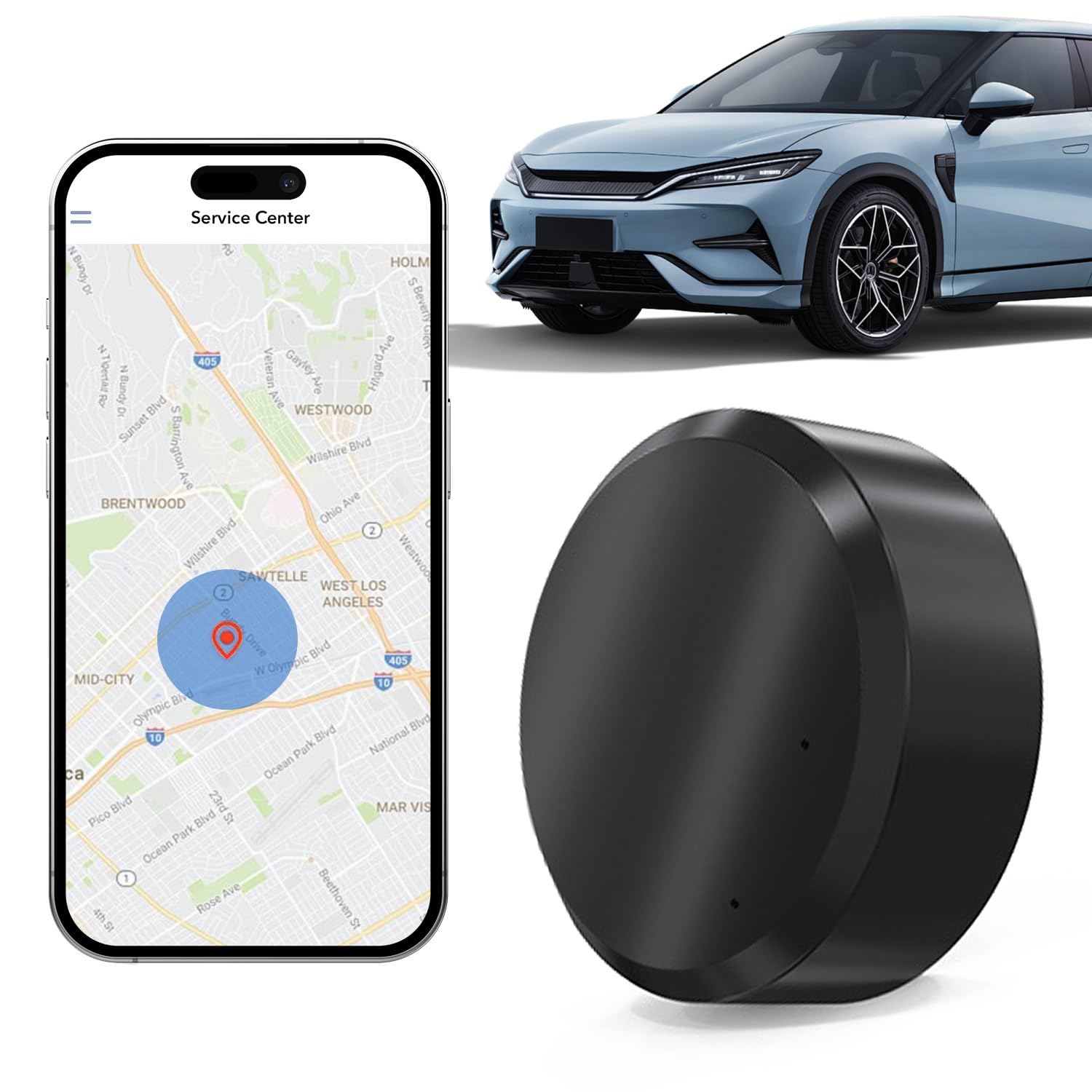
This compact tracker is a solid choice for those who want real-time car tracking without monthly fees.
Pros
- Easy to set up and use right away
- Real-time location updates directly to your phone
- Small size with magnetic backing is easy to hide
Cons
- Requires a separate SIM card to work
- Some users may find app features limited
- Battery life depends on tracking frequency
We found the Koyetubs Mini GPS Tracker quick to get going. Just pop in a SIM card, put it in the car, and you can watch where your vehicle is from your phone. The app is straightforward, making tracking simple for anyone.
Its small and magnetic design means you can hide it discreetly under your car or inside the vehicle. We appreciated the real-time updates, which kept us informed no matter where the car went.
Keep in mind, you’ll need to buy and maintain a SIM card plan, which might add extra cost. Still, having no monthly subscription fees makes this a budget-friendly option if you want decent tracking without hassles.
UNSXHIT 9-inch GPS

The UNSXHIT GPS is a solid choice if you want a large screen and lifetime map updates without fuss.
Pros
- Big 9-inch screen makes it easy to see directions quickly
- Free lifetime updates keep maps current without extra cost
- Supports multiple vehicle types, good for trucks and cars alike
Cons
- Inputting addresses can be slow and a bit clunky
- Voice announcements are useful but not very clear at times
- Size may feel too large for smaller dashboards
We found the large display really helpful. It gave us clear directions without having to squint or get distracted. The touchscreen reacts well, making it easy to enter destinations once you get used to the layout.
The free lifetime updates are a big plus here. It means we don’t have to worry about outdated maps or paying extra down the line. Plus, the GPS works for different vehicle types, which was handy when switching between our car and truck.
However, entering addresses took longer than on newer models, and voice alerts sometimes felt hard to understand. The size also made it tricky to fit comfortably on smaller dashboards. Still, for a straightforward, reliable GPS, it’s a practical pick.
QEDASS GPS Navigator
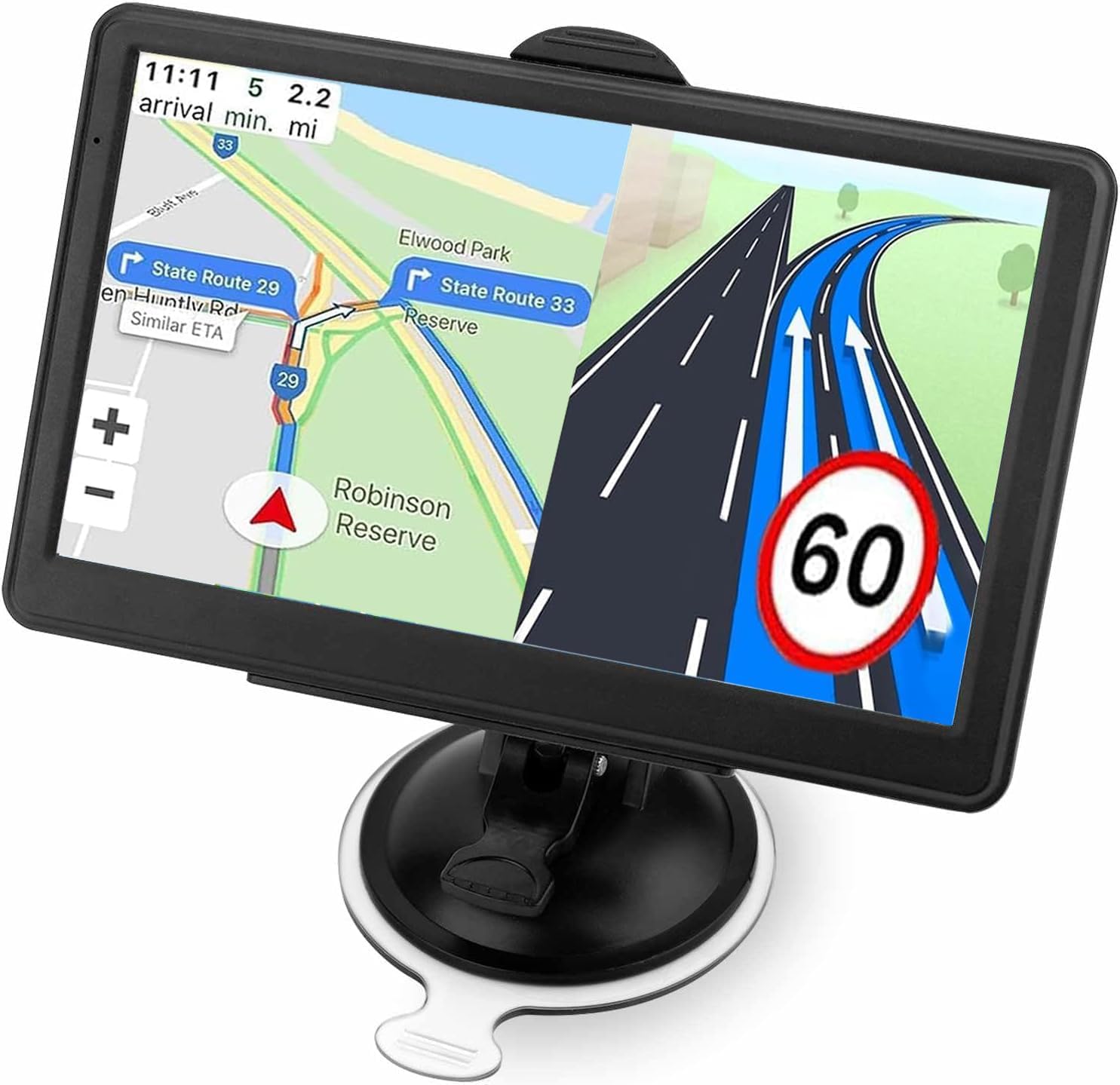
This GPS offers solid navigation with up-to-date maps, but the interface could be easier to use.
Pros
- Large 7-inch screen is clear and easy to read
- Free lifetime updates for North American maps
- Supports multiple vehicle types with helpful alerts
Cons
- Interface can be confusing at first
- Requires city entry before address search
- Limited RAM may slow complex tasks
We found the screen size perfect for quick glances while driving. The voice guidance works well and clearly announces turns, which helped reduce distractions.
The device covers cars and trucks with special modes for size and weight, giving us route options based on vehicle type. Alerts for speed cameras and lane changes felt useful on longer trips.
However, entering addresses wasn’t as straightforward as expected. You have to enter the city before the street, which slowed us down during urgent route changes. The system runs on older software, so it can be a bit sluggish when handling larger map files.
Overall, this GPS works well if you want reliable and updated maps in a simple device, but it may take some time to get used to the controls.
Garmin DriveCam 76

We found the Garmin DriveCam 76 easy to use with clear navigation and the extra feature of a built-in dash cam adds real value for safety-conscious drivers.
Pros
- Large, sharp 7” screen makes maps and directions easy to read
- Dash cam records incidents automatically and uploads videos securely
- Voice commands work well for hands-free control
Cons
- Camera use is limited in some areas due to privacy laws
- Battery life is short, so it needs constant power while driving
- Wi-Fi updates can be tricky if you’re not tech-savvy
The screen on this Garmin really stands out. It’s bright and large enough that we didn’t have to squint or lean forward to see directions. The maps cover a wide area, including the U.S., Mexico, and parts of the Caribbean, which helped us on longer road trips.
Having the dash cam built in felt like a smart bonus. It captures video automatically when something unusual happens, which gave us peace of mind on the road. We liked that the recorded clips save online and can be viewed or shared easily through the Garmin app.
The voice assistant is a big plus because it lets us keep our hands on the wheel while asking for directions or finding places nearby. However, we noticed the device only runs about 30 minutes on battery, so it needs to stay plugged in for longer trips. Also, updating the maps over Wi-Fi was a bit confusing at first but manageable after some practice.
Buying Guide
Choosing the best easy-to-use GPS for our car depends on several key features. First, we should look at the screen size and display quality. A clear, bright screen helps us see directions easily, even in sunlight.
Next, the user interface matters. We want a GPS that is simple to navigate with clear buttons and menus. This reduces distractions while driving.
We also need to consider navigation features. Look for turn-by-turn voice instructions, real-time traffic updates, and route options. These help us avoid traffic jams and get to our destination faster.
Another important element is mounting and power options. A good GPS should have a secure mount and easy charging, so it stays visible and powered during long drives.
Battery life is less crucial if the GPS stays plugged in, but still worth checking for portability outside the car.
We can use this table to compare important features:
| Feature | Why It Matters | What to Look For |
|---|---|---|
| Screen Size | Easy to read at a glance | 5-7 inches, bright display |
| User Interface | Simple to use while driving | Large buttons, clear menus |
| Navigation Features | Improved travel experience | Voice guidance, traffic info |
| Mount & Power | Secure placement and consistent power | Strong mount, USB/power cable |
| Battery Life | Portable use outside the car | Long battery life if needed |
By focusing on these features, we can pick a GPS that is easy to use and fits our driving needs.
Editor’s Choice
We chose the Garmin Drive 52 as our top pick for the best easy-to-use GPS for cars. It offers a simple interface that most drivers find easy to navigate without distractions. The screen is clear and bright, making it easy to read in sunlight or at night.
This model includes useful features like real-time traffic updates and lane assistance. These help us avoid delays and make sure we stay in the correct lane during turns or exits. The voice commands work well, allowing us to keep our hands on the wheel.
Here is a quick look at what makes the Garmin Drive 52 stand out:
| Feature | Benefit |
|---|---|
| 5-inch touchscreen | Easy to see and control |
| Lifetime maps | No extra cost for updates |
| Driver alerts | Warns about sharp curves, speed |
| Real-time traffic | Helps avoid slowdowns |
We also appreciate its straightforward setup. You just power it on, enter your destination, and start driving. There are no complicated menus or setups to deal with.
For drivers who want a reliable GPS without a learning curve, this model is a solid choice. It balances useful technology with user-friendly design.
Where to Buy – Best Amazon Deals
When looking for an easy-to-use GPS for your car, Amazon offers many options. We find it useful to check there first because they often have good prices and fast shipping.
Amazon’s customer reviews help us decide which GPS units work best. These reviews give real feedback on ease of use and reliability. We suggest looking at models with high ratings and many reviews for the best chance of satisfaction.
Here are some tips for finding deals on Amazon:
- Use filters to sort by price, rating, and brand.
- Look for “Amazon’s Choice” tags for popular picks.
- Check the deals section for discounts and special offers.
- Watch for bundle deals that include accessories like mounts or chargers.
We keep an eye out for trusted brands like Garmin, TomTom, and Magellan. These often appear on Amazon with discounts, especially during sales events like Prime Day or Black Friday.
| Feature | Benefit |
|---|---|
| Prime Shipping | Quick delivery, often 1-2 days |
| Customer Reviews | Real user experience |
| Return Policy | Easy returns if the product fails |
| Price Tracking | See price drops and deals |
Shopping on Amazon makes the buying process easy. We can compare, read, and buy without leaving home. This convenience is why many of us choose Amazon for GPS purchases.
FAQS
We often get asked about the best GPS devices for cars. Here are some common questions and clear answers to help us all choose the right one.
What features make a GPS easy to use?
Simple menus, clear maps, and quick route updates are key. Voice guidance helps too, so we don’t have to look at the screen all the time.
Do we need an internet connection for a GPS to work?
Most dedicated GPS devices don’t need internet. They use built-in maps. However, some apps on smartphones do require data to update routes and traffic info.
Can these GPS devices be used outside the car?
Yes, many are portable. We can use them while biking or walking, but they work best in a vehicle because of screen size and mounting options.
How often should we update GPS maps?
Maps change with new roads and closures. Updating every 3 to 6 months keeps navigation reliable and accurate.
| Question | Answer |
|---|---|
| Is voice control important? | Yes, it keeps our hands free. |
| Will GPS drain my car battery? | No, they use car power or have a built-in battery. |
| Are GPS and smartphone apps different? | Yes, GPS devices work offline; apps often need data. |
We hope these answers make choosing a GPS simpler and clearer for everyone.
Conclusion
Choosing the best easy-to-use GPS for your car depends on what features matter most to us. Some devices offer simple touchscreens with clear directions. Others add real-time traffic updates and voice commands to make driving easier.
We found that user-friendly menus and clear displays help reduce distractions. A GPS that updates maps automatically is also a big plus. It keeps us on the right path without manual work.
Here’s a quick checklist of what to look for in a great GPS:
| Feature | Why It Matters |
|---|---|
| Easy Setup | Saves time and avoids frustration |
| Clear Voice Guidance | Helps keep attention on the road |
| Real-Time Traffic Info | Avoids delays and finds faster routes |
| Bright, Clear Screen | Easy to read in sunlight |
We recommend focusing on these essentials. Fancy extras can be useful but might add complexity. The best GPS is the one we can use without stress.
In the end, the right GPS keeps us confident and informed on every trip. It makes driving simpler and safer. That’s what we want when we are behind the wheel.