
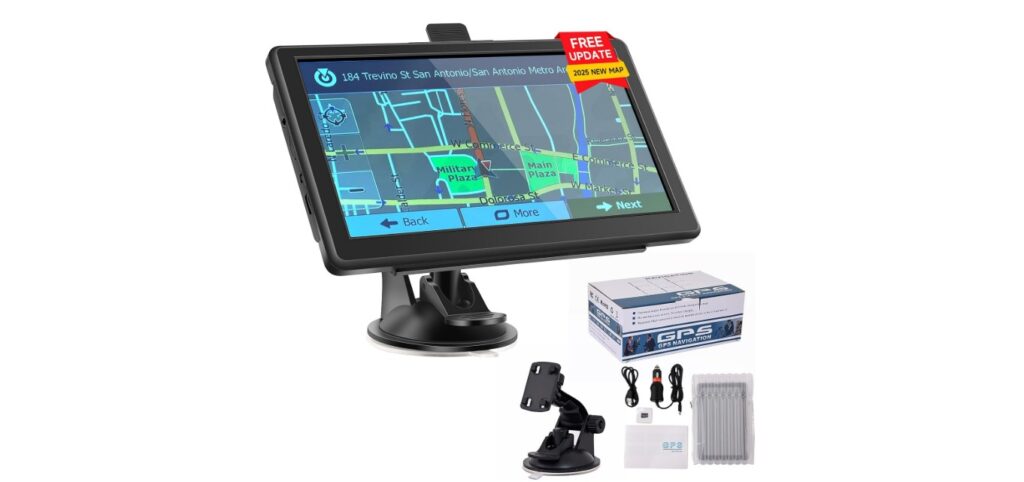
GPS units for cars help drivers find the best routes and reach destinations without getting lost. They use satellites to show your exact location and give real-time directions. While many people now use smartphone apps for navigation, dedicated GPS units can offer clearer screens, reliable signals, and features tailored specifically for driving.
A good GPS unit should have an easy-to-read display, quick route calculations, and up-to-date maps. Extra features like voice guidance and traffic updates can make driving safer and less stressful. Before buying, it’s important to consider screen size, battery life, map updates, and how user-friendly the device is.
We looked at many GPS devices to find the ones that offer clear directions, reliable performance, and useful features for drivers.
Best GPS Units for Cars
We have tested and reviewed many GPS units to find the best options for cars. Our list includes devices that are easy to use, reliable, and offer good navigation features. This should help you choose the right GPS for your needs.
Garmin Drive 53 GPS

The Garmin Drive 53 is a reliable car GPS that makes driving easier with clear directions and helpful alerts.
Pros
- Bright, easy-to-read 5” touchscreen
- Alerts for sharp curves and speed changes improve safety
- Shows food, fuel, and rest stops along the route
Cons
- Battery life is short, needs power in the car
- Sometimes the menu can feel a bit basic
- Lacks some advanced smartphone connectivity features
We found the Garmin Drive 53 comfortable to use during long drives. The screen is bright and clear, which made following directions simple even in daylight. The touchscreen responded quickly, and inputting addresses was straightforward.
The driver alerts stood out as helpful, warning us about speed changes and school zones ahead. It gave us peace of mind in unfamiliar areas. Also, the ability to see nearby places like restaurants and parks was a nice touch for road trips.
However, the GPS needs to stay plugged in because the battery doesn’t last long on its own. Some of us also wished for more modern features like live traffic updates without depending on a phone. Still, its solid maps and easy setup make it a good fit for those wanting a basic, dependable navigation device.
Garmin DriveSmart 76

The Garmin DriveSmart 76 offers a sharp screen and helpful features that make driving simpler and safer.
Pros
- Large, bright 7-inch screen that is easy to see at a glance
- Built-in voice assist and Alexa for hands-free control
- Live traffic updates and driver alerts improve travel efficiency and safety
Cons
- Some users find the Wi-Fi updates and setup tricky
- Extra charges may apply for certain map updates outside North America
- The screen can be sensitive and sometimes registers unintended touches
We appreciated how clear the screen is, even in bright daylight. The voice commands made it easy to keep our hands on the wheel while asking for directions or checking traffic. The Alexa feature also worked smoothly, letting us control music and get information without distraction.
Road trips became less stressful thanks to the live traffic and hazard alerts. These gave us time to slow down for sharp curves or avoid speed traps. Having access to traveler ratings and a database of national parks added a nice touch for planning stops along the way.
Though setup took a little time, especially connecting the app for live features, the device felt reliable during daily use. It’s a strong choice if you want a big, bright screen with smart navigation tools built in.
HINYFVOZ 7″ GPS Navigator

This GPS unit offers reliable navigation with up-to-date maps and useful features, making it a solid choice for most drivers.
Pros
- Clear 7-inch screen with easy touchscreen controls
- Custom routes for various vehicle types, including trucks and RVs
- Lifetime free map updates via USB, no subscription needed
Cons
- Suction cup mount can lose grip in extreme temperatures
- Interface occasionally feels slow or tricky to navigate
- No built-in FM radio, only GPS audio transmit via FM
We found the HINYFVOZ GPS easy to set up and use right away. The clear voice directions kept us on track without distraction. Switching between 2D and 3D maps helped us get a good view of upcoming turns.
The custom vehicle routing saved time by avoiding roads unsuitable for larger vehicles. This feature works well for trucks and RVs, which gave us confidence driving unfamiliar routes.
The suction mount held tight most of the time but did loosen in very hot weather. It’s simple to reattach, but it’s something to watch if you plan to use it for long rides in extreme heat or cold.
Overall, this GPS feels dependable and covers all the basics without extra fuss. It’s a practical option for those who want updated maps and solid navigation with useful alerts.
HINYFVOZ 9-Inch GPS Navigator

This GPS unit stands out for its large screen and reliable routing, making it a solid choice for cars, trucks, and RVs.
Pros
- Large, clear 9-inch touchscreen reduces eye strain.
- Free lifetime map updates keep routes current.
- Custom truck and RV routing avoids problematic roads.
Cons
- FM transmitter only sends audio, no radio station.
- Bulky compared to smaller GPS units.
- Limited customer reviews make long-term reliability unclear.
We found the big screen made it easy to see directions quickly without distraction. The touchscreen responds well, which helps when adjusting routes on the fly.
The custom routing for trucks and RVs gave us peace of mind on narrow or restricted roads. The voice guides are clear and include helpful alerts like speed changes and red light cameras.
Setting it up was straightforward. It came with all the mounts and chargers, so we had it ready to go shortly after opening the box. The lifetime map updates are a strong benefit if you plan to use this GPS for years.
Garmin DriveSmart 86

The Garmin DriveSmart 86 is a strong choice for anyone who wants a clear screen, helpful alerts, and smart features on a large GPS unit.
Pros
- Large, bright 8-inch screen easy to read day or night
- Voice assist and hands-free calling add safety and convenience
- Real-time info like traffic, weather, and fuel prices via smartphone app
Cons
- Only about 1 hour of battery life, so mostly needs to stay plugged in
- Learning some features takes a bit of time at first
- Must pair with phone for Alexa and some live services to work
We found the 8-inch screen really makes a difference. Maps are sharp and bright, which helps when you glance over while driving. The dual-orientation display means we could switch between horizontal and vertical easily depending on the vehicle setup.
Using the voice assistant was handy. It kept our hands on the wheel, letting us look up directions or play music without fumbling. The alerts for speed limits, sharp turns, and school zones felt like a good safety boost on our drives.
Connecting the DriveSmart 86 to a smartphone via the Garmin Drive app gave us live updates on traffic and parking spots. This helped especially in busy cities when avoiding delays. However, the device’s battery life is short, so it’s best for us to keep it connected to power while driving.
Overall, the Garmin DriveSmart 86 balances a big, easy-to-see screen with smart features that simplify travel, though it needs a phone to unlock its full potential.
Cutebe Car GPS

We found the Cutebe Car GPS offers reliable navigation with useful features for both everyday drivers and truck owners.
Pros
- Clear and bright 7-inch touchscreen visible in sunlight
- Accurate voice guidance keeps us focused on the road
- Route warnings for trucks to avoid low bridges and restrictions
Cons
- Limited user reviews to fully judge long-term reliability
- Some setup steps require patience to enter vehicle details
- Built-in entertainment features are basic but not advanced
The large screen stood out for us, making it easy to read directions while driving. It handled bright light well, which helped during daytime trips. The touchscreen felt responsive, so we didn’t have to worry about delays when zooming or tapping.
Voice directions were clear and gave all the alerts we expected. Lane assist, speed limits, and red-light warnings were helpful without being distracting. We especially liked how it adjusted routes for bigger vehicles after entering height and weight, which gave us peace of mind on the road.
While overall setup didn’t take long, entering specific truck details took a bit of time the first day. The device also includes some entertainment features for passengers, which could be handy, but they are simple compared to modern tablets or phones.
For reliable navigation with truck-friendly options and a good display, the Cutebe Car GPS is a solid choice for drivers looking for a straightforward system with lifetime map updates.
HINYFVOZ 7-Inch GPS Navigator

This GPS is a solid choice for drivers needing custom routes, especially truck and RV users, with clear directions and a large screen.
Pros
- Custom vehicle routing keeps us off roads that are too small or restricted.
- Bright 7-inch touchscreen makes map details easy to see.
- Free lifetime map updates keep navigation current without extra cost.
Cons
- Initial GPS signal setup can take a long time if used indoors.
- Setup steps must be followed carefully to avoid issues with time or charging.
- The FM transmitter only sends voice directions, not full radio playback.
When we used this GPS, its 7-inch screen stood out by giving us a clear view of the map and travel info without straining to see it. The voice prompts were easy to hear, helping us focus on the road. We especially liked how it lets you enter exact vehicle size to avoid bridges and roads that are off limits for trucks or RVs.
The initial setup took a bit of patience. We had to make sure the device was fully charged with the included charger and set the time and maps before hitting the open road. Also, the GPS needed to search for signal in an open spot to start working properly.
Overall, this navigator worked well for trips where we needed reliable routes and safety alerts for speed limits and red lights. It’s a good fit if you want a simple device made for a range of vehicles, not just cars.
LANGDA Portable Carplay Screen

This screen is a solid choice for anyone who wants Carplay and GPS without changing their car’s stereo.
Pros
- Wireless Carplay and Android Auto are easy to connect and use.
- The 7-inch HD touchscreen is bright and clear.
- Installation is simple and fits most vehicles.
Cons
- The included power cable may break after a few months.
- Bluetooth audio from some phones can cut out or buffer.
- The screen can flicker or go black after extended use.
We found the LANGDA Carplay screen very easy to set up. It fitting almost any vehicle makes it very practical, especially for older cars without built-in Carplay. The wireless feature lets us use apps and GPS while keeping distractions low.
The 7-inch touchscreen offers clear images and works well for navigation and media. Mirroring our phone’s display felt smooth for the most part. However, the Bluetooth connection wasn’t perfect during music streaming, sometimes causing annoying audio breaks.
Despite some issues with the cable and occasional screen flicker, this device offered a quick tech upgrade. For those who want a simple way to add Carplay and GPS, this unit works well and is worth considering.
VOUJUCY 7 Inch GPS Navigator

This GPS unit is a solid choice for drivers who want clear routes and useful alerts, but it requires careful setup to work well.
Pros
- Large, bright 7-inch touchscreen makes following maps easy.
- Free lifetime map updates keep navigation current.
- Custom routes can be set based on vehicle size for safer trips.
Cons
- Initial setup takes time and must be done outdoors for the best GPS signal.
- Battery life is weak and does not hold charge well.
- Interface can be confusing with separate home and navigation screens.
After using the VOUJUCY Navigator, we appreciated how bright and clear the screen stays even in daylight. The voice guidance is helpful, giving timely warnings about speed cameras and turns, which keeps distraction to a minimum.
We found the custom route settings useful, especially for trucks or RVs. It helps avoid low bridges and restricted roads by entering your vehicle’s dimensions. This boosts safety but demands careful input, or your route could be wrong.
However, the setup process felt a bit tricky. Getting the first GPS signal requires waiting outside for up to half an hour, which slows things down. The battery needs constant power or it drains quickly, so it’s best used mostly plugged in. Overall, it’s reliable once set up, but not perfect for those who want instant use.
NAVRUF GPS Navigator 9″ Touchscreen
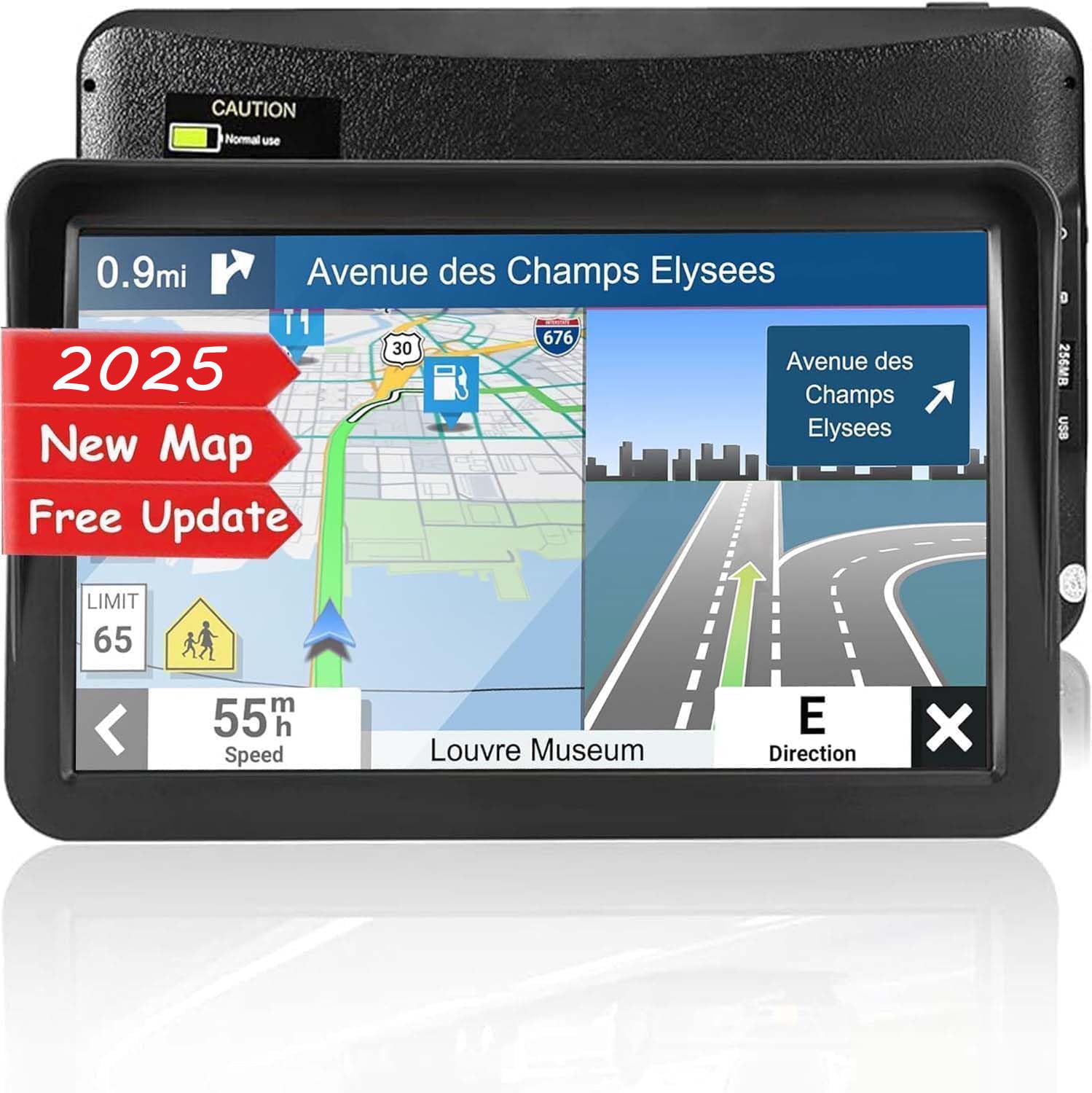
This GPS unit stands out for its large screen and easy use, making it a solid choice for drivers wanting clear guidance and free map updates.
Pros
- Big, bright 9-inch touchscreen is easy to see
- Useful voice alerts warn about speed limits and sharp turns
- Lifetime offline map updates included at no extra cost
Cons
- Somewhat bulky compared to smaller GPS devices
- Battery lasts only about 6 hours on a charge
- Menu can feel a bit slow responding at times
We found the NAVRUF GPS easy to set up right away, and the large screen helped us stay focused on the road. The touchscreen responds well, which is especially helpful when entering addresses or selecting routes. Drivers of trucks and larger vehicles will appreciate the clear display.
The voice warnings were practical and timely, letting us know about upcoming turns and speed cameras without confusing us. Plus, the device worked both on the windshield and dashboard with the included mounts. This flexibility made installation quick and simple.
Lifetime map updates are a major bonus, keeping navigation accurate without extra fees. The system handles different vehicle types well and even offers entertainment features in downtime. On longer trips, we just plugged it in to keep battery life from being a problem.
Overall, this GPS brings solid value and functionality for drivers who want clear maps and helpful driving alerts in one package.
Buying Guide
When choosing a GPS unit for your car, we focus on a few key features to make sure it fits our needs. Screen size and clarity are important. A bigger screen is easier to see, but it also needs to be bright and clear, especially in sunlight.
Next, we consider navigation accuracy. The device should offer reliable real-time directions without lag. Look for units with up-to-date maps and frequent updates.
Battery life matters if we want to use the GPS outside the car or in case of power loss. However, most car GPS units work best when plugged in.
We also look for ease of use. The interface should be simple and quick to operate, so we don’t get distracted while driving. Voice guidance is helpful to keep our eyes on the road.
Connectivity features like Bluetooth or smartphone integration can add convenience. This lets us make calls or stream music hands-free.
Here’s a quick table of key features to check:
| Feature | Why It Matters |
|---|---|
| Screen Size | Easier to read maps and routes |
| Map Updates | Keeps directions accurate |
| Battery Life | Use when not plugged in |
| Voice Guidance | Safer driving without looking down |
| Connectivity | Adds hands-free and smart options |
By focusing on these points, we can pick a GPS unit that fits how we drive and what we need from it.
Editor’s Choice
We chose the Garmin DriveSmart 65 as our Editor’s Choice for the best GPS unit for cars. It offers a reliable balance of features, ease of use, and value. The screen is bright and large enough to see maps clearly without distraction.
This unit comes with free lifetime map updates and real-time traffic alerts. That means less worry about driving into traffic jams or outdated routes. It also has voice commands, so we can keep our hands on the wheel and eyes on the road.
Here is a quick look at why we prefer it:
| Feature | Details |
|---|---|
| Screen Size | 6.95 inches |
| Maps | Free lifetime updates |
| Traffic Alerts | Yes, in real time |
| Voice Commands | Yes |
| Bluetooth Connectivity | Yes, hands-free calling |
The Garmin DriveSmart 65 also includes easy-to-understand lane guidance. This helps when approaching complex intersections or highway exits. Plus, driver alerts warn us about sharp curves, school zones, and speed limits.
While it’s not the cheapest option, the value is strong. The combination of accurate directions and safety features makes it worth it. We believe this GPS unit fits the needs of most drivers well.
Where to Buy – Best Amazon Deals
We find Amazon to be one of the best places to buy a GPS unit for your car. It offers a wide selection from top brands, so you can compare features and prices in one spot.
Amazon often has competitive deals, especially during sales events like Prime Day or Black Friday. We suggest watching for discounts on models with the features you want.
Here is a quick table showing some popular GPS units and their typical price ranges on Amazon:
| GPS Model | Price Range | Key Feature |
|---|---|---|
| Garmin Drive 52 | $100 – $130 | Easy-to-read display |
| TomTom GO Comfort | $120 – $150 | Lifetime maps |
| Magellan RoadMate | $90 – $120 | Real-time traffic updates |
When shopping, always check the seller ratings and read customer reviews. This helps us avoid sellers with poor service or counterfeit products.
Prime members can benefit from free and fast shipping on many models. Plus, some products come with easy returns, which gives us peace of mind.
Using Amazon’s filters helps narrow down options, like sorting by price or new releases. This makes the search faster and more efficient for us.
We recommend adding your preferred GPS units to your wishlist. That way, you can track price changes and buy when the cost drops.
FAQs
What features should we look for in a GPS unit?
We recommend considering screen size, ease of use, map updates, and battery life. Voice guidance and real-time traffic are also important for a better driving experience.
Are phone GPS apps better than dedicated units?
Phone apps are convenient and often free. However, dedicated GPS units usually offer more reliable signals and work without cellular data.
How often do GPS maps get updated?
Most manufacturers provide updates at least once a year. Regular updates help us avoid road closures and new routes.
Can GPS units work offline?
Yes. Dedicated GPS units store maps on the device. This lets us navigate even without an internet connection.
Do all GPS units support voice commands?
Not all. Some models have voice activation, which lets us keep our hands on the wheel. This is handy for safer driving.
How accurate is GPS navigation?
GPS units are generally accurate within a few meters. Accuracy depends on the device quality and satellite connection.
| Feature | Importance |
|---|---|
| Screen size | Easy to read while driving |
| Real-time traffic | Avoids delays and traffic jams |
| Voice guidance | Keeps hands on the wheel |
| Offline maps | Ensures navigation without data |
Conclusion
We found that the best GPS units for cars offer a mix of ease of use, clear directions, and useful extra features. A good GPS should help us reach our destination quickly without confusion.
Some GPS units excel in screen size and brightness, while others stand out with real-time traffic updates. It’s important to pick one that fits our driving habits and budget.
Here’s a quick look at what we think matters most:
| Feature | Why It’s Important |
|---|---|
| Screen Size | Easy to see, less distraction |
| Traffic Updates | Avoid delays on the road |
| User Interface | Simple to use while driving |
| Price | Fits our budget without extra cost |
We also remind ourselves that smartphone apps can work well but standalone GPS devices often provide more reliable navigation when signal is weak.
Choosing the right GPS unit depends on what we need during our trips. Whether we drive often in unknown areas or just for weekend getaways, a good GPS unit will make our travel smoother.
In the end, the best GPS helps us drive with confidence and less stress.