

Are OBD2 scanners safe for everyday drivers? Yes—when used correctly. This guide shows you how to choose, connect, and use an OBD2 scanner safely. It also covers privacy, car systems, common risks, and practical tips so you can run quick checks and save time and money.
Contents
- 1 Key Takeaways
- 2 Introduction — what you will learn
- 3 Step 1: Understand what an OBD2 scanner is
- 4 Step 2: Answering the main question — are OBD2 scanners safe?
- 5 Step 3: How to choose a safe OBD2 scanner
- 6 Step 4: Step-by-step safe use of an OBD2 scanner
- 7 Step 5: Practical tips and everyday uses
- 8 Troubleshooting — common issues and solutions
- 9 Security and privacy: protect your car and data
- 10 Legal and warranty points
- 11 When to stop and call a pro
- 12 Examples — real use cases for everyday drivers
- 13 Conclusion — are OBD2 scanners safe and worth it?
- 14 Author
Key Takeaways
- Point 1: OBD2 scanners are generally safe for reading diagnostic data. They do not harm your car when used properly.
- Point 2: Using a scanner to clear codes can hide ongoing problems. Learn when to clear and when to seek a pro.
- Point 3: Bluetooth and Wi‑Fi scanners carry privacy risks. Use trusted apps and secure connections.
- Point 4: Basic scanners help everyday drivers spot issues early. This can save time and money.
- Point 5: Firmware updates and reputable brands reduce security and compatibility risks.
- Point 6: If a scanner creates new problems, stop and contact a mechanic. Don’t force fixes you don’t understand.
Introduction — what you will learn
This guide answers the question, are OBD2 scanners safe for everyday drivers. You will learn what these tools do. You will learn how to pick one. You will learn step‑by‑step how to use it safely. You will also learn about privacy, common problems, and clear, simple tips. By the end, you will know when to use a scanner and when to call a pro.
Step 1: Understand what an OBD2 scanner is
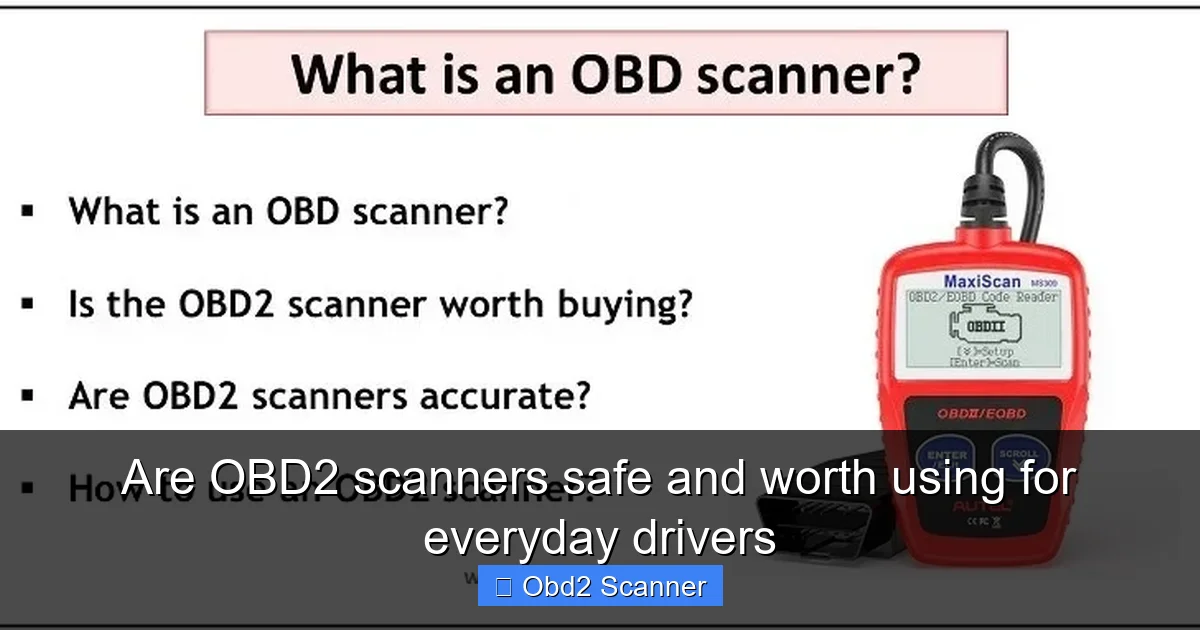
Start with the basics. OBD2 stands for On‑Board Diagnostics, second generation. It is a standard port found on cars made since the mid‑1990s. A scanner reads codes and live data from your car’s computer. It shows error codes, sensor values, and readiness monitors. Most scanners plug into the port under the dash. Some use Bluetooth or Wi‑Fi to talk to your phone. Knowing what it can and cannot do is key to safety.
Visual guide about Are OBD2 scanners safe and worth using for everyday drivers
Image source: cdn11.bigcommerce.com
Types of OBD2 scanners
- Code readers: Simple. They show and clear trouble codes. Cheap and easy.
- Bluetooth/Wi‑Fi dongles: Small. Pair with a phone app. Good for live data and logging.
- Handheld scanners: Standalone devices. More features. No phone needed.
- Professional tools: For mechanics. They have deep features and can change vehicle settings.
What data they read
They read Diagnostic Trouble Codes (DTCs), freeze frame data, fuel trim, RPM, temperature, speed, oxygen sensor data, and more. They cannot change hardware. They can send commands on some systems if they are advanced. That is why understanding what your scanner can do is important.
Step 2: Answering the main question — are OBD2 scanners safe?
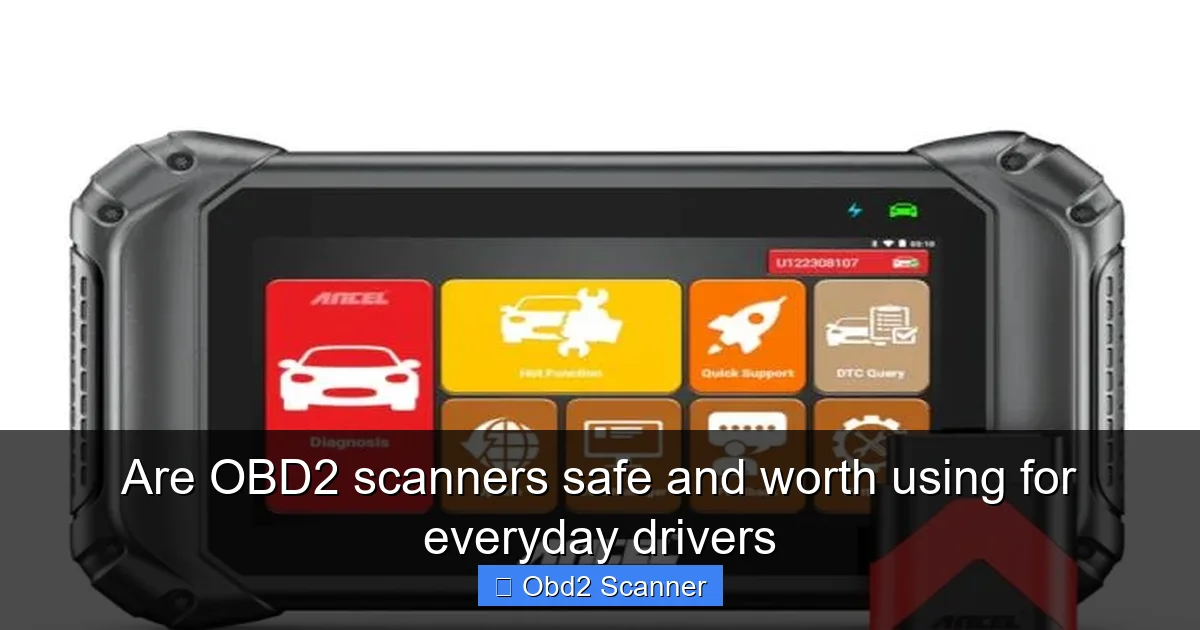
Short answer: yes, mostly. OBD2 scanners are safe for everyday diagnostic use. They are meant to be used by drivers and mechanics. They read data without altering the car. Most basic scanners only read and clear codes. These actions are low risk when done correctly.
Visual guide about Are OBD2 scanners safe and worth using for everyday drivers
Image source: netsworths.com
But there are caveats. Advanced scanners can issue commands. That can affect emissions, idle, and other systems. Some cheap or malicious Bluetooth dongles can leak data. Improper use, like clearing codes repeatedly, can mask problems. So safety depends on the tool and the user.
Common safety concerns
- Clearing codes too soon: This can hide a real issue. You may lose diagnostic help for a mechanic.
- Device quality: Cheap dongles may be unreliable or insecure.
- Compatibility: Wrong tool can give false readings or fail to communicate.
- Security: Wireless devices can expose vehicle data if not secured.
- Interfering with systems: Some advanced tools can change settings. Use them carefully.
Step 3: How to choose a safe OBD2 scanner
Choosing the right scanner reduces risk. For everyday drivers, pick a basic, reputable model. Look for clear specs and good reviews. Avoid very cheap, no‑name dongles. Consider these points.
Visual guide about Are OBD2 scanners safe and worth using for everyday drivers
Image source: etechnophiles.com
Match the features to your needs
- If you only want to read and clear codes, a simple code reader is fine.
- If you want live graphs and logging, choose a Bluetooth dongle and a trusted app.
- If you work on multiple cars, pick a device that supports multiple protocols and manufacturers.
Brand and support
Buy from brands with good support and firmware updates. Brands with long histories fix bugs and release security patches. Check for an active app and clear instructions. Read user reviews on automotive forums.
Security features
For wireless devices, prefer dongles that support secure pairing and require a password. Check app permissions. Avoid apps that ask for location or access to unrelated phone features. Keep firmware up to date.
Step 4: Step-by-step safe use of an OBD2 scanner
Now you will learn how to use a scanner safely. Follow these steps. Keep your language simple. Keep actions slow. Double check before clearing codes.
Step 4.1: Prepare the car
- Park on level ground.
- Engage the parking brake.
- Turn off accessories like AC and radio.
- Have the key or fob ready. Some actions need the ignition on.
Step 4.2: Locate the OBD2 port
The port is usually under the dashboard on the driver’s side. It may be behind a cover. It is a trapezoid shape with 16 pins. If you cannot find it, check the owner’s manual.
Step 4.3: Connect the scanner
- Turn off the car for plug‑in devices. Many recommend the ignition off when connecting.
- Plug the scanner firmly into the port.
- For Bluetooth dongles, plug in, then power the car to the accessory position to allow pairing.
Step 4.4: Start the scanner and read codes
- Turn the ignition to ON for most readers. Do not start the engine unless needed.
- Follow the scanner prompts to read codes.
- Note the code numbers and text. Do not clear codes yet.
- Look up code meanings. Use a trusted source or the device manual.
Step 4.5: Interpret codes before clearing
Some codes are serious. Some are minor. A sensor code may not mean a major fix. Research common causes. If the code relates to safety systems like airbags or brakes, seek a mechanic. If it’s a loose gas cap code, tighten the cap and drive to see if it returns.
Step 4.6: Clearing codes — when and how
- Do not clear codes just to turn off a warning light. Fix the cause first when possible.
- Clearing codes can reset readiness monitors. This can affect emissions tests.
- If you clear a code after repair, drive the car for required cycles to ensure the fix worked.
- If you are testing parts, clear codes to see if the fault returns. Only do this if you know what you are testing.
Step 4.7: Disconnecting
Turn off the scanner and then remove it from the port. Restart the car and check for stubborn lights. If lights return, or if the car runs poorly, stop and seek help.
Step 5: Practical tips and everyday uses
OBD2 scanners are useful for many quick checks. They are handy for troubleshooting. They help you talk to your mechanic more clearly. Here are practical tips.
Tip 1: Use a scanner before visiting a mechanic
Reading codes gives you a head start. You can give the mechanic the code. This can cut diagnosis time and costs.
Tip 2: Keep a simple reader in your glove box
Carry a basic reader for on‑the‑spot checks. It helps you check a light before panic sets in.
Tip 3: Log data during test drives
Bluetooth dongles and apps can record data while you drive. This helps catch intermittent issues, like misfires that happen at certain speeds.
Tip 4: Watch out for false positives
Not all codes mean the worst. A single misread oxygen sensor may show a code but the issue could be a vacuum leak. Use the scanner as a tool, not a final judge.
Tip 5: Share code info with your mechanic
A clear code report makes repairs faster. Take screenshots or write down codes and freeze frame data.
Troubleshooting — common issues and solutions
Even simple use can yield problems. Here are quick fixes and checks for common troubles.
Problem: Scanner won’t connect
- Check the car’s ignition position. It often needs to be ON.
- Try a different port or reposition the device.
- For Bluetooth, forget the device in your phone and pair again.
- Check the app permissions and Bluetooth settings.
Problem: Codes return after clearing
This means the problem is still there. Do not keep clearing codes. Find the root cause. Use live data to watch the sensor values while running. If unsure, get a mechanic.
Problem: Bad readings or strange data
Try another scanner to confirm. Update the scanner firmware. Reset the app. Faulty dongles or cheap devices can report wrong values.
Problem: Car won’t start after scanning
This is rare. If it happens, remove the scanner and disconnect the battery if safe to do so, then try again. If the problem persists, call roadside assistance or a mechanic. Always stay calm and avoid repeated attempts that may drain the battery.
Security and privacy: protect your car and data
Wireless OBD2 devices can send data to apps and cloud services. That data can include VIN, trip logs, and fault history. Follow these safety steps.
Best practices
- Use trusted apps only. Check reviews and the developer.
- Limit app permissions. Do not grant unnecessary access.
- Set a strong pairing password if your dongle supports it.
- Keep firmware and apps updated.
- Unplug the dongle when not in use. This prevents unauthorized access while parked.
Data sharing and privacy
Some apps upload trip data and vehicle health to the cloud. Read the privacy policy. If you dislike sharing, pick a local‑only app or a standalone scanner that stores data on the device only.
Legal and warranty points
Many drivers worry that using a scanner voids warranty. In general, reading codes does not void a warranty. The Magnuson‑Moss Warranty Act in the U.S. prevents manufacturers from voiding warranty just because you use aftermarket parts or diagnostic tools. However, if you use a tool to modify the engine or electronics and that causes damage, the manufacturer could deny related repairs.
Key rules:
- Reading codes: safe for warranty.
- Clearing codes: safe, but be honest with the dealer if a repair is under warranty.
- Making changes: altering engine maps or emissions controls can void warranty and may be illegal.
When to stop and call a pro
Know your limits. Use the scanner for basic diagnosis. Seek a mechanic in these cases:
- Airbag or ABS warnings.
- Engine stalling or severe drivability issues.
- Complex codes that need special tools or dealer software.
- If you cannot resolve a recurring code.
A quick call or message with your code details can save time. Mechanics often ask for codes before you arrive. That helps them prepare parts and tools.
Examples — real use cases for everyday drivers
Example 1: Check engine light after refuel. You read a P0456 small EVAP leak code. You tighten the gas cap. The code doesn’t return. Problem solved in minutes.
Example 2: Intermittent misfire. You record live data during a drive. The data shows a misfire at 3000 RPM. You replace a spark plug and the code does not return. You saved a diagnostic visit.
Example 3: Emissions readiness. Before a test, you check readiness monitors. You find one monitor is not ready. You drive the car on a recommended routine to complete the cycle. You avoid a failed test and a repeat visit.
Conclusion — are OBD2 scanners safe and worth it?
To answer the core question: are OBD2 scanners safe for everyday drivers? Yes. They are safe when you use the right device and follow simple precautions. Basic code readers let you check faults quickly and cheaply. Bluetooth dongles and apps add power but need secure apps and care. Do not clear codes without understanding the cause. Keep firmware and apps up to date. Choose reputable brands. When in doubt, stop and call a mechanic.
For most drivers, an OBD2 scanner is worth owning. It helps you catch small issues early. It reduces guesswork. It gives you better talks with mechanics. Buy a simple reader, learn the basics, and use it responsibly. That keeps your car and data safe. It keeps you informed and ready.
🎥 Related Video: This New Cheap Scan Tool Has Mechanics Crapping in Their Pants
📺 Scotty Kilmer
Scan tool review. If You Don’t Have This Scan Tool You’re Stupid. The best cheap scan tools you should buy, DIY and car repair …
