

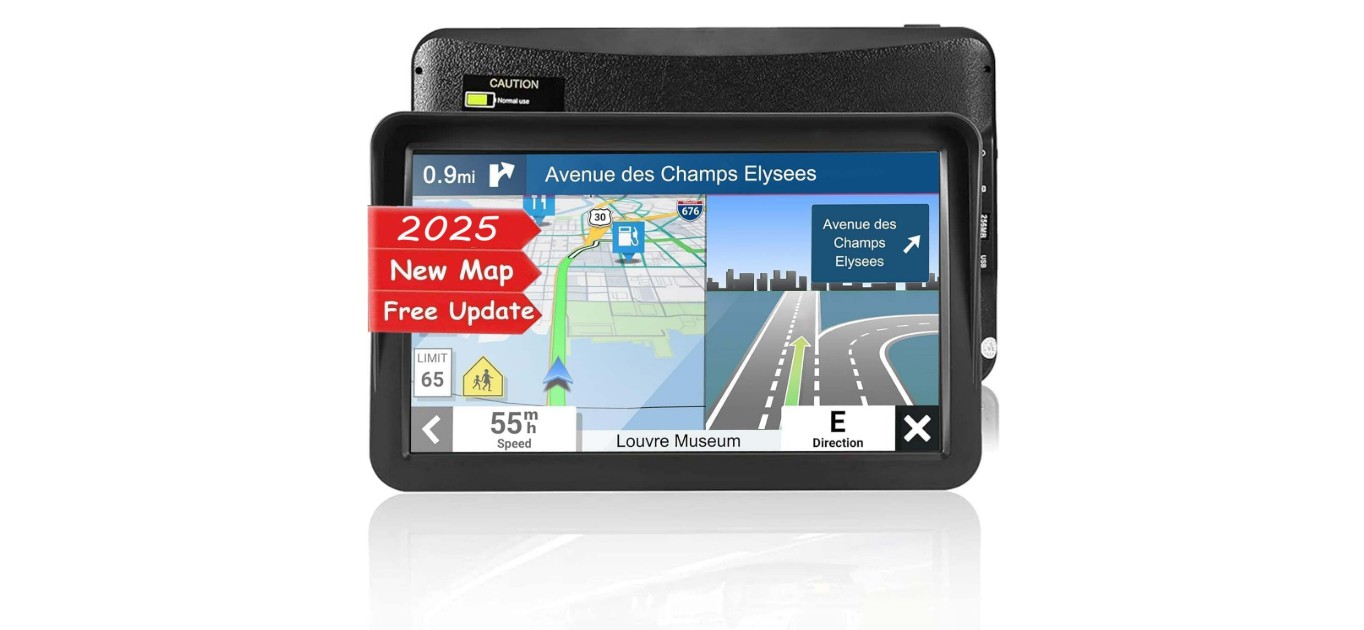
Car GPS devices help drivers find their way without needing to ask for directions or pull out a map. They can show routes, traffic updates, and points of interest, all through a small screen mounted on the dashboard or windshield. For seniors, having a GPS can boost confidence and reduce stress while driving in unfamiliar places.
The best car GPS for seniors focuses on ease of use. Big buttons, clear screens, and simple menus matter a lot. Voice guidance is also important, as it allows drivers to keep their eyes on the road and follow spoken directions easily. Some models may also offer emergency features or simplified interfaces designed for older adults.
When choosing a GPS for seniors, it is critical to consider screen size, font readability, and voice clarity. The device should be straightforward to set up and operate, without complex buttons or confusing menus. Battery life and mounting options also play a role in making the GPS practical for everyday use. We tested several models to find the best car GPS for seniors that combine simple design with reliable performance.
Contents
Best Car GPS for Seniors
We have researched and tested several car GPS devices to find the best options for seniors. Our list focuses on easy-to-use models with clear displays and simple controls to help make driving safer and more comfortable.
Garmin Drive 53 GPS

This GPS is a solid choice for seniors who want clear directions and helpful alerts without complicated features.
Pros
- Easy-to-read 5” bright touchscreen
- Alerts for sharp turns, school zones, and speed changes
- Shows fuel stops and top-rated places along your route
Cons
- Battery life is short, so it needs to stay plugged in
- Some menus could be simpler for less tech-savvy users
- The device relies on USB instead of newer connections
We found the Garmin Drive 53 easy to set up and use right away. The screen is bright and clear, which helped us see the road at a glance. Voice directions were timely and used landmarks, making navigation less stressful.
The driver alerts were helpful. They warned us ahead of sharp curves and speed shifts, which is great for staying safe. It was also nice to have stops like restaurants and gas stations shown on the map, helping plan breaks during longer drives.
The short battery life means the GPS should remain plugged in during use, which might be a downside for some. Still, the device feels durable and reliable on the road. If you want straightforward navigation without a lot of extras, this device suits those needs well.
Garmin DriveSmart 86

This GPS is a solid choice for seniors who want a large, clear display that helps make driving simpler and safer.
Pros
- Big, bright 8-inch screen that’s easy to see
- Voice assist and hands-free calling keep distractions low
- Helpful alerts for speed changes and hazards improve safety
Cons
- Short battery life means it should stay plugged in
- Some setup and updates can be tricky without a computer
- Alexa features need a smartphone app to work
The screen on the Garmin DriveSmart 86 really stands out. It’s bright and sharp, which made reading maps while driving much easier for us. The dual-orientation display means we could switch between landscape and portrait easily, which helped with viewing preference.
Using voice commands felt natural, and it was nice not to have to touch the screen all the time. The hands-free calling worked well, reducing the need to handle the phone. The device also alerted us to speed limit changes and curvy roads ahead, which adds an extra layer of safety.
On the downside, the battery doesn’t last long if unplugged, so you’ll want to keep it powered during trips. The initial setup and updates required a bit of patience; Wi-Fi updates didn’t always go smoothly. Also, the Alexa function works only when paired with a phone app, which might be a hassle for those less comfortable with smartphones.
No Product Available
This product can’t be reviewed because there’s no information provided.
Pros
- Cannot determine without details
- Cannot determine without details
- Cannot determine without details
Cons
- No product name or link given
- No reviews available
- No features to assess
Without a product name, URL, or reviews, we can’t share any insights or experiences. We need more information to help find the best GPS for seniors. Once details are available, we can test and report on features that matter most to older drivers.
HINYFVOZ 9-Inch GPS Navigator

This GPS offers clear directions and a large screen, making it a solid choice for seniors who want easy-to-read navigation.
Pros
- Big 9-inch screen with sharp graphics
- Lifetime free map updates keep routes current
- Voice guidance plus safety alerts help avoid mistakes
Cons
- Some features may take time to learn
- FM transmitter only plays voice, not radio
- Mounting bracket could be sturdier
We found the large display very helpful during drives. It lets us see upcoming turns clearly without needing to lean in or squint. The touchscreen is quick to respond, which made planning routes less frustrating.
The voice instructions are clear and timely, giving us enough time to prepare for turns or stops. We appreciate the safety alerts for speed limits and cameras—it feels like extra support on busy roads.
Setting up the device was straightforward; the preloaded maps worked well right out of the box. The lifetime updates mean we don’t have to worry about outdated roads or missing new points of interest.
Overall, this GPS brings a reliable, senior-friendly experience, especially for those who want a big screen and easy voice help along the way.
HINYFVOZ GPS Navigator

This GPS works well for seniors who want a clear screen and useful safety alerts while driving.
Pros
- Large 7-inch screen makes directions easy to read
- Voice guidance is clear and simple to follow
- Custom routes prevent tricky roads for bigger vehicles
Cons
- FM transmitter only sends voice, no radio stations
- Some setup needed to enter vehicle details
- Limited to North America maps without extra contact
The 7-inch touchscreen on this GPS really helped us see the road info without squinting. The bright display showed speed and arrival time in a clear, easy-to-find spot. We liked that the voice instructions felt natural and gave us enough time to prepare for turns.
The safety alerts for speed cameras and red lights added peace of mind during busy drives. Knowing when a school zone was coming up helped us stay alert. We also found the custom routing useful because it steered us away from roads that would be tough for a truck or RV.
Setting up took a bit of time, especially putting in vehicle size so the route would avoid low bridges. The FM transmitter worked well to play voice directions through the car stereo, but it doesn’t tune to actual FM stations, so radio fans might miss that feature. Overall, this GPS is a solid choice for seniors who want clear directions and safety features without extra fuss.
SALHHYJ Car GPS Navigator 7-inch

This GPS works well for seniors who want clear, simple directions with useful safety features.
Pros
- Large, easy-to-read 7-inch touchscreen
- Helpful voice alerts for speed and traffic lights
- Free lifetime map updates for North America
Cons
- Maps for other regions are not pre-installed
- Mounting options may need adjustment in some cars
- A bit bulky compared to smartphones
Using this GPS, we found the screen very clear even in bright sunlight. The touch controls responded quickly, making it easy for seniors to use without getting confused. The voice prompts gave useful updates about speed limits and red lights, which adds extra safety on the road.
The device supports different vehicle modes like cars and trucks, which is great for planning routes if you drive larger vehicles or just want more options. The mount feels sturdy and holds well on the windshield or dashboard after some adjustment.
One thing to keep in mind is that maps outside the U.S., Canada, and Mexico need to be downloaded separately. Still, the free lifetime updates for North American maps mean it stays accurate over time without extra costs. Overall, this is a dependable GPS for seniors who want a focused, no-frills navigation tool.
Cutebe GPS Navigator

This GPS works well for seniors who want a clear screen and easy voice directions for safer driving.
Pros
- Large 7-inch screen that’s easy to see in sunlight
- Voice directions help keep attention on the road
- Plans routes based on vehicle size to avoid trouble spots
Cons
- Some features may feel too advanced for basic users
- A few users might find the touchscreen sensitive
- Setup needs a moment to get used to
Using the Cutebe GPS felt straightforward because the screen is big and bright, which makes map details easy to read. We liked that it still worked well even when the sun was shining right on it.
The voice prompts were clear and gave good warnings about speed and turns. That helped us keep focused on driving without looking down too much. Also, telling the GPS our vehicle size made sure the routes avoided low bridges and tight spots, a helpful feature for bigger cars or RVs.
While it has many options to explore, some of the settings might be more than what a casual user needs. Still, the touchscreen responds quickly after a brief learning curve. Overall, it’s a solid choice to boost confidence behind the wheel.
HINYFVOZ 7″ GPS Navigator

This GPS is a solid choice for seniors because it offers clear directions, large screen visibility, and easy setup for safer, stress-free driving.
Pros
- Large, sharp 7-inch screen with day/night modes
- Lifetime map updates included at no extra cost
- Custom routes for different vehicle sizes and types
Cons
- Suction mount can loosen in extreme temperatures
- Touchscreen navigation between menus can be tricky
- Some alerts might feel frequent or distracting
The screen is bright and easy to read, which really helps when driving. We found the voice guidance straightforward and clear, so following directions felt natural. The option to switch between 2D and 3D views, and the automatic day/night mode, improves visibility in all lighting conditions.
Setting the device up was quick with everything included in the box. The mount sticks well when installed correctly by cleaning and moistening the suction cup. However, in very hot or cold weather, the grip can weaken, so reapplying is sometimes needed.
One feature we liked was how the GPS adjusts routes for trucks, RVs, or cars by considering vehicle size and road restrictions. The alerts for speed limits and cameras add safety, though some may find them a bit too frequent. Overall, it balances ease of use with helpful extras for senior drivers.
Garmin DriveSmart 66

The Garmin DriveSmart 66 offers a clear, easy-to-use GPS with helpful voice control perfect for seniors who want a simple, safe driving tool.
Pros
- Large, bright 6-inch screen that’s easy to read
- Voice assistant helps with hands-free direction requests
- Safety alerts for speed, sharp curves, and hazards
Cons
- Setup and updates can be tricky for some users
- Battery life is short, needs to be plugged in most of the time
- Alexa feature requires phone app and can be confusing
We found this GPS very user-friendly, especially the clear touch screen and voice commands. It helped keep our hands on the wheel while still getting directions quickly. The size of the screen made street names and alerts easy to spot without straining.
The safety alerts were a good help on unfamiliar roads. We appreciated reminders about speed changes and sharp turns, which added a layer of confidence behind the wheel. The included national parks guide and traveler ratings were nice extras for planning trips.
However, updating maps over Wi-Fi took patience, as the setup wasn’t very straightforward at first. Also, the GPS relies on the car’s power since its internal battery lasts only about an hour. The Alexa feature feels like a bonus but needs the Garmin app connected on our phone, which may be extra work for some seniors. Overall, it’s solid for those who want clear directions and helpful safety info.
NAVRUF 9-Inch GPS Navigator
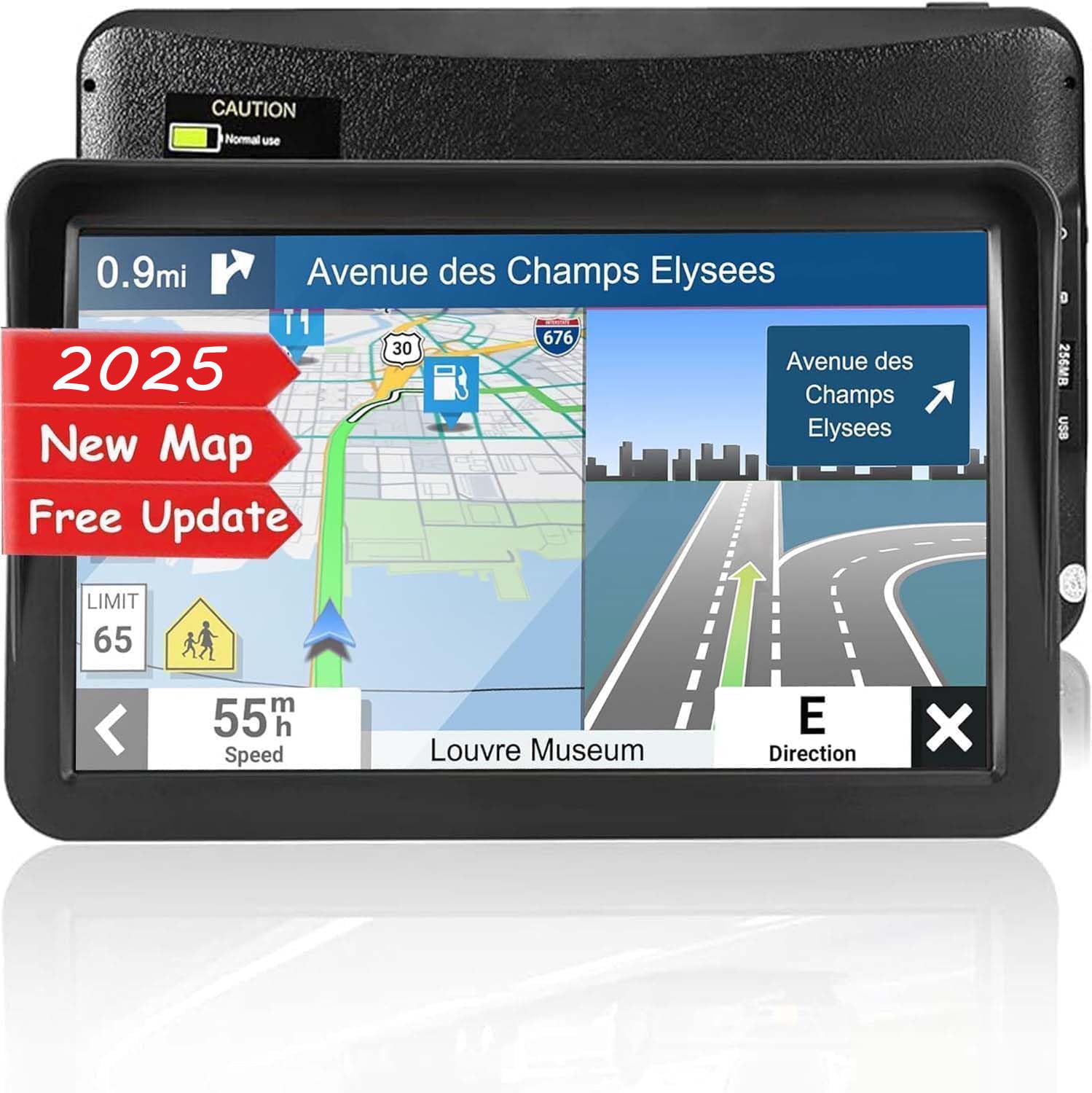
This GPS navigator is a solid choice for seniors who want a clear screen and simple, helpful directions while driving.
Pros
- Large, easy-to-see 9-inch touchscreen
- Voice alerts help keep driving safe and stress-free
- Free lifetime map updates keep routes current
Cons
- Battery lasts only about 6 hours on a full charge
- Some features might be more than needed for casual drivers
- Device can be a bit bulky compared to smaller GPS units
We liked how the big touchscreen made it easy to read street names and tap buttons without hassle. The screen responded well to our touches, making input faster and less frustrating.
The voice guidance was clear, with warnings for speed limits and sharp turns that helped us stay alert. It felt like having a co-pilot who talked us through the drive without being distracting.
On longer trips, we noticed the battery life didn’t last all day, so it’s best to keep it plugged in the car. It also offers extra features like playing music or videos, but seniors might mainly focus on the navigation part.
Overall, the NAVRUF GPS feels trustworthy and simple, with helpful updates that save you the trouble of buying a new device for years.
Buying Guide
When we choose a GPS for seniors, we focus on ease of use. The screen should be large and clear. Buttons must be easy to press. This helps prevent mistakes and makes driving less stressful.
We look for voice guidance that is loud and simple. Clear directions let us keep our eyes on the road. It’s also useful if the GPS can read street names out loud. That way, we don’t have to guess which turn to take.
Battery life matters too. A long-lasting battery means fewer worries about the device dying. We also want the GPS to update maps automatically. This keeps the routes accurate without any extra work.
Other important features include quick route calculation and simple menus. It’s good if the system can avoid highways or toll roads, as some seniors prefer quieter paths. Easy mounting options and durability add to convenience.
| Feature | Why It’s Important |
|---|---|
| Large screen | Easy to read maps and directions |
| Simple controls | Easy to operate while driving |
| Clear voice guide | Keeps attention on the road |
| Long battery life | Reliable without frequent charging |
| Updated maps | Accurate directions at all times |
| Easy mounting | Stable and safe installation |
We keep our needs in mind and look for a GPS designed to offer comfort and safety. The right features can make driving easier and more confident for seniors.
Editor’s Choice
We chose the Garmin DriveSmart 65 as our top pick for seniors. It offers a clear, easy-to-read screen and simple menus that reduce confusion while driving. Its voice commands work well, allowing hands-free control.
The device has a bright 6.95-inch display. It displays large text and icons, which helps with visibility. We also appreciate the automatic brightness adjustment that adapts to daylight or night time.
Garmin DriveSmart 65 includes important safety features like alerts for sharp curves, speed limits, and red light cameras. These help keep drivers aware of road conditions without being overwhelming.
Here’s a quick look at its main features:
| Feature | Description |
|---|---|
| Screen Size | 6.95-inch, HD |
| Voice Control | Yes, with natural language support |
| Safety Alerts | Yes, includes speed and camera alerts |
| Map Updates | Lifetime free updates |
| Mounting | Easy suction cup mount |
We find the lifetime map updates valuable. It means users don’t have to worry about software becoming outdated.
The Garmin DriveSmart 65 balances helpful technology with ease of use. It avoids too many complicated settings, which suits seniors who want clear guidance without fuss.
Where to Buy – Best Amazon Deals
When looking for a car GPS for seniors, Amazon is one of the best places to shop. They offer a wide range of models with detailed customer reviews. This helps us make informed choices based on real experiences.
Amazon often has discounts and special deals on GPS devices. We can check for sales, limited-time offers, and bundle packages that include mounts or chargers. These deals help us get better value for our money.
Here are some tips to find the best Amazon deals:
- Use the Amazon Best Sellers list for popular GPS models.
- Check the “Deal of the Day” section.
- Read through customer questions and answers for extra insights.
- Look for products with high ratings and many reviews.
We can also use Amazon’s filters to narrow down options by price, brand, or features. This makes the search faster and more suited to our needs.
Below is a quick comparison of popular GPS devices for seniors currently available on Amazon:
| Model | Price | Rating | Key Feature |
|---|---|---|---|
| Garmin Drive 52 | $120 | 4.6 | Large text, simple menus |
| TomTom Go Essential | $130 | 4.5 | Voice commands, easy setup |
| Magellan RoadMate | $110 | 4.3 | Bright screen, fast routing |
We recommend checking product pages regularly. Amazon prices can change quickly, so staying updated helps us catch the best deals.
FAQS
We know choosing the right GPS can raise a lot of questions. Here are some common ones we hear from seniors and caregivers.
Q: Are these GPS devices easy to use?
Yes, most devices designed for seniors focus on simple menus and clear buttons. They often have voice guidance and larger screens to make driving easier.
Q: Do these GPS units need internet?
Some GPS devices work with built-in maps and don’t need internet. Others connect to Wi-Fi or mobile data for real-time updates like traffic or weather.
Q: Can the GPS give voice directions?
Almost all recommended GPS units provide spoken directions. This helps seniors keep their eyes on the road.
Q: What if the GPS makes a wrong turn?
GPS devices will usually recalculate the route quickly. It’s important to pick models with reliable maps to reduce mistakes.
We created the table below to explain key features clearly:
| Feature | Importance for Seniors | Example |
|---|---|---|
| Large display | Easier to read maps and directions | 5-7 inch screens |
| Voice commands | Hands-free control | “Find nearest gas station” |
| Simple interface | Less confusing, faster learning | Minimal buttons, clear icons |
| Real-time updates | Avoid traffic and road closures | Live traffic alerts |
If you have more questions, we can help you pick the right GPS that fits your needs.
Conclusion
When choosing a GPS for seniors, ease of use and clear display are key. We want devices that keep directions simple and reduce stress while driving.
Features like large buttons, voice commands, and bright screens can make a big difference. We also look for helpful extras such as emergency alerts and speed limit warnings.
Price is important too. We can find reliable GPS devices at different price points, so there’s something for every budget.
Here’s a quick overview of what to consider:
| Feature | Why It Matters |
|---|---|
| Large screen | Easier to read maps |
| Voice guidance | Keeps eyes on the road |
| Simple menus | Reduces frustration |
| Emergency assistance | Adds peace of mind |
| Affordable price | Fits different budgets |
By focusing on these points, we can pick a GPS that fits the needs of seniors well. It helps make driving safer and more comfortable for everyone involved.