

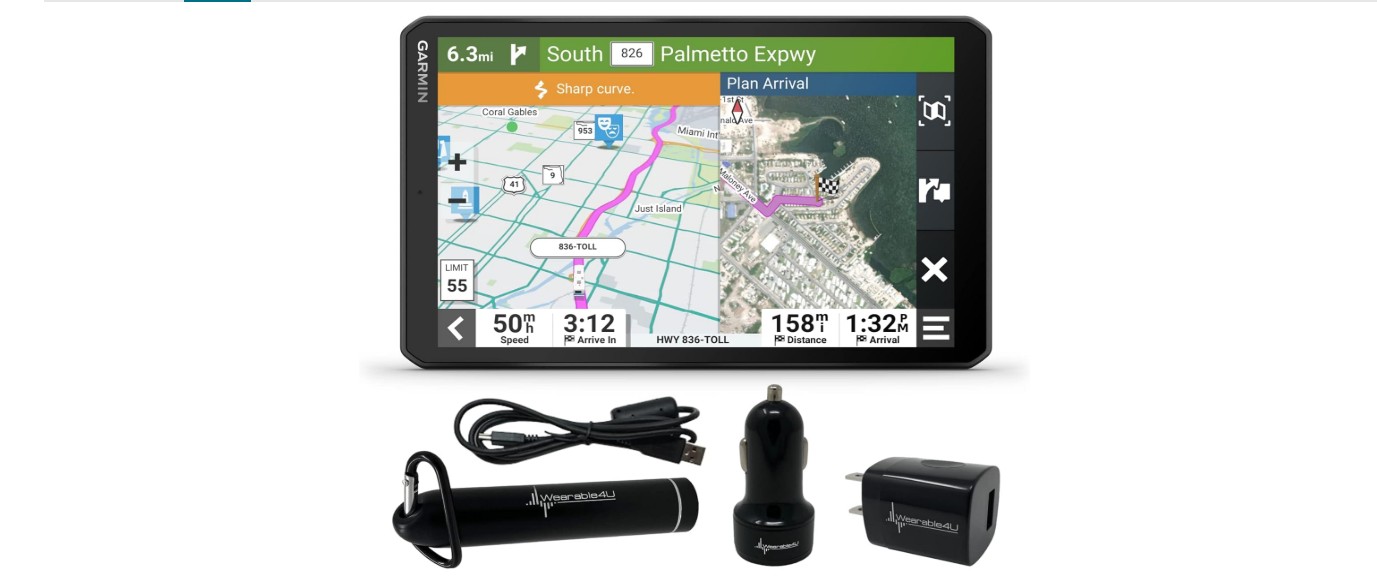
Car GPS navigation systems help drivers find the best routes and reach their destinations safely. They provide real-time directions, traffic updates, and can show points of interest along the way. Unlike using a phone’s map app, dedicated GPS devices often have larger screens and stronger signals, which can be helpful in areas with poor cell coverage.
These devices come in different styles, such as built-in screens or portable units that clamp to your windshield. Many also have features like voice guidance, lane assistance, and offline maps. Choosing the best car GPS navigation means finding a model that fits your driving habits and vehicle setup.
When picking a GPS, important things to consider are screen size, ease of use, update frequency, and whether the device offers traffic alerts. Battery life and mounting options also matter if you want a portable system. We spent time reviewing and testing several popular car GPS devices to find the ones that offer reliable directions and useful features for most drivers.
Contents
We have researched and tested many car GPS navigation devices to find the best options for you. Our list includes reliable and easy-to-use models that help you reach your destination quickly and safely. Choose the one that fits your needs and budget.
Garmin Drive 53

This GPS is a solid choice for anyone who wants clear directions and useful alerts without extra distractions.
Pros
- Bright, easy-to-read 5” touchscreen
- Helpful driver alerts for safety
- Includes useful points of interest like food and rest stops
Cons
- Short battery life means it needs to be plugged in
- Base maps focus on North America only
- Touchscreen can be a bit sensitive at times
Using the Garmin Drive 53, we appreciated the clear screen, especially under bright sunlight. The interface feels simple, making it easy to enter addresses and follow routes without confusion.
Alerts about sharp curves, speed changes, and school zones really helped us stay aware on the road. We also liked how it showed food, fuel, and rest stops on our route, which is handy for longer trips.
One downside is the battery life—it only lasts about an hour unplugged. Keep it connected to power while driving. Overall, Garmin provides reliable navigation with some thoughtful extra features for everyday use.
Garmin DriveSmart 86

If you want reliable, clear navigation with helpful extras for road trips, this Garmin model is a solid choice.
Pros
- Large, sharp 8-inch screen that’s easy to read
- Voice assist and hands-free calling work well for safe driving
- Live traffic and alerts keep us aware of hazards ahead
Cons
- Battery life is short, so it’s best kept plugged in
- Setup and updates can feel tricky if not using a computer
- Some add-ons require pairing with a smartphone app
The big bright screen really stood out for us during drives. It’s simple to see directions at a glance without straining. The voice commands made it easy to find places without taking our eyes off the road, which adds safety and convenience.
Using the live traffic info helped us avoid delays, especially in busy areas. We liked the extra features, like the national parks directory and Tripadvisor points, which made trips more enjoyable. The alerts for speed changes and curves improved our situational awareness on every drive.
However, the gps only lasts about an hour on battery, so it’s best to keep it plugged into the car. Updating maps wirelessly worked but took some time and patience. Pairing with the Garmin Drive app unlocks more live info but means relying on your phone’s data. Overall, the Garmin DriveSmart 86 gave us a smooth, safer navigation experience.
Garmin DriveSmart 76

This GPS is a solid choice for those who want clear maps and smart features to stay focused while driving.
Pros
- Bright and sharp 7-inch screen that’s easy to read
- Helpful driver alerts like speed changes and hazard warnings
- Alexa built-in for hands-free controls and entertainment
Cons
- Setup and updates can be tricky without a PC
- Voice commands sometimes need repeating
- Extra USB port does not always match product description
Using the Garmin DriveSmart 76 felt smooth from the start. The screen is large and sharp, making directions easy to see at a glance. It’s nice having voice assist to ask for places or make calls without touching the device.
Tracking real-time traffic and hazards helped us avoid delays and stay safe on unfamiliar roads. The extra info like Tripadvisor ratings and national park guides makes it more than just a GPS.
However, updates require some patience, especially if you want to do it over Wi-Fi. The voice commands don’t always work perfectly the first time, so you need to repeat a few requests. Also, one reviewer mentioned the car charger only had one USB port instead of two. Overall, it’s a reliable navigator if you want solid features and a bright display.
HINYFVOZ 7″ GPS Navigator

This GPS navigator works well for anyone needing reliable routes with clear directions and up-to-date maps.
Pros
- Clear 7-inch screen and easy-to-use touchscreen
- Free lifetime map updates via USB
- Custom routing for different vehicle types like trucks and RVs
Cons
- Suction cup mount sometimes needs re-seating in extreme temperatures
- Navigating between some screens feels a bit clunky
- No built-in FM radio, only GPS audio transmitter
Using this GPS, we appreciated how sharp and bright the screen is. It made following directions easy, especially with the voice guidance telling us when to turn. The updates helped keep our routes fresh without extra fees.
The custom vehicle routing became handy on longer trips. We avoided low bridges and restricted roads by entering our van’s size. That feature gave us confidence driving routes suited for bigger vehicles.
The mount stayed secure most of the time, but we noticed the suction loosened a bit on very hot days. A quick press to reattach fixed it quickly, which was a small inconvenience. Overall, it fits well on the dashboard or windshield with the included parts.
Garmin DriveSmart 66

The Garmin DriveSmart 66 offers clear navigation with smart features that make driving easier and safer.
Pros
- Bright, clear 6-inch screen with sharp maps
- Voice assist and Alexa help keep hands free
- Real-time info like traffic and fuel prices via app
Cons
- Setup and updates can be tricky without a computer
- Alexa requires phone app to function
- Battery life is short, mainly relies on car power
We found the screen size perfect to glance at without losing focus on the road. The maps load fast and show useful alerts like speed changes and sharp turns, which helped us stay more aware on unfamiliar roads.
Using voice commands felt natural. Being able to ask for directions or even play music without touching the device is a big plus. Alexa integration added some convenience, but it won’t work unless paired with your smartphone and the Garmin Drive app.
One downside is the update process. While Wi-Fi helps, some of us had trouble registering the device. The battery lasts only about an hour, so it’s better as a device that stays plugged in. Overall, it performed well during long drives, giving us extra confidence behind the wheel.
HINYFVOZ 9-Inch GPS Navigator

This GPS navigator is a solid choice for drivers who want a big screen and reliable, up-to-date maps.
Pros
- Large, clear 9-inch HD touchscreen that is easy to read
- Free lifetime updates keep maps current without extra cost
- Custom routing for different vehicles like trucks and RVs
Cons
- The FM transmitter only sends voice prompts, not radio stations
- Some users may find the setup bulky for smaller dashboards
- Limited user ratings mean less feedback to judge long-term durability
We found the large touchscreen makes a big difference when driving. It’s easy to see directions at a glance, which helps reduce distractions on the road. The interface responds quickly when we tapped on menus or typed in addresses.
Having free lifetime updates gave us peace of mind. Roads and cameras often change, so it’s nice not to worry about buying new maps. The voice guidance was clear and gave us helpful alerts about speed limits and red-light cameras.
The custom truck and RV routing is a good feature if you drive larger vehicles. It avoids routes that trucks shouldn’t take. Overall, the GPS worked well for our trips and made navigation easier, especially in unfamiliar areas.
HINYFVOZ 7-Inch GPS Navigator for Car, Truck, RV

This GPS unit stands out for customized vehicle routing and clear screen visibility, making it a solid choice for both everyday drivers and truck or RV users.
Pros
- Custom routing avoids low bridges and weight limits
- Bright, easy-to-see 7-inch touchscreen
- Lifetime free updates keep maps current
Cons
- Initial GPS signal setup can take up to 30 minutes
- Setup requires carefully inputting vehicle dimensions
- Using non-original chargers may cause battery issues
We found the large display easy to read, even in bright sunlight, and appreciated the adjustable mount that reduces screen glare. The voice directions come through clearly, especially when using the FM transmitter feature in the car stereo.
Customizing the device to fit our truck’s size was straightforward but requires precise input for best results. This prevented routing us through roads with low clearances or weight limits, which is very handy for larger vehicles.
The GPS did take a while to find a signal on the first use, but after that it worked smoothly. Map updates are free and simple to apply, which keeps navigation accurate for long-term use. Overall, it is dependable and flexible enough for different vehicle types.
QEDASS GPS Navigator

This GPS navigator is a great choice for those who want a clear, large screen and reliable routing, especially for trucks and RVs.
Pros
- Large 9-inch screen that is easy to see even in sunlight
- Custom route options based on vehicle size and type
- Lifetime free updates for North America maps and European maps on request
Cons
- Can be tricky to set up for first-time users
- Interface is not very intuitive for entering addresses
- FM broadcast feature might be confusing, as it transfers audio rather than playing radio
We found the 9-inch screen very helpful on long trips. It made reading directions easier without straining our eyes. The voice guidance is clear and timely, which kept us on track even in unfamiliar areas.
One standout is the ability to set up routes according to vehicle weight and size. This helped us avoid roads that might cause trouble, a feature especially useful if you drive larger vehicles like RVs or trucks.
While setup took some patience and getting used to the menus was slower than expected, once everything was ready, the GPS worked smoothly. The option to get free map updates for life is a big plus, keeping navigation useful for years.
Overall, the QEDASS GPS is solid for drivers who want a dependable device with tailored routing and a big screen to ease navigation.
NAVRUF GPS Navigation
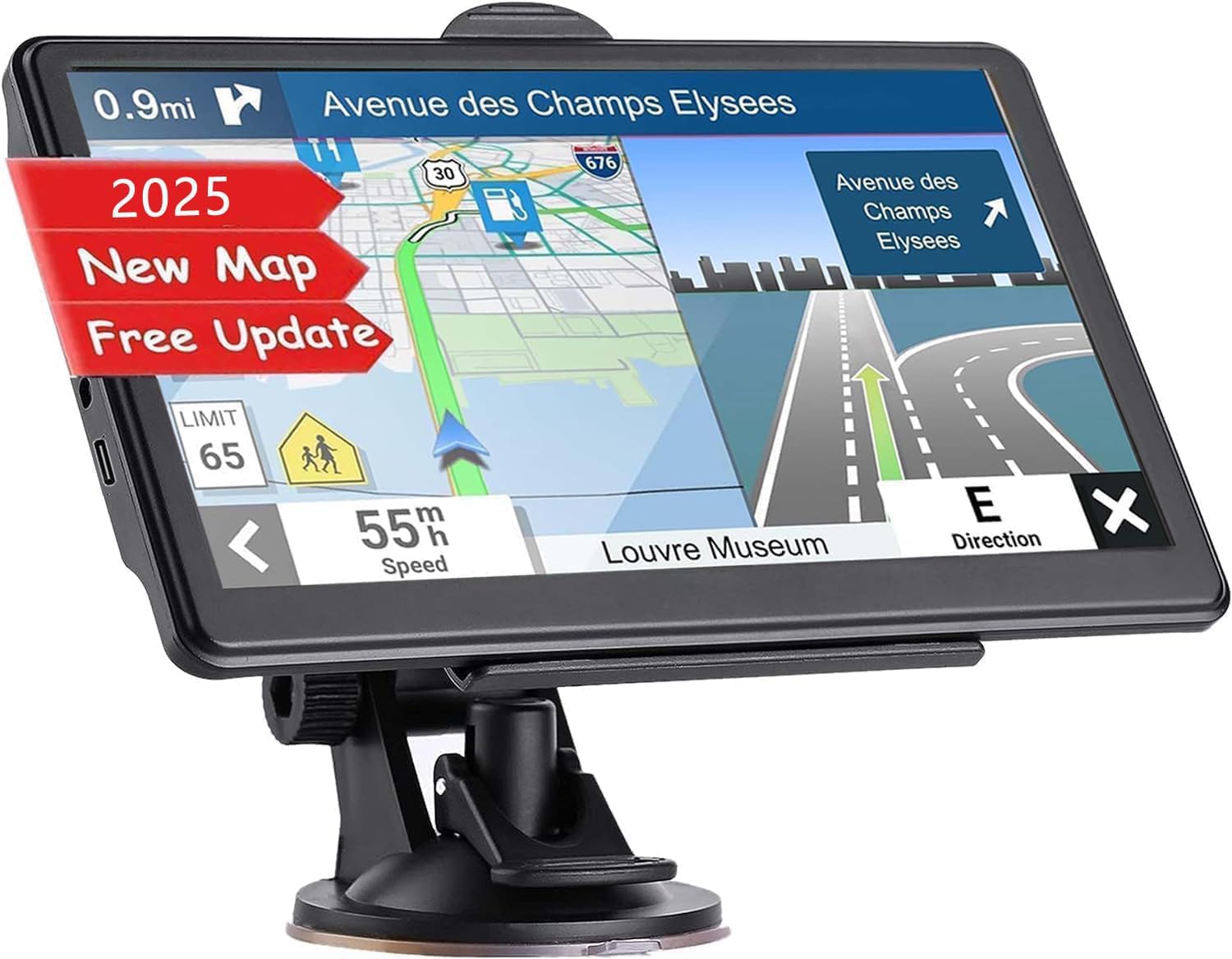
This GPS navigation unit offers reliable directions with free lifetime map updates and a clear 7-inch touchscreen.
Pros
- Maps stay up-to-date for free
- Easy-to-read screen and loud voice directions
- Custom route options based on vehicle size
Cons
- FM feature only transfers sound, no actual radio
- Interface could be simpler for first-time users
- Limited to North American maps by default
We found the NAVRUF GPS very dependable during long drives. The 7-inch screen is bright and responsive, which makes it easy to glance at while staying focused on the road. Voice directions are clear and loud enough to hear over normal car noise.
One of the strengths is the ability to customize routes for cars, trucks, or buses by entering vehicle size details. This helped us avoid tight roads or weight limits, which gave peace of mind on unfamiliar trips.
The free lifetime updates for maps are a big advantage. We never worried about outdated roads or missing new speed cameras. However, the FM function only sends GPS sounds to the car stereo and does not provide radio channels, which could be misleading. Overall, it’s a solid GPS for drivers who want accuracy without a big price tag.
Cutebe GPS Navigator

This GPS navigator works well for both cars and trucks, offering reliable routes and useful voice guidance for a safer drive.
Pros
- Large and clear 7″ touchscreen, easy to read even in bright daylight
- Custom vehicle settings help avoid low bridges and weight limits
- Free lifetime map updates keep navigation current without extra costs
Cons
- Screen size might be too small for some users wanting a bigger display
- Some features, like entertainment mode, feel basic and could be improved
- Limited customer reviews, so less feedback on long-term reliability
We found the Cutebe GPS easy to set up and start using right away. The screen is sharp and bright, which made it simple to glance at directions without straining. Voice instructions clearly told us when to turn or watch our speed, helping to keep our attention on the road.
The multi-vehicle routing stood out to us since it adjusts paths based on your truck or car size. It helped avoid tricky roads, which is important when driving a bigger vehicle. Switching between 2D and 3D views was smooth, and the night mode helped with visibility during late drives.
While the built-in extras like music and games were nice for passengers, we didn’t find them very advanced. Still, for the price and features, this GPS performed well and kept us on track during longer trips. Overall, it’s a solid choice if you want straightforward navigation for various vehicles.
Buying Guide
When choosing a car GPS navigation system, we need to focus on a few key features to get the best experience. Our main goal is to find a device that is easy to use and reliable.
First, screen size and quality are important. A larger screen makes it easier to see the map, especially while driving. High resolution helps with clear directions. We should pick a screen that fits well in our car and is visible in all lighting conditions.
Next, consider the map updates. Some devices update automatically over Wi-Fi, which keeps our GPS current without extra effort. Others may require manual updates. Up-to-date maps mean fewer wrong turns or missed routes.
Battery life is another point. For portable GPS units, longer battery life means less need to charge during trips. But if it plugs into the car, the battery may not matter as much.
We should also look at voice guidance and user interface. Clear voice directions help us keep attention on the road. A simple, easy-to-navigate interface reduces distractions.
| Feature | Why It Matters | What We Want |
|---|---|---|
| Screen Size | Easier to read maps | Medium to large, clear display |
| Map Updates | Keeps navigation accurate | Frequent and easy updates |
| Battery Life | Long use without charging | Several hours or car-powered |
| Voice Guidance | Helps stay focused on driving | Clear and timely instructions |
| User Interface | Reduces driver distraction | Simple and intuitive |
Finally, some GPS devices offer extras like traffic alerts, points of interest, and lane guidance. We should decide which extras fit our needs without adding complexity.
Editor’s Choice
We chose the Garmin DriveSmart 65 as our top pick for best car GPS navigation. It offers a clear, easy-to-read screen with bright colors and sharp details. The 6.95-inch display is large enough to see maps clearly without blocking your view of the road.
This GPS stays updated with free lifetime map downloads. That means we don’t have to worry about missing new roads or changes. It also includes useful smart features, like voice-activated navigation and real-time traffic alerts, helping us avoid delays.
Here’s a quick look at key features of the Garmin DriveSmart 65:
| Feature | Details |
|---|---|
| Screen Size | 6.95 inches |
| Lifetime Map Updates | Yes, free |
| Voice Control | Yes |
| Traffic Alerts | Real-time updates |
| Bluetooth | Hands-free calling |
The device is simple to use and set up. We liked how quickly it connects to smartphones, making hands-free calls safe and easy. It also lets us add stops or change routes without distraction.
In short, Garmin DriveSmart 65 balances good screen size, smart features, and reliable updates. For those who want a device dedicated to navigation, it meets these needs well. It’s the product we trust on the road.
Where to Buy – Best Amazon Deals
We find Amazon to be one of the best places to buy GPS navigation devices. They offer a wide range of options from top brands. This makes it easy for us to compare features and prices in one spot.
Amazon often has deals that you won’t find in stores. You can check for discounts, bundle offers, and even special sales like Prime Day. It’s a good way to save money on reliable GPS units.
Here are some tips to get the best deal on Amazon:
- Look for customer reviews to understand the product’s real performance.
- Check the seller’s ratings to avoid buying from unreliable sources.
- Use filters to narrow down your search by price, brand, and features.
We also recommend using the Amazon Wish List feature. Adding GPS devices there lets you track price changes over time.
| Brand | Popular Model | Approximate Price | Key Feature |
|---|---|---|---|
| Garmin | DriveSmart 65 | $150 – $200 | Voice-controlled GPS |
| TomTom | GO Supreme | $180 – $220 | Traffic alerts |
| Magellan | RoadMate RX1640T-LMB | $130 – $170 | Lifetime maps |
By shopping on Amazon, we can often find the best deals without leaving home. Plus, shipping is fast and return policies are clear. This gives us confidence in our purchase.
FAQS
What features should we look for in a car GPS navigation system?
We want clear maps, real-time traffic updates, and easy-to-use controls. Voice guidance and offline map options are helpful too.
Are smartphone apps better than standalone GPS devices?
Smartphone apps are convenient and often free with updates. However, standalone devices may offer better signal strength and dedicated features.
How accurate is GPS navigation?
GPS is usually accurate within a few meters. Accuracy can drop in tunnels or areas with tall buildings.
| Question | Quick Answer |
|---|---|
| Can we use GPS without internet? | Yes, with offline maps loaded |
| Do GPS devices need updates? | Yes, to keep maps and software current |
| Will GPS work internationally? | Often yes, if maps for those regions are installed |
Is voice control useful?
We find voice control helps keep focus on driving. It allows us to change routes or find places without manual input.
Can GPS save us time?
Yes, by avoiding traffic and finding faster routes, GPS can reduce travel time in most cases.
How much should a good GPS cost?
Good devices range from $100 to $300. Apps can be cheaper or free but may require data use.
We recommend choosing a GPS that fits your needs and budget. It’s important that it feels easy and reliable to use.
Conclusion
Choosing the best car GPS navigation depends on what features matter most to us. Some devices offer real-time traffic updates, while others focus on easy-to-read maps or long battery life. We need to think about how often we drive, where we go, and what technology we prefer.
We found that accuracy, user interface, and extra features like voice control or offline maps make a big difference. Devices that update often tend to give better routes and fewer errors. It’s helpful to test a few if possible before deciding.
Here is a quick list to remember what works best for us:
- Ease of use: Clear menus and simple controls
- Map updates: Regular and free updates keep routes current
- Traffic info: Live alerts help avoid delays
- Battery life: Important for longer trips without power sources
- Extras: Features like lane guidance and speed limit alerts improve safety
By focusing on these basics, we can find a GPS that fits our driving style and needs. This way, we stay on route without the hassle or frustration. We should choose a tool that makes driving easier, safer, and more predictable.