

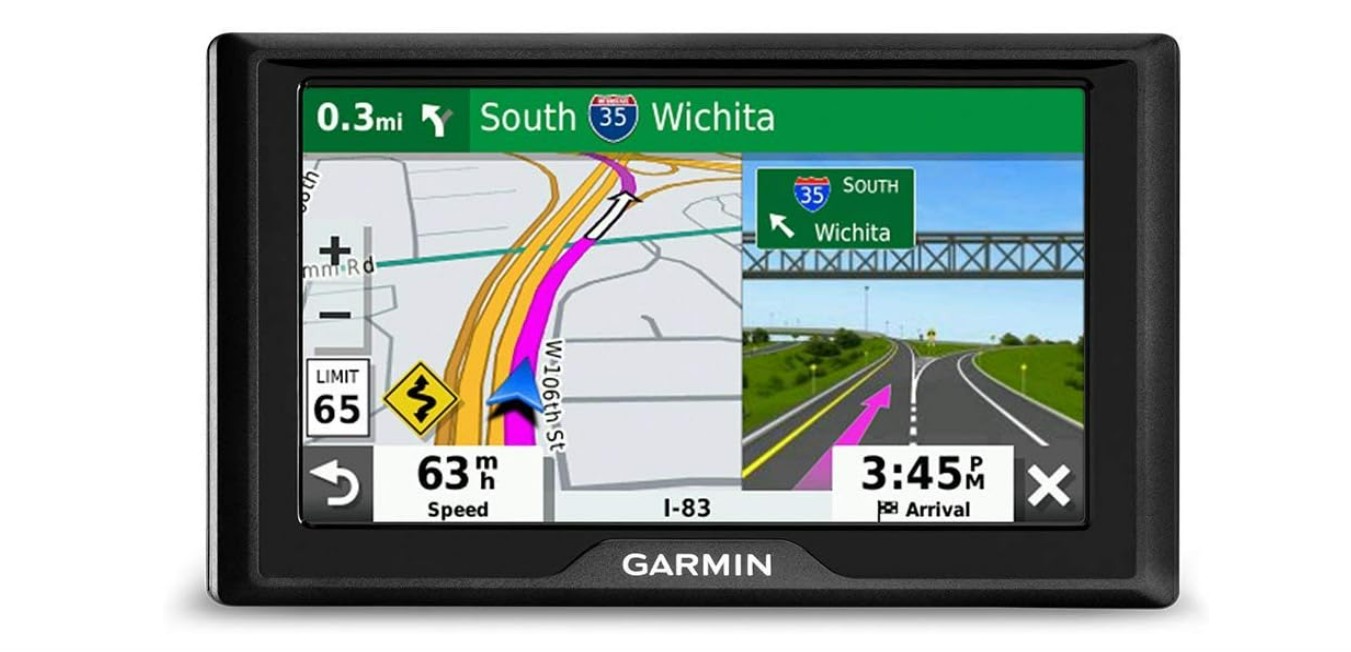
GPS devices for cars help drivers find directions, avoid traffic, and reach destinations safely. Garmin is a well-known brand in the GPS market, offering a range of models designed for different needs. These devices often include features like real-time traffic updates, voice-guided navigation, and points of interest to make driving easier.
Choosing the best Garmin GPS for your car depends on what features matter most to you. Screen size, map quality, update options, and ease of use are important factors. Some models offer extra tools like lane assist or speed limit warnings, which can improve driving safety and convenience.
We focused on these key aspects and tested several Garmin GPS devices to find the ones that are reliable, easy to use, and suitable for everyday driving. Our goal was to identify the Garmin models that make car navigation clear and stress-free.
Contents
Best Garmin GPS for Car
We have tested and researched several Garmin GPS devices to find the best options for car use. Our list includes reliable models with clear maps, easy-to-use features, and accurate directions. This will help you choose the right Garmin GPS for your driving needs.
Garmin DriveSmart 76

This GPS stands out for its clear screen and smart features that help us stay safe and informed on long drives.
Pros
- Large and easy-to-read 7” screen
- Useful driver alerts for speed changes and hazards
- Alexa built-in for hands-free control
Cons
- Setup and updates can be tricky for some users
- Requires pairing with a smartphone for some features
- Dual USB charger may not always meet expectations
Using the DriveSmart 76 feels like having a reliable copilot. The screen is bright, making it simple to see maps at a glance, even in sunlight. Voice assist works well, letting us ask for directions or play music without distraction.
Alerts for school zones, sharp turns, and speed limits helped us stay alert on unfamiliar roads. Pairing the GPS with the Garmin Drive app gave us access to live traffic, fuel prices, and parking info, which really smoothed out the trip.
Alexa controls add a nice touch but do depend on your phone connection. The device feels solid and ready for travel, but some of us found the Wi-Fi updates and initial setup less user-friendly than we hoped. Overall, it’s a good investment for drivers who want clear directions and smart driving tools.
Garmin Drive 53

This GPS is a solid choice for drivers who want clear directions and useful alerts without extra distractions.
Pros
- Bright, easy-to-read 5” touchscreen
- Helpful alerts for curves, school zones, and speed changes
- Includes traveler ratings and park directories for road trip planning
Cons
- Battery life is very short, so it needs to stay plugged in
- Interface can feel a bit basic compared to newer models
- Some map updates and features require manual attention
We found the Garmin Drive 53 straightforward to use. The sharp screen makes it easy to follow routes even in bright daylight. Driver alerts really helped us stay safe on unfamiliar roads by warning about sharp turns and speed shifts.
The addition of Tripadvisor ratings and national park info added a nice touch during trips. It expanded our options for stops and sightseeing without needing extra apps. Setting up addresses took only a few seconds, which kept our focus on driving.
Battery life is not strong, so keeping the device plugged in is necessary for longer trips. The design is simple, which some might appreciate, but others could want more features or a more modern interface. Overall, this GPS delivers reliable navigation with clear directions for everyday use.
Garmin DriveSmart 86

If you want a clear, large screen GPS with smart features and voice control, this Garmin is worth considering.
Pros
- Big, bright 8-inch screen that is easy to see day or night
- Useful driver alerts that help with safety on the road
- Alexa built-in lets us control music and get info hands-free
Cons
- Battery life is short, so it works best plugged in
- Setup and updates can be tricky without a computer
- Some features need a smartphone app to work fully
We found the large screen on the DriveSmart 86 very helpful for quick glances while driving. The maps are sharp, and the voice commands actually worked well when asking for directions or nearby places.
The driver alerts caught hazards like speed changes or school zones ahead, which made us feel safer on unfamiliar roads. Having built-in Alexa was nice since we could ask for music or news without taking hands off the wheel.
This GPS needs to stay powered mostly by the car since the battery lasts about an hour. Also, updating maps can take some effort unless you connect it to Wi-Fi regularly. A smartphone is needed to unlock live traffic and fuel prices, which mostly worked well once paired.
Overall, this GPS blends a big, clear display with smart safety and voice features, making it solid for road trips or everyday driving.
Garmin DriveSmart 66

The Garmin DriveSmart 66 is a solid choice for drivers who want clear maps, voice control, and helpful alerts all in one device.
Pros
- Bright, easy-to-read 6-inch screen
- Voice assist lets us keep our hands on the wheel
- Live traffic and road alerts help avoid delays and hazards
Cons
- Short battery life means it needs power on longer trips
- App pairing can be tricky to set up at first
- Some features depend on a smartphone connection
Using the DriveSmart 66 made navigating simple and less stressful. The screen was bright and clear, which made following directions quick and easy, especially under different lighting.
We found the voice assistant useful when we needed to change routes without touching the screen. Plus, the road alerts for speed changes and curves helped keep us safer on unfamiliar roads.
Connecting with the smartphone app gave us traffic updates and fuel prices, which really helped avoid slowdowns. It did take some time to get the app paired correctly but once done, it worked well.
Overall, this Garmin GPS is a dependable companion for everyday driving and road trips alike.
Garmin Drive 53 GPS Navigator
This Garmin GPS delivers clear maps and useful alerts, making it a solid choice for everyday driving.
Pros
- Bright and easy-to-read 5” touchscreen
- Helpful driver alerts for safety and awareness
- Good for road trips with points of interest included
Cons
- Verbal directions can sometimes be vague
- Short battery life limits use without car power
- Map updates can be tricky to install
Using this Garmin Drive 53 felt straightforward from the start. The screen is sharp and bright, so we had no trouble glancing at maps while driving. Menus are simple, which kept us focused on the road instead of fiddling with settings.
The driver alerts stand out. They notify us about sharp turns, school zones, and speed changes ahead. This added layer of safety was useful especially on unfamiliar roads. We also liked that the device points out food stops and rest areas on the go.
However, some voice instructions weren’t very clear. Instead of precise street names, it sometimes just said to “turn at the end of the street,” which could confuse new users. The battery doesn’t last long, so it needs to stay plugged in during longer trips. Updating maps took a few tries, but it worked eventually.
Overall, the Garmin Drive 53 is reliable for daily drives and road trips when you want easy navigation and helpful alerts.
Garmin dezl OTR620

This GPS is a solid choice for truck drivers who need custom routing and detailed arrival info to make driving easier and safer.
Pros
- Clear 6-inch touchscreen that’s easy to read in the cab
- Routes trucks based on size and weight with helpful warnings
- Shows high-resolution satellite views for smooth arrivals
Cons
- Some routes can be slower or less direct than expected
- Best features require pairing with the dēzl smartphone app
- Occasional glitches after software updates reported
We found the screen bright and responsive, making it simple to follow directions without distraction. The custom truck routing saved us from low bridges and sharp curves. It was reassuring to see warnings about upcoming hazards along the drive.
Arrival planning with satellite imagery was a definite plus. It helped us spot entrances and truck gates at complicated locations, which avoided delays. The ability to find truck parking shared by other drivers added real value on long hauls.
However, the unit sometimes took slower paths. We had to double-check the route against traffic conditions. Also, to get full benefits like weather alerts and official weigh station notifications, you need the dēzl app connected on your phone.
Overall, this navigator feels made for serious truckers who want more than simple directions. We recommend it when you want detailed, truck-specific help on the road without distractions.
Garmin DriveSmart 55 EX
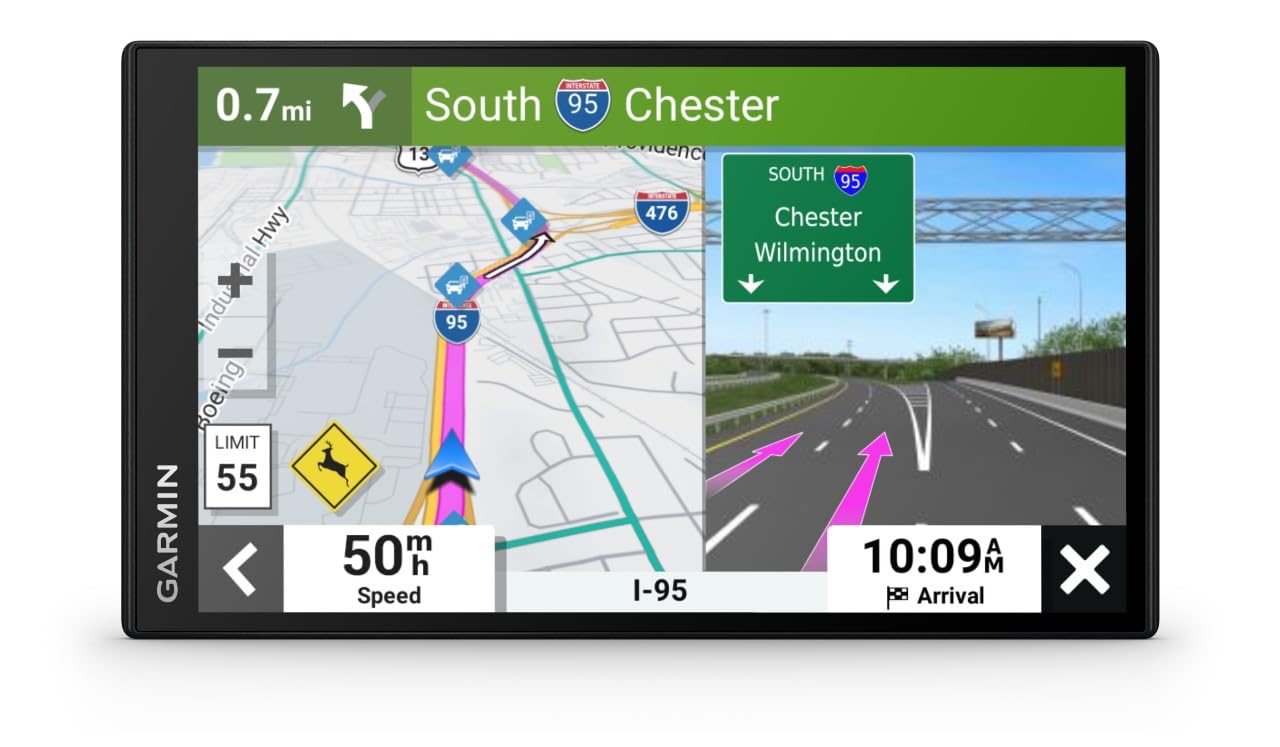
The Garmin DriveSmart 55 EX is a solid choice for drivers who want a clear screen and easy-to-use GPS with smart features that make traveling simpler.
Pros
- Bright, large 5.5” touchscreen that’s easy to read at a glance
- Voice commands work well for hands-free use
- Helpful real-time alerts and traffic updates keep us safe and on time
Cons
- Screen could be bigger for some users
- Learning curve for the new interface compared to older Garmin models
- Sometimes the route suggestions feel less detailed than expected
We appreciated the sharp and bright screen, which made it easy to see the map during sunny days. The touchscreen responds quickly, and voice control often understood our directions without fuss, letting us keep our hands on the wheel.
The live traffic info linked to our phone helped avoid road delays, saving time on daily drives and road trips. Notifications from the phone showed directly on the GPS, which kept us informed without needing to check the phone.
On the downside, we wished the display was a bit larger. Also, if you’re used to older Garmin models, this one might take some time to get used to. Route choices sometimes felt generic, but overall it did its job well as a driver’s companion.
Garmin Drive 52

The Garmin Drive 52 is a solid choice for anyone who wants reliable and easy-to-use GPS navigation without depending on a smartphone.
Pros
- Clear and easy-to-read 5” screen
- Real-time traffic updates without needing a phone
- Helpful driver alerts for road hazards and sharp turns
Cons
- Requires a micro SD card for map updates
- The screen resolution is somewhat low compared to newer models
- Power cable issues may affect traffic update features
We found the Garmin Drive 52 easy to set up and use. The menus are straightforward, and the maps are bright enough to see in daylight. Driver alerts for curves, speed changes, and upcoming hazards helped us feel safer on long trips.
Real-time traffic updates worked well, letting us avoid delays without using our phone. It felt like a helpful upgrade from older GPS units we’ve used before. However, updating the maps took some extra time because it needed a micro SD card.
The screen size is just right for most cars, but the resolution isn’t very sharp. While the device is reliable overall, one of us had trouble with the power cable not supporting traffic properly, so that’s something to watch out for. Still, this GPS is a good pick if you want a hassle-free, no-phone navigation system.
Garmin DriveSmart 71 EX

This GPS is a solid choice for drivers who want clear directions and useful features on long trips.
Pros
- Large, bright touchscreen that’s easy to read
- Free lifetime map updates via Wi-Fi, no computer needed
- Helpful voice commands and driver alerts for safer driving
Cons
- The screen resolution could feel a bit low compared to some newer devices
- Some features may feel too advanced if you want a simple GPS
- Voice commands sometimes need clear pronunciation to work well
We found the big 7-inch screen makes it easy to see directions without squinting. The menus are simple enough to navigate, and the voice commands worked well when driving hands-free. It felt like a safe companion for road trips where cell service is poor.
The automatic updates through Wi-Fi saved us time and kept maps current. The device also gave alerts for sharp curves and speed changes, which helped us drive more carefully on unfamiliar roads. Bluetooth connection to the phone was reliable when calls came in.
On the downside, the display resolution isn’t super sharp, and some features might be more than needed if you just want quick directions. Still, for anyone who likes tech on their travels, this Garmin GPS holds up well for the price and usability.
Garmin DriveSmart 86 (Renewed)

We think this GPS is a solid choice for anyone wanting a large, clear display and modern smart features, even if it means dealing with occasional quirks.
Pros
- Large, bright 8-inch screen makes maps easy to read
- Voice commands and hands-free calling help keep focus on driving
- Built-in Wi-Fi allows easy updates without a computer
Cons
- Battery life is short, only about 1 hour without power
- Some issues with Bluetooth compatibility on certain trucks
- Refurbished model may show minor wear or need extra setup time
Using the DriveSmart 86 feels like having a detailed map in front of us that’s easy to see at a glance. The voice assist really stands out when we need directions without taking hands off the wheel. Pairing it with a phone for live traffic and updates adds helpful real-time info.
We noticed the device is a bit heavy but it sticks well to the windshield. The included charger with an extra USB port was handy for keeping phones powered too. However, the battery won’t last long if you unplug it, so it’s best used with the car’s power source.
One drawback we found is that it didn’t pair with all trucks’ Bluetooth systems, which could be frustrating. Also, setting it up took some patience, especially for a renewed unit. Still, the maps stayed sharp and the national parks and trip planning features were useful for longer drives.
Buying Guide
When we look for the best Garmin GPS for our car, there are a few key features to consider. Screen size is important because a larger screen makes it easier to see maps while driving. However, bigger screens can be harder to fit on the dashboard.
We also check the navigation features. We want clear, up-to-date maps and voice directions. Some devices offer lane assist and speed limit alerts, which help us drive safely.
Battery life matters too, especially if we use the GPS without plugging it in. A longer battery life means less worry about charging on the go.
Another thing is connectivity. Some devices connect to our phones via Bluetooth or Wi-Fi. This can provide real-time traffic updates and route changes.
We should also consider mounting options. The GPS should fit well in our car and stay stable during the drive.
Looking at the user interface is useful because some devices have simpler menus. We want something that is easy to use without much distraction.
| Feature | Why It Matters | What to Look For |
|---|---|---|
| Screen Size | Easy map reading | Clear display, 5-7 inches |
| Navigation | Accuracy and safety | Lane assist, speed alerts |
| Battery Life | Longer use without charging | At least 1-2 hours battery |
| Connectivity | Real-time updates | Bluetooth or Wi-Fi |
| Mounting | Secure and convenient placement | Strong suction or clip mount |
| User Interface | Simple and fast to operate | Intuitive menus and controls |
Editor’s Choice
We picked the Garmin DriveSmart 65 as our top choice for a car GPS. It offers a good balance of features, ease of use, and price. This model has a large 6.95-inch screen, which makes reading maps and directions easy while driving.
The DriveSmart 65 includes voice-activated navigation, so you can control it without taking your hands off the wheel. It also provides real-time traffic updates and alerts about road hazards, helping us avoid delays and stay safe.
Another strong feature is its built-in Wi-Fi. This means the device can get map and software updates automatically, without needing a computer. We value this because it keeps the GPS current without extra effort.
Here’s a quick overview of the features:
| Feature | Description |
|---|---|
| Screen Size | 6.95 inches |
| Voice Activation | Yes |
| Real-Time Traffic Alerts | Yes |
| Wi-Fi Updates | Automatic |
| Points of Interest | Extensive |
For those who want extra help, the DriveSmart 65 gives driver alerts like sharp curve warnings and speed limit changes. We found this useful in unfamiliar areas.
In summary, this GPS combines useful tools with a user-friendly design. It fits daily driving needs well.
Where to Buy – Best Amazon Deals
When looking for the best Garmin GPS for your car, Amazon is one of the top places to shop. They often have competitive prices and a wide selection of models. We can find both new releases and older versions at discounted rates.
Amazon also offers user reviews that help us choose the right device. Reading through these can give us a better idea of how each GPS performs in real life. Plus, Amazon’s return policy is handy if the GPS doesn’t meet our needs.
Some popular Garmin GPS models available on Amazon include:
| Model | Features | Price Range |
|---|---|---|
| Garmin DriveSmart | Voice control, smart notifications | $120 – $180 |
| Garmin Drive 52 | Reliable maps, easy updates | $90 – $130 |
| Garmin RV 785 | RV-specific routes, Wi-Fi | $350 – $400 |
We recommend checking Amazon’s daily deals and discounts pages. Sometimes, prices drop significantly during special sales like Prime Day or Black Friday. Watching for these can save us money on Garmin GPS devices.
Lastly, shopping on Amazon lets us combine GPS purchases with other car accessories. This makes it easy to get everything in one order, saving time and shipping costs.
FAQS
What makes Garmin GPS devices good for cars?
Garmin GPS units are known for accurate maps, easy-to-read screens, and reliable route guidance. They often include traffic updates and useful features like lane assist and speed limit alerts.
Do Garmin GPS devices need an internet connection?
Most Garmin GPS units work offline because maps are stored on the device. However, some models offer live traffic updates and weather information, which require a data connection through your phone.
Can we update the maps on a Garmin GPS?
Yes, Garmin allows free map updates for many models. Regular updates help keep us on the best routes by including new roads and traffic changes.
Are Garmin GPS devices easy to install in cars?
Yes, most Garmin units are simple to set up. They usually attach to the windshield or dashboard with a suction cup mount, and plugging in the power cable is quick.
Do Garmin devices support voice commands?
Many Garmin GPS models include voice command features. This lets us control the device without taking our hands off the wheel.
What should we consider when picking a Garmin GPS for our car?
Look at screen size, map coverage, and extra features like Bluetooth or real-time traffic. Also, check battery life if you plan to use it outside your car.
Conclusion
When choosing the best Garmin GPS for our car, it’s important to think about what features we really need. Some models focus on accurate navigation, while others add helpful extras like traffic alerts or voice commands. We should match the device to our driving style and preferences.
Key points to consider:
- Screen size and readability
- Real-time traffic updates
- Ease of use and setup
- Battery life and power options
Models like the Garmin DriveSmart offer a good balance of features and price. For those who want more advanced tools, the Garmin DriveAssist provides added safety with dash cam integration.
By looking at the key features we value most, we can find a Garmin GPS that fits our daily driving needs without extra complexity. Our goal is to have clear directions, fewer distractions, and a reliable device we can trust on every trip.
We recommend focusing on usability and up-to-date maps. Garmin regularly updates their software, which helps keep our routes smooth and efficient.
Using this approach, we can make a smart choice and enjoy a better driving experience with the right Garmin GPS.