

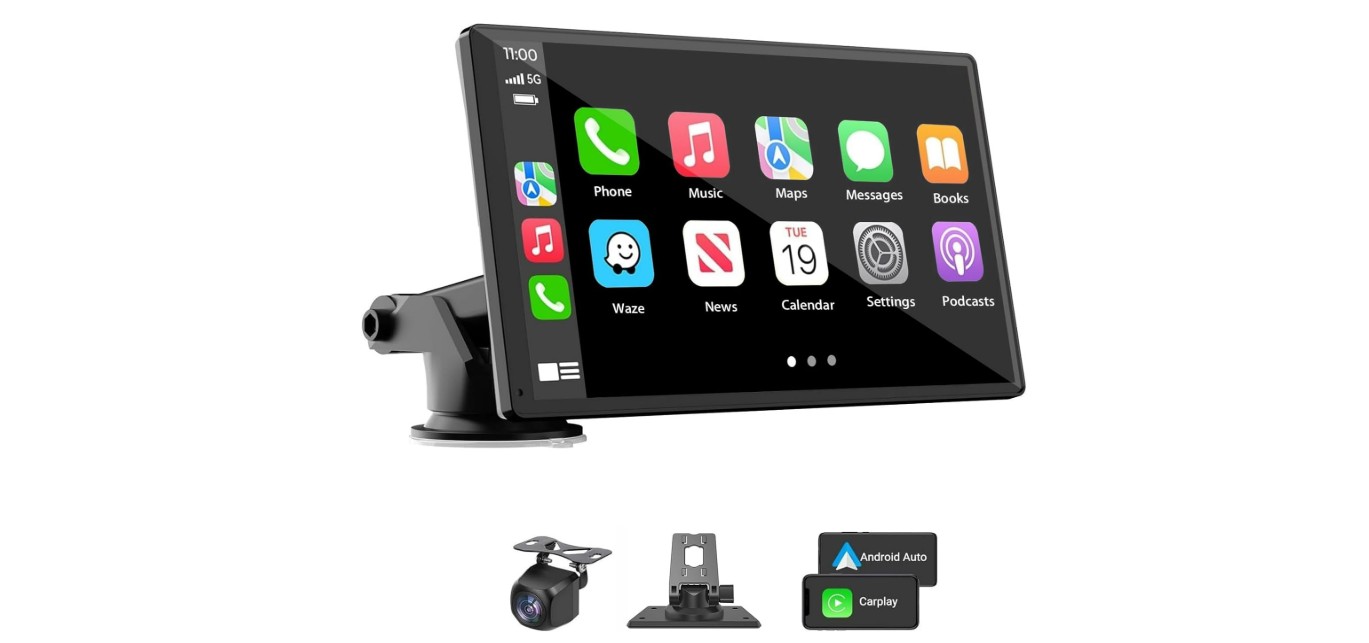
GPS navigation devices for cars help drivers find their way easily and safely. They show maps and directions on a screen, guiding users to their destinations without needing to look at a phone. These devices often include features like real-time traffic updates, lane guidance, and points of interest.
A good GPS navigation device can save time and reduce stress, especially in unfamiliar areas. Unlike phone apps, dedicated GPS units usually have larger screens and do not rely on mobile data. This makes them reliable for long trips or places with poor cell service.
When choosing a GPS device, important factors include screen size, ease of use, map updates, and additional features like voice commands or traffic alerts. Battery life and mount type are also worth considering for convenience on the road. We spent time testing several GPS devices to find the ones that make driving simpler and more efficient.
Contents
We have tested and reviewed many GPS navigation devices to find the best options for different needs and budgets. Our list includes reliable and easy-to-use models to help you reach your destination safely and on time.
Garmin Drive 53

We recommend the Garmin Drive 53 for drivers who want a clear, easy-to-use GPS with helpful alerts and up-to-date maps.
Pros
- Bright and easy-to-read 5” touchscreen
- Useful driver alerts for curves, speed changes, and school zones
- Includes traveler ratings and a U.S. national parks directory
Cons
- Battery life is very short, needs constant power
- Screen resolution feels a bit low compared to modern devices
- Online manuals are confusing and hard to follow
The Garmin Drive 53’s screen is bright and responds well to touch, making it simple to enter addresses or check your route at a glance. It feels solid in the hand and stays clear even in bright sunlight. We liked the design for its simplicity and smooth menu navigation.
Driver alerts stood out during our use. The device warns us about sharp curves and speed limit changes ahead, which adds a layer of safety without being annoying. It also points out school zones and rest stops, keeping us aware of the road environment beyond basic navigation.
One downside is the very limited battery life. This GPS really needs to stay plugged in while driving. Also, while the maps and directions work well, the display resolution is not as sharp as some newer models. The included documentation online can be hard to understand, making setup a bit slower than expected.
Overall, it performs well for everyday driving and longer trips if you’re okay with plugging it in. The extra features for food stops and national parks make it useful for travelers looking to explore along the way.
HINYFVOZ 7-Inch GPS Navigator

This GPS is a solid choice for drivers who want clear directions and custom routes for cars, trucks, and RVs.
Pros
- Large, easy-to-see 7-inch screen with bright display
- Custom routing based on vehicle size keeps us off low bridges and weight limits
- Useful alerts for speed cameras, red lights, and school zones improve safety
Cons
- Initial GPS signal setup can take a long time, especially indoors
- Must fully charge and use only the original charger to avoid startup issues
- Setup menus require patience to navigate, not great for quick adjustments
We appreciated how the screen is sharp and bright, making it easy to follow directions without straining our eyes. The custom truck and RV settings stood out since they help avoid roads we can’t use, which many other devices skip. Once set up correctly, it gave us solid, trustworthy routes.
One drawback is that the first time finding a GPS signal takes nearly 30 minutes if you are parked inside or close to tall buildings. Also, it is important to charge it fully with the correct charger if you want it to boot up smoothly. We found the setup process a bit tricky at first because there are several steps to adjust time zones, vehicle size, and alerts.
Overall, the HINYFVOZ GPS offers practical features for various vehicles with a clear screen and safety alerts. It’s best for drivers who take some time to set it up carefully.
Garmin DriveSmart 76

This Garmin model makes driving easier with its clear screen, useful alerts, and smart features.
Pros
- Large, easy-to-see 7-inch display
- Helpful driver alerts for safety
- Built-in Alexa and live traffic info
Cons
- Setup and updates can be tricky
- Bluetooth features depend on phone connection
- USB car charger may have fewer ports than expected
We liked how bright and clear the screen was. It made following the map easier on long drives. The touch controls felt smooth, and voice commands worked well once you get used to them.
Alerts for school zones and sharp curves kept us more aware of the road. The built-in Alexa is handy for music or news, but you need your phone paired with the Garmin app to use many features.
The extra info like Tripadvisor ratings and national parks spots was nice for road trips. However, updating maps with Wi-Fi took a few tries and needed some patience. Overall, it’s a solid choice for those who want modern navigation with smart extras.
HINYFVOZ 7″ GPS Navigator

This GPS navigator delivers reliable, up-to-date routing with a clear screen and useful vehicle-specific options that make driving easier.
Pros
- Very clear 7-inch screen with good voice directions
- Lifetime free map updates without extra cost
- Custom routes for different vehicle types, including trucks and RVs
Cons
- Suction mount may loosen in extreme temperatures
- Menu navigation can feel a bit tricky at times
- No built-in FM radio, only GPS audio transmission
The large screen is easy to read while driving, and the voice guidance keeps us focused on the road. The 2025 maps come preloaded and updating them through USB is simple and free, which helps avoid extra fees.
We liked how the device lets you set your vehicle size and weight to avoid roads with restrictions. This is really useful for larger vehicles like trucks or RVs, and it made our trips smoother.
The suction cup mount holds well when installed correctly, but it can lose grip in very hot or cold weather. It’s good to check it before driving. Overall, this GPS system fit well in our car and was ready to use right away thanks to its plug-and-play design.
HINYFVOZ 9-Inch GPS Navigator

This GPS device is a solid choice for anyone needing a big, clear screen and dependable route updates tailored for cars, trucks, and RVs.
Pros
- Large 9-inch touchscreen that’s easy to read while driving
- Free lifetime map updates keep routes fresh and accurate
- Custom routing for different vehicle sizes avoids risky roads
Cons
- The FM transmitter only sends voice guidance, no full radio feature
- Some setup needed to enter vehicle details for best routing
- Mounting bracket could be sturdier for rough roads
After using the HINYFVOZ GPS, the first thing we noticed was the bright, big screen. It really helps reduce distractions because we didn’t have to squint or lean forward. The touchscreen responded quickly, and menus were easy to navigate even on busy streets.
The lifetime map updates were a big plus. We didn’t worry about outdated roads or missing new points of interest. Planning routes felt reliable, especially since the device lets you input your vehicle size. This feature keeps you off low bridges or weight-limited roads, which is great if you drive a truck or large RV.
Voice guidance was clear and gave timely alerts about speed limits and red light cameras. While the alert sounds came through well on our car’s speakers using the FM transmitter, it doesn’t function as an FM radio itself. Still, this was enough to keep us focused and alert. Overall, it’s a good buy for anyone needing a dependable, versatile car GPS.
LEIENSI 7 Inch GPS
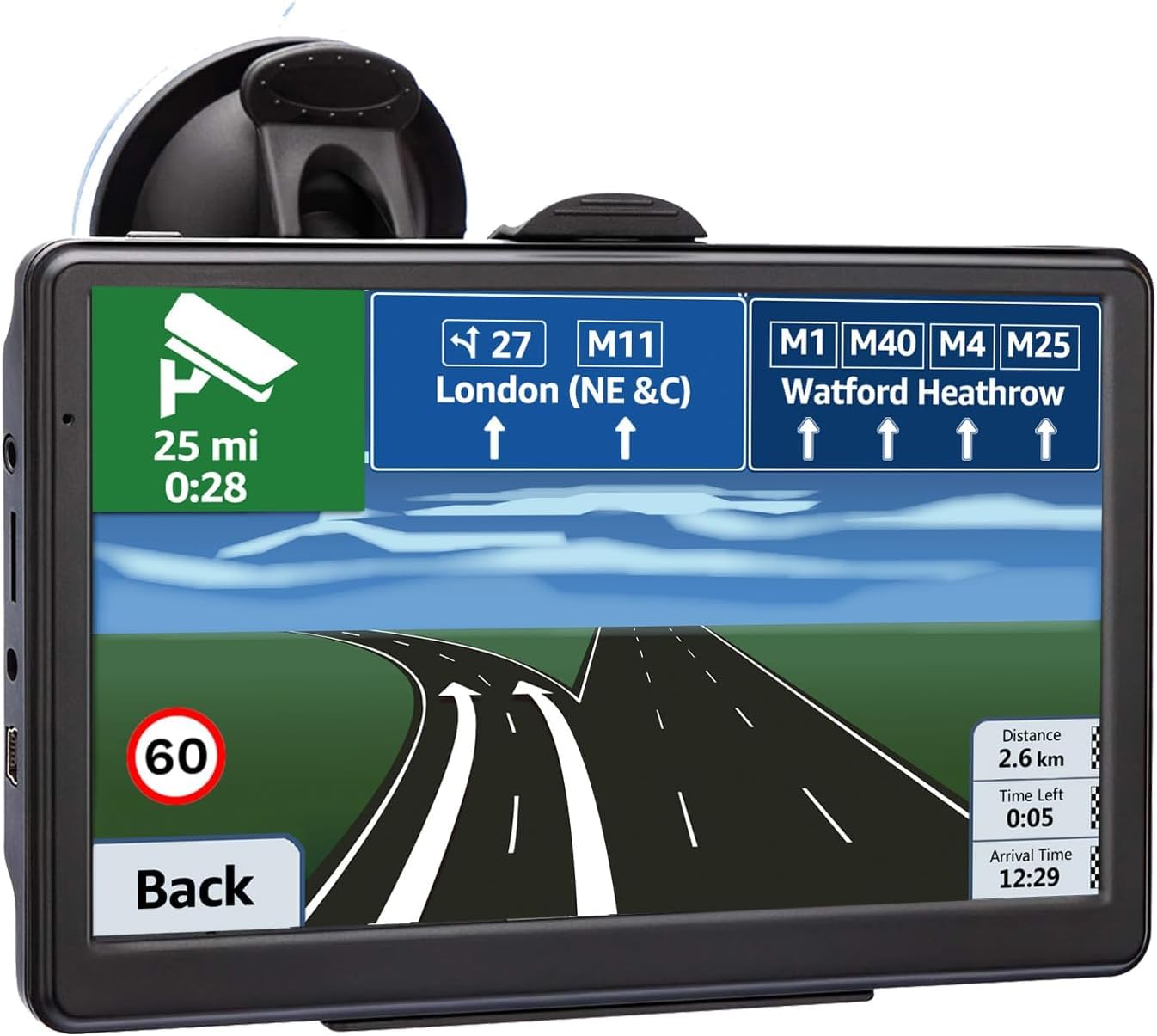
This GPS works well for those who want simple navigation with solid route options and clear voice guidance.
Pros
- Screen is bright and easy to see even in sunlight
- Recalculates routes quickly if you miss a turn
- Supports several vehicle types and custom route planning
Cons
- Sometimes the route takes longer than phone GPS apps
- Limited number of customer reviews to confirm long-term reliability
- Voice instructions could be clearer on certain road names
We found the 7-inch screen large enough for easy reading without being bulky. The touch controls responded well, and the screen remained clear outdoors, which helped during daytime drives.
It offers many vehicle modes that actually change the suggested route based on your choice, useful if you drive a truck or bike. The speed alerts and distance info kept us aware of how far we had to go.
Audio instructions worked well to keep our attention on the road. Although the route took a bit longer sometimes, the device quickly adapted when we missed a turn, which saved time. Overall, it felt reliable and easy to use for everyday navigation.
Garmin DriveSmart 66

The Garmin DriveSmart 66 offers a bright, clear screen with useful driving alerts that make it a solid choice for everyday navigation.
Pros
- Bright 6-inch display is easy to see while driving
- Voice assist and Alexa help keep hands free
- Real-time info on traffic, fuel prices, and parking via smartphone app
Cons
- Short battery life means mostly powered use in the car
- Setup and updates can be tricky without a PC backup
- Alexa features need a phone app connected to work
We found the screen size just right for seeing maps clearly without blocking the view. The voice commands made it easy to get directions or control music without taking our eyes off the road. The driving alerts for curves and speed changes added confidence on unfamiliar roads.
Pairing with the Garmin Drive app brought live traffic and fuel price updates, which helped us plan stops efficiently. However, some of the Alexa functions only worked well when connected through a phone app, so it isn’t a full Alexa experience on its own.
Updating maps was mostly smooth thanks to Wi-Fi, but we also had moments where connecting via USB to a computer was easier. Overall, the DriveSmart 66 balanced ease of use with smart features suited for drivers who want a clear, reliable navigator without extra bulk.
Yongeid Wireless Carplay Screen

This device offers a solid way to add wireless Apple CarPlay and Android Auto to older vehicles with an easy setup and useful features.
Pros
- Quick wireless connection for Apple CarPlay and Android Auto
- Bright and clear 7″ HD touchscreen with good responsiveness
- Comes with a backup camera and multiple audio output options
Cons
- Some static noise when music isn’t playing via Bluetooth
- Screen and device can feel a bit bulky on smaller dashboards
- Backup camera cable length might require careful installation
We found the Yongeid Carplay screen to be a strong upgrade for cars without built-in smart displays. The wireless setup worked smoothly, connecting with our phone in under a minute. Using voice commands through Siri and Google Assistant was handy for safer driving.
The touchscreen is bright with rich colors and responds well to touch. It really improved navigation with clear, real-time GPS and the backup camera gave us confidence while parking. Plus, there’s flexibility with sound output through Bluetooth, AUX, or FM transmitter, which worked well depending on the car’s stereo system.
While the static sound when idle was a bit distracting, it did not affect music playback. The mount held the screen securely, though it sits quite prominently, which may not suit all dashboards. Overall, it’s a good value add for wireless CarPlay and Android Auto in vehicles lacking these features.
VOUJUCY 7-Inch GPS Navigator

We recommend this GPS for drivers who want clear directions and custom routes for different vehicle types but don’t mind spending a little time on setup.
Pros
- Large, bright 7-inch touchscreen is easy to read in daylight
- Custom routing works well for cars, trucks, and RVs
- Free lifetime map updates keep navigation current
Cons
- Initial setup takes longer than expected and requires care
- Battery life is weak and charges slowly
- Interface can be confusing with multiple menus
The VOUJUCY GPS has a sharp screen that helped us see maps clearly even in bright light. Voice guidance was clear, giving timely alerts about turns and speed limits. We liked the option to enter vehicle size and weight, which adjusted routes safely for bigger vehicles like trucks.
During our testing, setup took extra time because you have to fully charge it first and change the default truck mode if you drive a car. The initial GPS signal took a while to lock on, so patience is required before use. After this, the device worked smoothly and the route planning felt smart and reliable.
Battery performance was disappointing since it drains fast and was slow to recharge. The menus also felt a bit crowded, which can confuse newer users. Overall, this GPS fits well if you value strong route safety and free updates but are okay with spending time getting it ready.
Garmin Drive 53 GPS Navigator
This GPS navigator is a solid choice for those who want clear maps and helpful alerts without too much fuss.
Pros
- Bright, easy-to-read 5” touchscreen
- Useful driver alerts for speed zones and curves
- Simple menus that don’t get in the way
Cons
- Battery life lasts just about an hour
- Voice directions can sometimes be unclear
- Lacks some advanced features found in newer models
We’ve used the Garmin Drive 53 and found the screen very bright and easy to see even in sunlight. The touchscreen responds quickly and the menu system is straightforward, which makes it easy to set up routes.
The built-in driver alerts add real value. We liked being warned about upcoming sharp turns, school zones, and speed changes. This helped us stay alert and obey the rules on unfamiliar roads.
However, the battery does not last long, so you’ll need to keep it plugged in during long drives. The spoken directions are sometimes vague, which can be frustrating if you rely on voice guidance alone. Still, for basic navigation needs, this device is dependable and user-friendly.
Buying Guide
When we choose a GPS navigation device for our car, we look at a few key features. First, screen size matters because a larger screen is easier to read while driving. Usually, screens range from 4 to 7 inches. Bigger screens show more details but can be harder to fit in small spaces.
Next, we check the maps and updates offered. Devices with free lifetime map updates keep us on the right path without extra costs. It’s important for the GPS to have accurate, detailed maps for cities and highways.
We also think about routing options. Some devices offer faster routes, avoid tolls, or even suggest eco-friendly paths to save fuel. This helps us pick a device that fits our driving style.
Another feature to consider is voice guidance. Clear, simple voice instructions let us keep our eyes on the road. We prefer devices that support multiple languages or allow us to adjust the voice volume easily.
Battery life is less important if we use the device plugged into our car’s power. Still, longer battery life helps if we want to use the GPS outside the car.
| Feature | What to Look For |
|---|---|
| Screen Size | 4″-7″, easy to read without blocking view |
| Map Updates | Free lifetime updates preferred |
| Routing Options | Fastest route, avoid tolls, eco-routes |
| Voice Guidance | Clear, adjustable, multi-language |
| Battery Life | Longer life useful, but car power is common |
By focusing on these points, we can find a GPS device that fits our needs and makes driving easier.
Editor’s Choice
For our pick, we chose the Garmin DriveSmart 65. It offers clear maps, easy-to-read directions, and timely traffic updates. The screen is large enough to see clearly without being distracting.
We like that it has voice control. This allows drivers to keep their hands on the wheel and eyes on the road. It also includes helpful features like alerts for speed changes, school zones, and sharp curves.
| Feature | Garmin DriveSmart 65 |
|---|---|
| Screen Size | 6.95 inches |
| Voice Control | Yes |
| Traffic Updates | Real-time via smartphone |
| Maps | Preloaded, free lifetime updates |
| Extra Alerts | Speed, traffic, hazards |
The device connects well with smartphones for hands-free calls and music playback. It also has Wi-Fi for easy updates without a computer.
We found the user interface simple. New users can set routes and customize settings quickly. This device balances price and performance, making it a strong choice for most drivers.
In short, the Garmin DriveSmart 65 fits a wide range of needs. It suits daily commuters and occasional travelers alike. We view it as reliable and user-friendly based on our tests.
Where to Buy – Best Amazon Deals
We find Amazon to be one of the best places to buy GPS navigation devices for cars. The site offers a wide range of options from top brands. You can compare features, prices, and user reviews all in one spot.
Amazon often has special deals and discounts on popular GPS models. These deals change frequently, so it’s smart to check back regularly. Using Amazon’s filter and sort tools helps us find the best prices quickly.
Here are some things we look for when shopping on Amazon:
- Free shipping with Prime membership
- Verified customer reviews
- Return policies and warranty options
- Bundle deals that include accessories like mounts or chargers
We also recommend checking the “Used & New” section. Sometimes, devices in very good condition sell for less. Always read the seller’s rating before buying.
Finally, Amazon’s daily deals and lightning deals pages might have occasional discounts on GPS devices. Signing up for alerts or newsletters can help us catch these offers.
FAQS
What should we look for in a GPS navigation device?
We need to check for easy-to-read screens, accurate maps, and reliable updates. Features like voice guidance and real-time traffic alerts also help make driving safer and easier.
Are smartphone apps better than standalone GPS devices?
Smartphone apps are convenient and often free. However, standalone GPS devices usually have better signal strength and don’t rely on cell service. It depends on your needs and where you drive most.
Can GPS devices work without internet?
Yes, most standalone GPS devices use preloaded maps and do not need an internet connection to navigate. However, some features like live traffic updates require data or Wi-Fi.
| Feature | Benefit | Do We Need It? |
|---|---|---|
| Offline Maps | Works without internet | Yes, for remote areas |
| Voice Commands | Hands-free operation | Helps keep focus on road |
| Traffic Updates | Avoids delays | Useful in busy cities |
How often should we update GPS maps?
Maps should be updated at least once a year. Road changes happen frequently, and updates ensure the routes stay accurate.
Are GPS devices easy to install?
Most GPS units come with simple mounting options. We just need to attach them to the dashboard or windshield and plug them in.
Do GPS devices use a lot of power?
They consume some power but usually don’t drain a car battery if the engine is running. It’s best to unplug them when the car is off to save battery.
Conclusion
Choosing the best GPS navigation device for your car means thinking about what features matter most to you. Some prefer simple, easy-to-use devices. Others want extra tools like live traffic updates or voice control.
We found that reliability and accuracy are key. A GPS that updates often will help avoid wrong turns and delays. Screen size and brightness also affect how easy it is to use while driving.
Consider your budget too. There are solid options at different price points. Sometimes a mid-range device offers better value than the most expensive model.
Here is a quick list to help focus on what to look for:
- Update frequency: Makes sure maps stay current
- Screen size and clarity: Easy to read in different light
- Additional features: Traffic info, voice commands, or offline maps
- Price: Matches your budget without overpaying
We encourage comparing devices with your driving habits in mind. Whether you drive mostly in the city or long trips, the right GPS can improve your experience. We hope this guide helps us all make better choices when picking a car navigation system.