

Can car stereo play M4A files? Yes — sometimes. This guide shows how to check if your system supports M4A, how to play M4A files via USB, Bluetooth, CD, or aux, and how to convert files if needed. Follow simple steps and tips to get M4A music playing in your car fast.
Contents
- 1 Key Takeaways
- 2 Introduction
- 3 What Is an M4A File?
- 4 Why Compatibility Varies
- 5 Step 1: Check Your Car Stereo Manual
- 6 Step 2: Test a M4A File on USB
- 7 Step 3: Try Bluetooth or Phone Playback
- 8 Step 4: Use a Smartphone Cable or AUX
- 9 Step 5: Convert M4A to MP3 or AAC (If Needed)
- 10 Step 6: Use a Dedicated Media Adapter
- 11 Step 7: Update Your Stereo Firmware
- 12 Practical Tips and Examples
- 13 Troubleshooting
- 14 When to Upgrade Your Head Unit
- 15 Real-Life Example: Play M4A from iPhone
- 16 Summary and Final Advice
- 17 Conclusion
- 18 Author
Key Takeaways
- Point 1: Many modern car stereos can play M4A, but not all do. Check your manual or test a file.
- Point 2: If your head unit won’t read M4A, convert to MP3 or AAC for the best compatibility.
- Point 3: USB, Bluetooth, and smartphone apps are the easiest ways to play M4A in a car.
- Point 4: A dedicated media player or adapter can bridge older systems to support M4A playback.
- Point 5: Keep bitrates and file names simple to avoid playback errors.
- Point 6: Troubleshoot with format checks, folder structure fixes, and firmware updates.
Introduction
Many drivers ask, can car stereo play m4a files? It is a real question. M4A is common. Phones and computers use it. But car stereos vary. This guide will help you check your car, try simple playback methods, and convert files when needed. You will learn clear steps. You will get tips and fixes. You will be ready to play your M4A music in the car.
What Is an M4A File?
M4A is an audio file format. It often uses the AAC codec. It can store high quality audio. It is common on Apple devices. It is smaller than WAV. It often sounds better than MP3 at the same bitrate. Many streaming services and stores also use M4A.
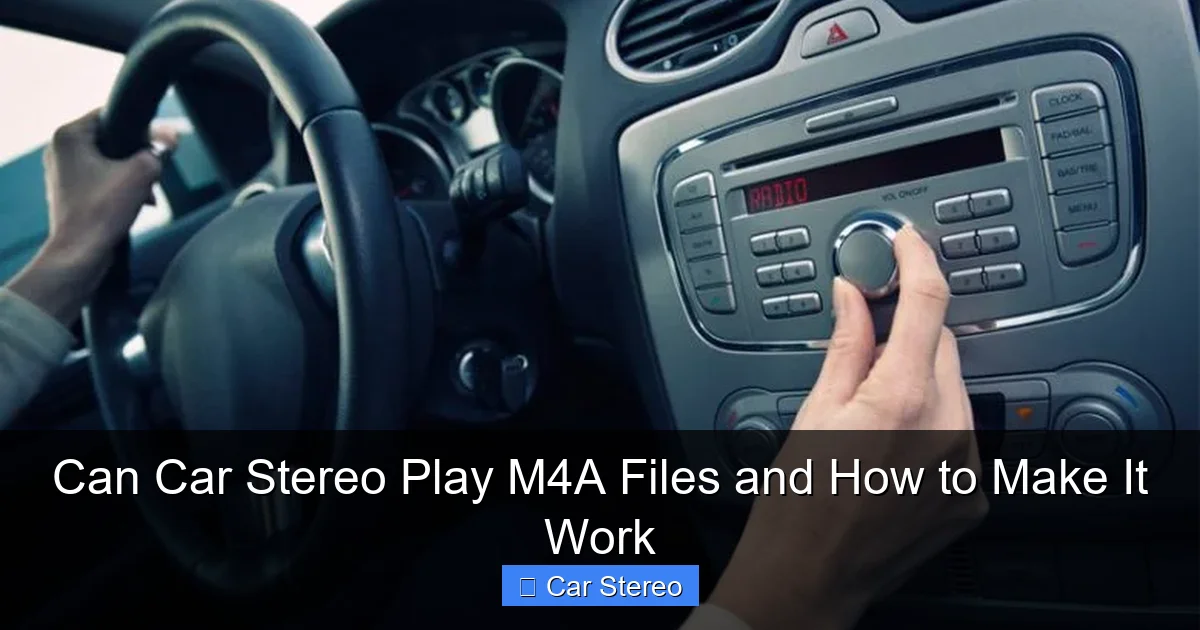
Visual guide about Can Car Stereo Play M4A Files and How to Make It Work
Image source: howstereo.com
Why Compatibility Varies
Car stereos run different software. Older units only read MP3 and WMA. Newer units may read AAC and M4A. Some units read files only from certain USB formats. Some require specific folder layouts. This is why people ask, can car stereo play m4a files? The short answer is: sometimes. The full answer follows below.
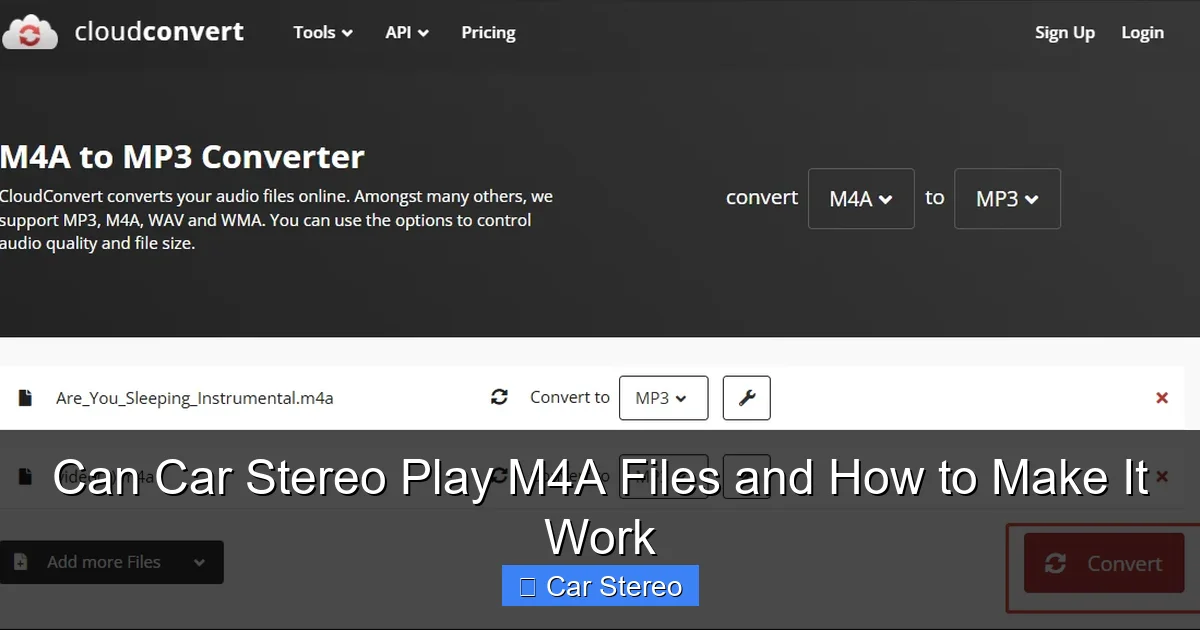
Visual guide about Can Car Stereo Play M4A Files and How to Make It Work
Image source: images.minitool.com
Step 1: Check Your Car Stereo Manual
Start simple. Read the manual. The manual lists supported file formats. Look for MP3, WMA, AAC, and M4A. Check USB and CD specs. If the manual says AAC or M4A, your unit likely supports M4A files. If it lists only MP3 or WMA, you may need workarounds.
Visual guide about Can Car Stereo Play M4A Files and How to Make It Work
Image source: videoconvert.minitool.com
Find the Manual Fast
- Search the model number online.
- Check the manufacturer website.
- Look in glove box or seat pockets for a paper manual.
Step 2: Test a M4A File on USB
Testing is the quickest way to answer can car stereo play m4a files. Copy one M4A to a USB drive and try it.
Prepare the USB Drive
- Use a small USB stick (8–32 GB is good).
- Format to FAT32 for best compatibility.
- Create a simple folder like MUSIC on the root.
- Copy one M4A file into that folder.
Insert and Play
- Plug the USB into your car.
- Select USB as source on the stereo.
- Browse to the file and play.
If it plays, you answered can car stereo play m4a files for your unit. If not, try the next steps.
Step 3: Try Bluetooth or Phone Playback
Bluetooth streaming often bypasses file format limits. Ask: can car stereo play m4a files via Bluetooth? Many systems can. Your phone decodes the file and sends audio to the car. This works for most phones and head units.
Pair Your Phone
- Turn on Bluetooth on phone and stereo.
- Pair devices per the manual.
- Open a music app that plays M4A.
- Play the file and switch to Bluetooth audio on stereo.
Tip: Some cars restrict phone audio to calls only. If so, use a different method below.
Step 4: Use a Smartphone Cable or AUX
Cable play sends audio like a normal aux input. Your phone decodes M4A and plays through the cable. This is a reliable way to answer can car stereo play m4a files if the stereo supports AUX or USB audio-in.
Use a 3.5mm Aux Cable
- Plug one end into phone headphone jack (or adapter).
- Plug other end into car AUX port.
- Select AUX on the stereo and play the file on your phone.
Use USB Cable with Media Transfer
- Some head units read audio via USB from phones.
- Connect phone via USB cable.
- Select USB mode on stereo (Media Player, iPod, etc.).
- Use your phone’s music app to play M4A files.
Step 5: Convert M4A to MP3 or AAC (If Needed)
If your stereo can’t play M4A, convert files. Converting is simple. MP3 is widely supported. AAC is a good alternative. This is a key fix when answering can car stereo play m4a files for older units.
Free Desktop Tools
- Use HandBrake (free). It converts to MP3 or AAC.
- Use VLC Media Player. It has a convert/export tool.
- Use iTunes (or Apple Music app). Export songs as MP3 or AAC.
Convert on Phone
- Use file converter apps for Android or iOS.
- Upload to a cloud converter website. Download MP3 after conversion.
Conversion Tips
- Keep bitrate around 192–256 kbps for good quality.
- Use constant bitrate (CBR) for reliable playback.
- Keep file names simple and short.
Step 6: Use a Dedicated Media Adapter
If conversion is not ideal, use an adapter. Many car audio adapters support more formats. They plug into USB or aux. Some units act as a bridge and tell your head unit that the file is compatible. This answers the question can car stereo play m4a files by offering a hardware route.
Types of Adapters
- Bluetooth receivers with USB support.
- CarPlay or Android Auto dongles that add app audio support.
- In-line USB media players that expose MP3 to the head unit but decode many formats themselves.
Step 7: Update Your Stereo Firmware
Manufacturers release updates that add features. An update might add AAC or M4A support. If you wonder can car stereo play m4a files and your stereo is modern, check for firmware updates.
How to Update
- Find your unit’s model and firmware page on the maker’s site.
- Download the update to a USB drive per instructions.
- Insert the USB into the stereo and follow on-screen prompts.
Note: Follow instructions exactly. Back up settings if possible.
Practical Tips and Examples
Here are simple tips to make playback smooth. These help whether your answer to can car stereo play m4a files is yes or no.
- One file test: Try one short M4A file first. This saves time.
- Folder rules: Many stereos stop scanning after many files. Put fewer files in one folder.
- File naming: Use plain names. Avoid special characters.
- Bitrate limits: Keep files below 320 kbps to avoid issues on older units.
- USB format: Use FAT32 or exFAT for large drives. Some units do not read NTFS.
Troubleshooting
Problems happen. Here are fixes. These answers help when you still ask, can car stereo play m4a files and it does not work.
It Won’t Read the USB Stick
- Reformat to FAT32 and copy one file.
- Try a different USB port or stick.
- Ensure power draw is within the stereo limits. Some large drives need too much power.
Files Play, But No Sound
- Check volume and mute settings on phone and stereo.
- Try a different file format to rule out corrupted file.
- Ensure Bluetooth profile supports audio (A2DP).
Files Skip or Stutter
- Use lower bitrate files.
- Try a different USB stick. Cheap sticks can be slow.
- Copy files to the root folder rather than deep folder trees.
Stereo Sees Files But Won’t Play M4A
This happens when the head unit can list files but not decode M4A. If so, convert to MP3 or AAC. Or stream via Bluetooth. Both are quick fixes to the question can car stereo play m4a files.
When to Upgrade Your Head Unit
If you frequently use modern formats, a new head unit may be worth it. New units support more codecs and phone integrations. They handle M4A, AAC, FLAC, and streaming apps. Upgrading solves the repeated question: can car stereo play m4a files for good.
Features to Look For
- Apple CarPlay and Android Auto support.
- USB Audio Class support for many codecs.
- Built-in Bluetooth with A2DP streaming.
- Firmware updates and wide file support.
Real-Life Example: Play M4A from iPhone
Example: You have an iPhone with M4A songs. Your head unit is a 2015 model that lists AAC support but not M4A. Try this:
- Pair phone via Bluetooth. Play songs from Apple Music. The phone streams decoded audio. Works.
- If you want USB metadata and control, convert needed tracks to MP3 via iTunes. Copy to USB and plug in.
- Or use CarPlay if the head unit supports it. It will play M4A directly through apps.
That example shows practical routes to the same answer: can car stereo play m4a files depends on the setup but you have options.
Summary and Final Advice
To wrap up: can car stereo play m4a files is not a one-word answer. Many current stereos can, especially when using Bluetooth or CarPlay. Older units may need file conversion or adapters. Test one file first. Use simple file names and correct USB formats. Update firmware when possible. If you still struggle, convert to MP3 or upgrade the head unit.
Conclusion
You now know how to check and make M4A files play in your car. You can test a USB, stream by Bluetooth, use AUX, convert files, or use an adapter. Follow the steps in this guide. Most drivers get M4A music playing in minutes. If not, conversion or a new head unit will fix it. Enjoy your music on the road.
🎥 Related Video: How To Convert M4A To MP3 (Guide) | M4A To MP3 Converter
📺 GuideRealm
I show you how to convert m4a to mp3 and my favourite m4a to mp3 converter in this video. I hope you find this guide useful!
