

Does OBD2 scanner show mileage is a common question for DIY mechanics and buyers. This guide explains when and how an OBD2 tool can read mileage, what limits to expect, and step-by-step instructions to get the most accurate result.
Contents
- 1 Key Takeaways
- 2 Introduction
- 3 What OBD2 Is and What It Can Read
- 4 How OBD2 Mileage Works — Simple Explanation
- 5 Step 1: Choose the Right Scanner and Software
- 6 Step 2: Connect the Scanner
- 7 Step 3: Try Standard OBD2 Modes
- 8 Step 4: Use Manufacturer PIDs and UDS Functions
- 9 Step 5: Read Mileage from Specific Modules
- 10 How Accurate Is OBD2 Mileage?
- 11 Practical Examples
- 12 Troubleshooting: Mileage Not Showing or Incorrect
- 13 Legal and Practical Considerations
- 14 Best Tools and Apps for Reading Mileage
- 15 Step-by-Step How to Confirm Mileage Using OBD2 (Quick Checklist)
- 16 Practical Tips
- 17 When OBD2 Will Never Show Mileage
- 18 Advanced: Reading Mileage from EEPROM
- 19 Conclusion
- 20 Author
Key Takeaways
- Point 1: OBD2 can sometimes show mileage, but support varies by vehicle and scanner.
- Point 2: Standard OBD2 Mode 1/9 often does not include odometer; manufacturer PIDs or UDS mode may be required.
- Point 3: Mileage accuracy depends on the data source (instrument cluster vs. engine ECU) and possible tampering.
- Point 4: Use the right scanner, software, and PID lists for your make to read mileage reliably.
- Point 5: Troubleshoot with VIN pull, module scan, and alternative tools if mileage is missing or wrong.
- Point 6: For legal or sale checks, combine OBD2 reads with service records and vehicle history reports.
Introduction
This guide shows you how to answer the core question: does obd2 scanner show mileage? You will learn what data OBD2 provides, which scanners and apps can read odometer values, and how accurate those values are. You will also follow clear steps to connect a scanner, read mileage, and troubleshoot common problems.
What OBD2 Is and What It Can Read
OBD2 is a diagnostic system that gives access to vehicle data over a standard port. It started for emissions monitoring. Over time, it added live sensors, fault codes, and some vehicle info. But not all vehicle data is standardized. That includes the odometer in many cases.
Visual guide about Does OBD2 Scanner Show Mileage and How Accurate Is It
Image source: images.hgmsites.net
Key OBD2 Modes and PIDs
OBD2 uses modes (requests) and PIDs (parameter IDs). Common ones are:
- Mode 01: Live data and sensor values
- Mode 02: Freeze frame
- Mode 03–07: Diagnostic trouble codes
- Mode 09: Vehicle information (VIN, calibrations)
Odometer data is not a standard Mode 01 PID in many cars. Some manufacturers add a custom PID or use UDS (Unified Diagnostic Services) functions outside basic OBD2. That is why answers to “does obd2 scanner show mileage” vary by car.
How OBD2 Mileage Works — Simple Explanation
Some vehicles broadcast the odometer value on the vehicle network. A scanner tuned to that vehicle’s protocol can read it. Other vehicles store mileage inside the instrument cluster, ABS module, or body control module. Those modules may not share mileage over the OBD2 standard interface. In short, sometimes you can read mileage via OBD2, and sometimes you cannot.
Visual guide about Does OBD2 Scanner Show Mileage and How Accurate Is It
Image source: i.ytimg.com
Step 1: Choose the Right Scanner and Software
Not all scanners are equal. Basic code readers show engine faults. Advanced tools and software can read custom PIDs and UDS data.
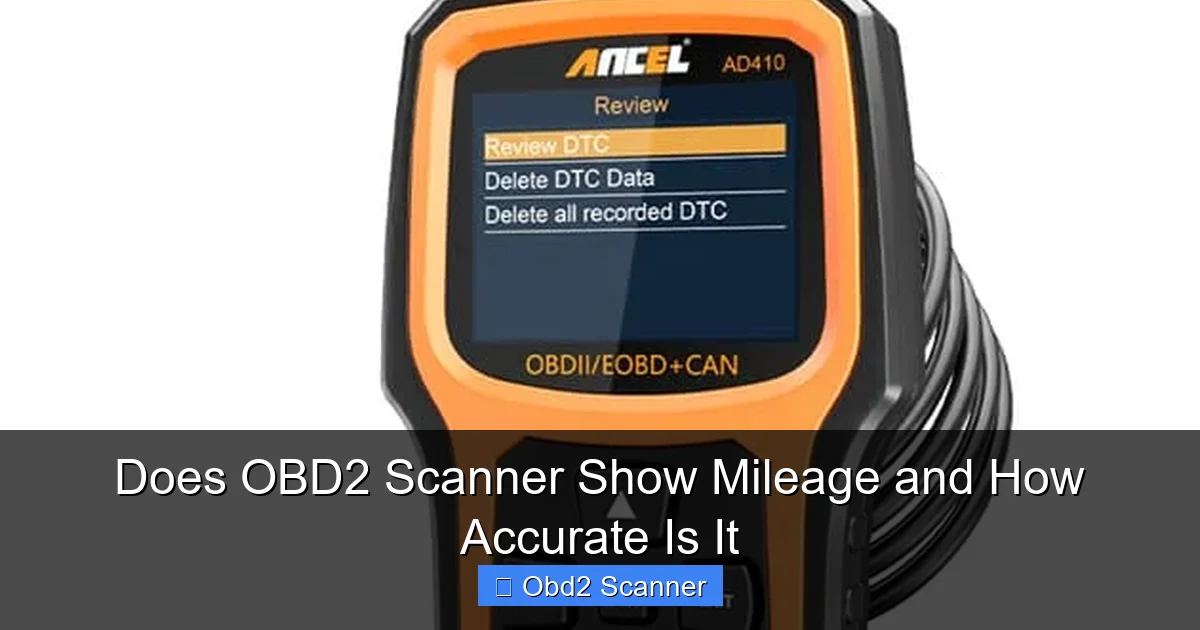
Visual guide about Does OBD2 Scanner Show Mileage and How Accurate Is It
Image source: ancel.com
Recommended Scanner Types
- Bluetooth/Wi‑Fi OBD2 adapters (ELM327-based) + app — cheap and good for basic PID reads.
- Manufacturer-level scan tools — the best for deep module reads and UDS access.
- PC-based tools (Forscan, VCDS, IScan) — powerful for vehicle-specific PIDs and cluster access.
Practical Tip
If you want mileage frequently, invest in a good adapter (OBDLink MX+ or equivalent) and a PC/mobile app that supports custom PIDs for your make. This saves time and gives better access.
Step 2: Connect the Scanner
Follow these simple steps to connect and prepare to read mileage.
Sub-step A: Locate the OBD2 Port
- Usually under the dash, left of the steering column.
- Sometimes under the glove box or near the center console.
Sub-step B: Plug In and Power On
Plug the adapter into the port. Turn the ignition to ON (engine off or running depending on tool instructions). Pair the adapter with your app or device.
Sub-step C: Launch the App and Connect
Open your diagnostic app. Select the correct connection (Bluetooth/Wi‑Fi). Choose the vehicle or let the app detect the VIN if available.
Step 3: Try Standard OBD2 Modes
Start with standard reads. Some apps can read Mode 09 vehicle info and may show VIN. Mode 9 might include “Total Vehicle Distance” if the car supports it.
Sub-step A: Read Mode 09
- Look for VIN and calibration data.
- Check for any “Total Distance” or “Odometer” entries.
Sub-step B: Read Mode 01 Live Data
Scan available PIDs. Some cars expose odometer via a live PID. If you see mileage, note the value and units (km or miles).
Step 4: Use Manufacturer PIDs and UDS Functions
If standard modes do not show mileage, use advanced tools. Many manufacturers use custom PIDs or UDS to store odometer readings.
Sub-step A: Find Manufacturer PID Lists
Search online or use community forums for your make and model. Sites and apps like OBD-II PID List, ELM327 PID lists, and even GitHub have custom PID codes.
Sub-step B: Use Advanced Software
Tools like VCDS (for VW/Audi), Forscan (for Ford), TechStream (Toyota), or dealer-level tools unlock manufacturer PIDs. These apps can read module data and cluster values.
Step 5: Read Mileage from Specific Modules
If the odometer is stored in the instrument cluster or ABS module, do a module scan. Look for module-specific menus that display mileage.
Sub-step A: Scan All Modules
- Run a full module scan with your software.
- Open each module (instrument cluster, body control, ABS) and look for “Mileage,” “Odometer,” or “Total Distance.”
Sub-step B: Read Directly from Cluster When Possible
Some tools can read the cluster ROM or EEPROM where the mileage sits. This is advanced and sometimes requires a bench read by a specialist.
How Accurate Is OBD2 Mileage?
This answers the part of the title about accuracy. Several factors affect accuracy.
Source of the Value
If the scanner reads the actual instrument cluster odometer, accuracy is usually exact (barring tampering). If it reads a calculated value from the ECU or a sensor, minor differences can appear due to rounding or missing updates.
Vehicle Calibration and Tire Size
Odometer is tied to wheel rotation. If tires are a different size than factory, the odometer may be off. Speedometer calibration, gear ratio changes, and tire wear can affect readings slightly.
Data Age and Update Frequency
Some modules update odometer less often. This can cause a small lag or rounding error. Typically, errors are within a few tenths to a few miles. For most users, this is acceptable.
Tampering and Inconsistencies
ODDLY, odometer fraud happens. OBD2 reads might not match the mechanical cluster if someone altered the cluster or its stored data. Always compare with service records and title history for legal checks.
Practical Examples
Here are a few real-world examples to show how this works in different cars.
Example 1: Modern European Car (VW/Audi)
VAG cars often use instrument cluster values that VCDS can read. A VCDS scan typically pulls exact mileage from the cluster. In this case, does obd2 scanner show mileage? Yes, when using the right VAG tool and the cluster is not locked.
Example 2: Ford with Forscan
Forscan reads modules including PCM and cluster. Some Fords store mileage in the ABS or gateway module. Forscan can show it. For these cars, the mileage read with Forscan is usually accurate.
Example 3: Older Vehicles
Many older cars do not broadcast mileage on the OBD2 bus. A basic Bluetooth adapter and generic app will not show the odometer. For these cars, answer to does obd2 scanner show mileage is often no.
Troubleshooting: Mileage Not Showing or Incorrect
If you cannot find mileage or it looks wrong, follow these checks.
Problem 1: No Mileage Field
- Check if the app supports Mode 09 and custom PIDs.
- Try a different app that supports manufacturer PIDs.
- Use a higher-end scanner or dealer tool.
Problem 2: Wrong Mileage Value
- Confirm units (km vs miles). Convert if needed.
- Read the cluster directly; compare values across modules.
- Check tire size and recent changes that could shift odometer readings slightly.
Problem 3: Scanner Will Not Connect
- Verify adapter power and pairing.
- Turn ignition to the correct position.
- Try a different app or device to rule out software issues.
Problem 4: Conflict Between Modules
Different modules may report different distances. The instrument cluster should be the authority for odometer. If modules disagree, the cluster value typically stands, but investigate for tampering or failed modules.
Legal and Practical Considerations
Reading mileage with an OBD2 scanner is useful for inspections and used-car checks. But it is not always a legal proof. Titles, service records, and vehicle history reports are needed for full verification. In many regions, only official records and notarized documents are legal proof.
Buying a Used Car
Use an OBD2 read as one data point. Combine it with maintenance records, a Carfax or AutoCheck report, and a visual inspection. If the odometer reading from OBD2 does not match records, ask questions and consider a mechanic review.
Best Tools and Apps for Reading Mileage
Here is a short list of recommended tools. These have good support for PIDs and module scans.
- OBDLink MX+ (adapter) + OBDLink app — good general tool with strong support.
- VCDS — best for VW/Audi vehicles.
- Forscan — great for Ford, Mazda, Lincoln.
- TechStream — for Toyota/Lexus (dealer-level access).
- Torque Pro — flexible app for Android with custom PID support.
- ScanMaster or CarScanner — other mobile apps with PID customization.
Step-by-Step How to Confirm Mileage Using OBD2 (Quick Checklist)
Use this checklist when you need a clear, fast workflow.
Step A: Prepare
- Choose the right adapter and app for your car.
- Make sure device battery is charged and adapter is compatible.
Step B: Connect
- Plug into OBD2 port and power on ignition.
- Pair app to adapter and start a vehicle scan.
Step C: Locate Mileage
- Check Mode 09 and Mode 01 PIDs first.
- If not found, run a full module scan for instrument cluster and body modules.
- Search manufacturer PID lists if necessary.
Step D: Verify
- Compare with dashboard odometer.
- Check service records and vehicle history reports.
Practical Tips
- Always note the units. Converting km to miles can cause confusion.
- Take screenshots of your readings for documentation.
- Use the VIN from Mode 09 to check historical records.
- When in doubt, consult a dealer or professional with the right tool.
When OBD2 Will Never Show Mileage
There are cases where an OBD2 scanner cannot give odometer values. This includes vehicles where the cluster stores mileage in a protected EEPROM that is not exposed on the bus. Also, older OBD systems and some exotic makes may not broadcast any odometer data at all. In these cases, physical inspection of the cluster and servicing records is the only option.
Advanced: Reading Mileage from EEPROM
Technicians can read mileage by accessing the EEPROM or ROM on the instrument cluster. This is specialized work. It may require removing the cluster and using bench programmers. This is beyond typical OBD2 scanning and is used for repairs or recovery after cluster replacement. It must be done legally and ethically.
Conclusion
So, does obd2 scanner show mileage? The short answer: sometimes. It depends on your vehicle, the scanner, and the software. Standard OBD2 may not include odometer data. But manufacturer PIDs, UDS functions, and advanced tools often can read mileage. Accuracy is usually good when reading the cluster directly. Use the right tool, verify values, and combine OBD2 data with records for legal checks. Follow the steps in this guide to connect, read, and confirm mileage on most modern vehicles.
🎥 Related Video: Check car's TRUE MILEAGE with OBD2 scanner
📺 @Iamcarhacker – OBD2 scanners
Used tool: https://amzn.to/3E9TO58 I am an Amazon Associate. As an Amazon Associate, I earn from qualifying purchases.
