

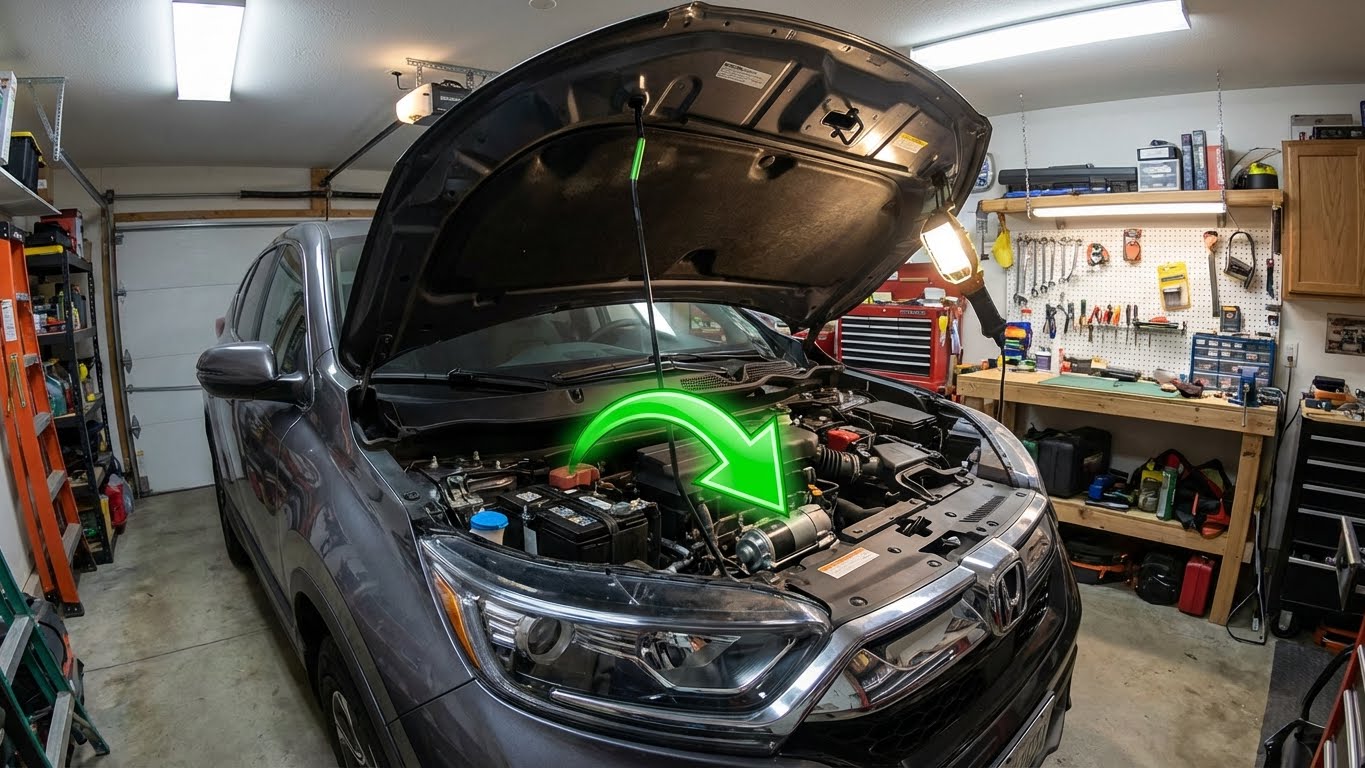
If a Honda CR-V makes a clicking noise when starting, it often points to an issue with the battery or the starter motor. This clicking sound usually means the starter motor is trying to engage but isn’t getting enough power to turn the engine over. Weak batteries, loose connections, or faulty starters are common causes behind this problem.
This issue can happen more during cold weather or as the vehicle ages. Sometimes, the problem is simple, like corroded battery terminals or a drained battery, and other times, it could be related to the starter or electrical connections. Understanding why this noise happens helps owners know the best steps to fix it or when to get professional help.
Key Takeways
- Clicking sounds usually indicate electrical or starter motor problems.
- Cold weather and aging parts can make this issue more common.
- Simple checks often fix the problem, but sometimes expert help is needed.
Contents
- 1 Common Causes of Honda CR-V Clicking Noise When Starting
- 2 Diagnosing the Clicking Noise in Honda CR-V
- 3 Honda CR-V Model Years Most Affected
- 4 Electrical System Issues Related to Clicking Noise
- 5 Mechanical Problems Causing a Clicking Sound
- 6 Troubleshooting Steps for DIY Repairs
- 7 When to Seek Professional Help
- 8 Preventive Maintenance Tips for the Honda CR-V
- 9 FAQs
- 10 Conclusion
Common Causes of Honda CR-V Clicking Noise When Starting
A clicking noise when starting a Honda CR-V usually points to an electrical or mechanical issue. The problem often lies with the battery, starter motor, relay, or battery connections. Identifying the exact cause helps in fixing the issue quickly and avoiding further damage.
Dead or Weak Battery
A dead or weak battery is the most frequent cause of clicking noises at startup. When the battery cannot supply enough power, the starter motor tries to engage but fails, producing the clicking sound. This is common in cold weather or if the battery is old or drained due to short trips.
Checking the battery voltage with a multimeter is a good first step. If the voltage reads below 12.4 volts, the battery likely needs charging or replacement. Jump-starting the vehicle can temporarily solve the problem, but a weak battery will often fail again soon after.
Faulty Starter Motor
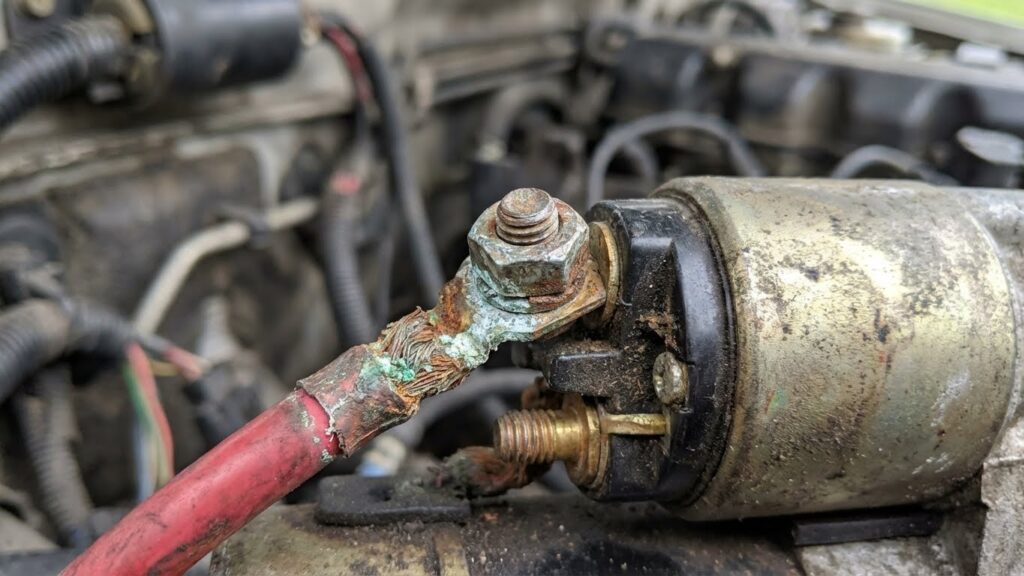
The starter motor is responsible for turning the engine over. If it is faulty, you may hear a click without the engine cranking. Wear and tear or internal damage can cause the starter motor to malfunction.
A common issue is worn solenoid contacts inside the starter motor. These contacts fail to engage the starter gear with the engine flywheel, resulting in the clicking noise. Replacing or repairing the starter motor is necessary if this problem occurs.
Malfunctioning Starter Relay
The starter relay sends electricity from the battery to the starter motor. When it malfunctions, it can cause a clicking sound without the engine starting. The relay may become stuck, faulty, or have damaged internal components.
Testing the relay with a multimeter, or swapping it with a known working relay, can help confirm if it is the source of the problem. A defective starter relay must be replaced to restore proper function.
Loose or Corroded Battery Connections
Battery terminals and cables that are loose or corroded can prevent enough current from reaching the starter motor. This often causes clicking sounds when trying to start the car.
Inspect the battery terminals for corrosion, which looks like white or green crust. Cleaning the posts and tightening the cable clamps can improve the electrical connection. In some cases, replacing old or damaged cables may be necessary to fix the issue.
Diagnosing the Clicking Noise in Honda CR-V
The clicking noise when starting a Honda CR-V often points to specific issues related to the electrical or mechanical starting system. Identifying whether the clicks are single or repeated, visually checking key engine components, and testing electrical parts work together to pinpoint the root cause.
Listening for Single vs. Repeated Clicks
The pattern of the clicking sound holds important clues. A single click usually signals a problem with the starter motor or the solenoid. This means the starter gear is not engaging properly with the engine’s flywheel.
In contrast, repeated rapid clicks often indicate a weak or drained battery. It can also arise from loose or corroded battery terminals. These repeated clicks show the starter relay is trying to activate but lacks enough power for the engine to turn over.
Careful listening helps differentiate between a battery-related issue and a starter component failure, guiding the next steps in troubleshooting.
Visual Inspection of Engine Bay
A quick visual check under the hood can reveal obvious problems. First, inspect the battery terminals for corrosion or loose connections. Corrosion looks like white or blue powdery residue around the clamps.
Check the battery cables and connectors for damage or looseness. Any worn or frayed cables can lead to poor electrical flow. Also, examine the ground wire connected to the engine block or chassis to ensure it is secure.
Look for signs of oil or dirt buildup around the starter motor and solenoid, as this can affect their function. This basic inspection often uncovers simple issues that cause clicking noises.
Testing Electrical Components
Testing involves measuring battery voltage and checking the starter system. A healthy battery should have about 12.6 volts when the car is off and not less than 10 volts during cranking.
Using a multimeter, the battery and terminals should be tested for voltage drop under load. Loose or corroded connections will show a significant drop.
If the battery tests well, the starter motor and solenoid may be tested for electrical continuity and resistance. A failing solenoid or worn starter gear can cause clicking without cranking. Testing these components helps confirm if replacement is necessary.
Honda CR-V Model Years Most Affected
Certain Honda CR-V model years show more issues with clicking noises when starting. These problems often link to battery, starter, or electrical system faults. Some years also have recalls and technical service bulletins (TSBs) that address related concerns.
Fourth Generation (2012–2016)
The fourth-generation CR-V, produced from 2012 to 2016, occasionally experiences clicking noises at startup. This generation often faces battery-related problems, especially in colder climates. Batteries can drain faster, causing weak starts with clicking sounds.
Some owners report corroded battery terminals or poor electrical connections under the hood. These issues keep the starter motor from receiving enough power to crank the engine. Regular battery checks and terminal cleaning can reduce the chance of this noise.
While the fourth generation is considered reliable overall, older batteries or short trips can lead to starter clicks. Proper maintenance helps avoid these starting troubles.
Fifth Generation (2017–2022)
The fifth-generation CR-V shows a slightly higher frequency of clicking noises when starting. Models from 2017 to 2019 appear most affected, tied to battery degradation and starter system faults. These years also experience occasional issues with the electrical system’s ground connections.
Owners of later models report that cold weather and long periods without driving increase the problem’s likelihood. The starter relay or solenoid may also malfunction, causing clicking without starter engagement.
This generation’s more complex electronics sometimes complicate diagnosis. Jump-starting or replacing the battery often fixes the issue. Preventing corrosion on terminals remains important.
Notable Recalls and TSBs
Honda issued recalls and technical service bulletins for CR-Vs with starting problems. Some recall campaigns targeted faulty starter motors or electrical components that cause clicking sounds.
TSBs provide service shops with troubleshooting steps for diagnosing issues like poor battery connections or wiring faults. These documents guide technicians to check the battery health, starter relay, and ground wires properly.
Owners should check if their vehicle is involved in recall programs to address starter-related concerns. Following Honda’s service recommendations and using authorized repairs supports long-term reliability.
Electrical System Issues Related to Clicking Noise
Clicking noises when starting a Honda CR-V often stem from problems in the electrical system. Key areas to check include power flow interruptions, faulty components, and charging system failures. These issues can prevent the starter from getting enough power or disrupt the ignition process.
Blown Fuses
Blown fuses can break the electrical circuit needed to start the vehicle. When a fuse blows, it cuts power to essential systems like the starter motor or ignition. This leads to the clicking noise heard at the key turn, as the starter solenoid clicks but doesn’t receive enough current to crank the engine.
Checking the fuse box for any blown fuses is a quick diagnostic step. A fuse tester or visual inspection can identify a blown fuse by the broken filament or discoloration. Replacing a blown fuse with one of the correct rating can restore power and stop the clicking noise. However, repeated fuse failure may indicate a deeper electrical problem that needs professional inspection.
Faulty Ignition Switch
The ignition switch controls the flow of electricity from the battery to the starter motor when the key is turned. A malfunctioning ignition switch can fail to send a continuous signal, causing intermittent or weak power delivery. This partial power causes the solenoid to click without turning the engine over.
Signs of a faulty ignition switch include inconsistent starting, flickering dashboard lights, or the vehicle starting only sometimes. Testing involves checking voltage output at the switch during key turns. Replacing the ignition switch often resolves the clicking issue. Ignoring this problem can lead to further electrical damage or complete no-start conditions.
Alternator Problems
The alternator charges the battery while the engine runs. If the alternator is weak or failing, the battery may not have enough charge to power the starter properly. Low battery voltage often results in rapid clicking noises because the starter solenoid activates but the motor can’t turn.
Symptoms of alternator issues include dimming lights, slow cranking, and a battery warning light on the dashboard. A simple voltmeter test shows if the alternator voltage output falls below 13.5 volts. Repairing or replacing a faulty alternator ensures the battery stays charged, preventing recurring starting problems and clicking noises.
Mechanical Problems Causing a Clicking Sound
A clicking sound when starting a Honda CR-V can point to specific mechanical issues. These often involve parts that interact with the engine’s rotation and can prevent the engine from turning over properly.
Engine Seizure
Engine seizure happens when moving parts inside the engine stop working or lock up. This can be due to low oil levels, contaminated oil, or overheating. When the engine seizes, it resists turning, causing a clicking sound as the starter motor attempts to spin it.
This problem is serious. The starter motor keeps trying but fails to rotate the engine fully. Continuing to try starting a seized engine can damage the starter and other components.
If engine seizure is suspected, it requires a thorough inspection. Oil level and quality must be checked immediately. Repair or engine rebuild may be necessary depending on the damage.
Damaged Flywheel Teeth
The flywheel connects to the starter motor. The starter motor’s gear teeth mesh with the flywheel’s teeth to turn the engine over. If the flywheel teeth are worn, broken, or missing, the starter gear will slip, causing a clicking noise.
This issue is common in older or high-mileage CR-Vs. Clicking happens because the starter cannot get a solid grip on the flywheel.
Fixing this requires replacing or repairing the flywheel. Driving with a damaged flywheel can lead to further damage on the starter and engine components. It is important to address this problem quickly.
Troubleshooting Steps for DIY Repairs
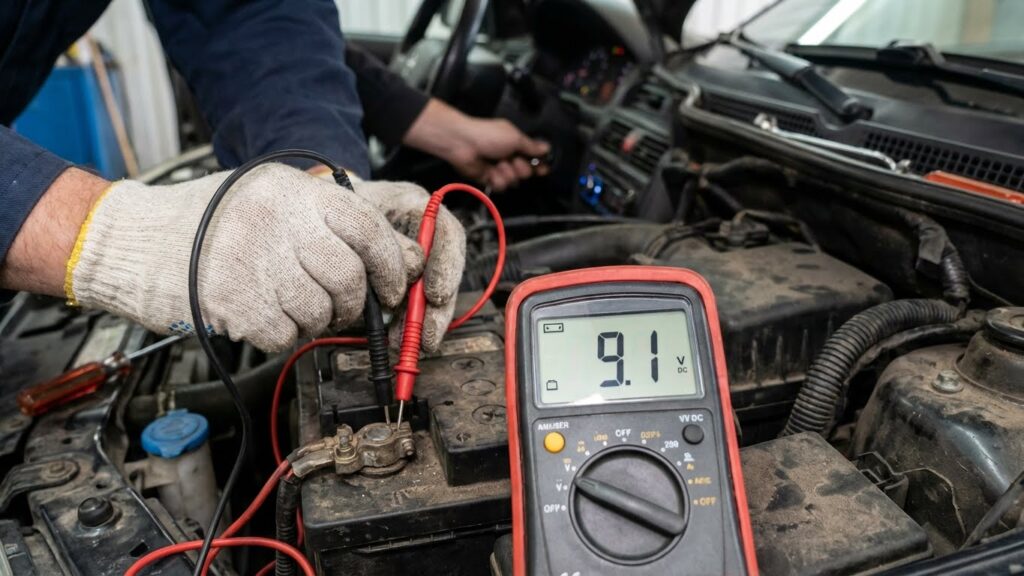
Loose connections or internal solenoid wear cause the motor to click rapidly but fail to draw enough amperage to turn the engine.
To address a clicking noise when starting a Honda CR-V, it is important to check the electrical system thoroughly. Testing the battery voltage will show if the battery can hold enough power. After that, inspecting and securing the battery connections ensures proper current flow.
Battery Voltage Testing
Testing the battery voltage is the first step in diagnosing starting problems. A fully charged battery should read about 12.6 volts when the engine is off. Anything below 12.4 volts could indicate a weak or failing battery.
Use a digital multimeter to measure the voltage across the battery terminals. Connect the red lead to the positive terminal and the black lead to the negative terminal. If the voltage is low, try jump-starting the car or charging the battery.
If the clicking noise stops after jump-starting, the battery likely needs replacement. Voltage can also drop quickly if the battery is old or damaged, so checking the battery’s age may help decide whether to replace it.
Cleaning and Tightening Connections
Corroded or loose battery terminals often cause poor electrical connections, leading to clicking sounds without engine crank. Inspect the terminals for any white or green buildup, rust, or dirt.
Start by disconnecting the battery cables—negative first, then positive. Use a wire brush or battery terminal cleaner to remove corrosion. After cleaning, reconnect the cables, making sure they are tight and secure.
Loose connections can interrupt the flow of electricity needed to power the starter. Also check the wiring to the starter motor and ground connections. Tightening these connections can restore proper electrical contact and often fixes the no-start clicking issue.
When to Seek Professional Help
If the clicking noise continues after checking the battery and terminals, it is a sign that professional help may be needed. Persistent or worsening sounds, especially if the car still won’t start, indicate a deeper electrical or mechanical issue.
He or she should also seek help if the clicking comes with warning lights on the dashboard. These lights can signal problems beyond the battery, such as issues with the starter, solenoid, or wiring.
Sometimes the noise might happen while driving and not just at startup. If this occurs, a mechanic should inspect the transmission and drivetrain, since unusual sounds there could point to serious damage.
If jump-starting or cleaning the battery terminals does not fix the problem, it is best to visit a certified mechanic. Attempting to repair complex parts like the starter or solenoid without proper tools can lead to more damage.
In summary, if the clicking noise:
- Persists after basic checks
- Comes with warning lights
- Occurs during driving
- Is linked to repeated starting failures
then professional diagnosis and repair are necessary to avoid further issues.
Preventive Maintenance Tips for the Honda CR-V
Regular maintenance helps prevent the clicking noise when starting a Honda CR-V. One important step is checking the battery condition. A weak or old battery can cause the starter to struggle, leading to clicking sounds.
It is also important to inspect and clean battery terminals. Corrosion can block power flow and create starting issues. Using a battery terminal cleaner or a mixture of baking soda and water keeps connections clean.
Another key task is testing the starter motor and solenoid. If these parts wear out, they can cause clicking noises. Early detection through inspection or professional testing can avoid bigger problems.
The owner should also keep the electrical system in good health. Regular checks for frayed wires, loose connections, and blown fuses lower the risk of starting issues.
Following the Honda CR-V’s maintenance schedule for oil changes, fluid checks, and system inspections supports overall reliability. This schedule is designed to catch small issues before they turn into major faults.
Here is a simple list of basic tips:
- Verify battery health and charge regularly
- Clean battery terminals and cable ends
- Inspect starter and solenoid function
- Check for electrical wiring problems
- Follow the factory maintenance schedule
Carrying out these preventive steps helps maintain smooth engine starts and reduces the chances of hearing clicking noises.
FAQs
Why does a Honda CR-V make a clicking noise when starting?
This noise usually means the starter motor is trying to work but can’t fully engage. Common reasons include a weak battery, corroded battery terminals, or a faulty starter motor. Checking the battery condition is a good first step.
Can a dead battery cause clicking but no start?
Yes. A weak or dead battery often causes rapid clicking sounds when turning the key. The battery may not have enough power to turn the engine over. Jump-starting the vehicle or replacing the battery can solve this.
Is it normal for a CR-V Hybrid to make clicking sounds when starting?
Some ticking sounds can be normal, especially in the CR-V Hybrid model. The high compression Atkinson Cycle engine and direct injectors can create brief clicking after a cold start.
What should be checked if the clicking noise continues?
Besides the battery, it’s important to inspect battery terminals for corrosion and verify that electrical connections to the starter are secure. A bad starter solenoid or worn starter motor could also cause persistent clicking.
How can he fix a clicking sound quickly?
He can try jump-starting the CR-V or cleaning the battery terminals. If the problem persists, it’s advisable to test the starter motor or consult professional repair resources like the official Honda troubleshooting guide.
| Common Cause | Suggested Fix |
|---|---|
| Weak battery | Jump-start or replace |
| Corroded terminals | Clean connections |
| Faulty starter motor | Replace starter |
Conclusion
A clicking noise when starting a Honda CR-V is often a sign of an electrical issue. The most common cause is a weak or dead battery. This can make the starter motor click without turning the engine over.
Other possible reasons include corroded or loose battery terminals, a bad starter motor, or a poor ground connection. These issues stop the engine from cranking properly.
To diagnose the problem, checking the battery and terminals is a good first step. Jump-starting the vehicle can confirm if the battery is the cause. If the clicks continue after this, the starter or electrical connections may need inspection.
Common causes of clicking noise:
| Cause | Description |
|---|---|
| Weak Battery | Battery lacks enough power to start engine |
| Corroded Terminals | Poor electrical flow due to corrosion |
| Loose Connections | Starter or ground wires not secure |
| Starter Motor Fault | Starter fails to engage properly |
Fixing these problems usually resolves the clicking noise and starting issues. Proper vehicle maintenance, such as battery checks and clean terminal connections, helps prevent future problems.