

Should car be on for OBD2 scanner? Short answer: it depends on the test. This guide shows when to leave the engine running and when to keep it off. Follow simple steps to scan safely, get accurate data, and fix issues fast.
Contents
- 1 Key Takeaways
- 2 Introduction
- 3 Why people ask “should car be on for obd2 scanner”
- 4 Basic OBD2 modes and when the engine must be on
- 5 Step-by-step: How to use an OBD2 scanner safely
- 6 Practical examples
- 7 Safety tips when using a scanner
- 8 Common mistakes to avoid
- 9 Troubleshooting: Scanner won’t connect
- 10 Power considerations and battery health
- 11 Using wireless OBD2 adapters
- 12 When to leave the engine running vs off — quick checklist
- 13 Practical tip: Try both states
- 14 Examples of scanner prompts you will see
- 15 When professional help is needed
- 16 Final checklist before you finish a scan
- 17 Troubleshooting common code examples
- 18 Summary
- 19 Conclusion
Key Takeaways
- Point 1: Some OBD2 scans work with the car off, but many live-data checks need the engine on.
- Point 2: For reading stored trouble codes, the ignition on (engine off) is often enough.
- Point 3: To view live data, perform active tests, or clear readiness monitors, the engine usually must be running.
- Point 4: Follow safety rules: use the parking brake, keep the vehicle in park or neutral, and avoid moving parts.
- Point 5: If the scanner won’t connect, try ignition cycles, check fuses, and verify adapter compatibility.
- Point 6: Always consult your scanner manual and vehicle manual for model-specific rules and volt limits.
Introduction
This guide answers the common question: should car be on for obd2 scanner. You will learn when to turn the car on. You will learn how to connect the scanner. You will learn safety steps. You will learn troubleshooting tips if the scanner will not talk to your car. The goal is clear scans and accurate results.
Why people ask “should car be on for obd2 scanner”
Many drivers worry about scanning wrong. They ask, should car be on for obd2 scanner? The answer changes by task. Reading parked codes is different from live testing. Some systems only wake with the engine running. Some scanners need power from the car. This section explains the basics.
Visual guide about Should car be on for obd2 scanner What You Need to Know
Image source: ancel.com
Basic OBD2 modes and when the engine must be on
OBD2 has many modes. Some require engine running. Some do not. Knowing this helps you decide if the car should be on for obd2 scanner use.
Visual guide about Should car be on for obd2 scanner What You Need to Know
Image source: affordablecomfort.org
Mode 1 — Live data
Live data shows sensors in real time. For live data, ask: should car be on for obd2 scanner? Yes, usually. The engine must run to produce real sensor values like RPM, oxygen sensor voltage, and MAP readings.
Mode 3 — Stored trouble codes
Stored or pending trouble codes may not require the engine. For reading stored codes, you can often keep the ignition on with the engine off. So, should car be on for obd2 scanner? Not always.
Mode 6 — Advanced self-test data
Mode 6 shows test results. These may need the car at operating temp. Often the engine should be running. Again, should car be on for obd2 scanner? In many cases yes.
Mode 4 — Clearing codes and readiness
Clearing codes does not need the engine. But clearing readiness monitors means you must drive the car to reset monitors. When you clear codes, ask: should car be on for obd2 scanner? Engine off is fine to clear, but you will need to run the car later to complete drive cycles.
Step-by-step: How to use an OBD2 scanner safely
Here are clear steps to scan. Each step answers whether should car be on for obd2 scanner for that action.
Visual guide about Should car be on for obd2 scanner What You Need to Know
Image source: caraudionow.com
Step 1 — Read the scanner and vehicle manuals
Read both manuals. They tell you voltage limits and connection steps. The manuals answer the model-specific should car be on for obd2 scanner questions. Follow them.
Step 2 — Prepare the vehicle
Park on level ground. Set the parking brake. Put the transmission in park or neutral. Turn off accessories like the radio and A/C. These steps keep you safe while you decide if the car should be on for obd2 scanner use.
Step 3 — Locate the OBD2 port
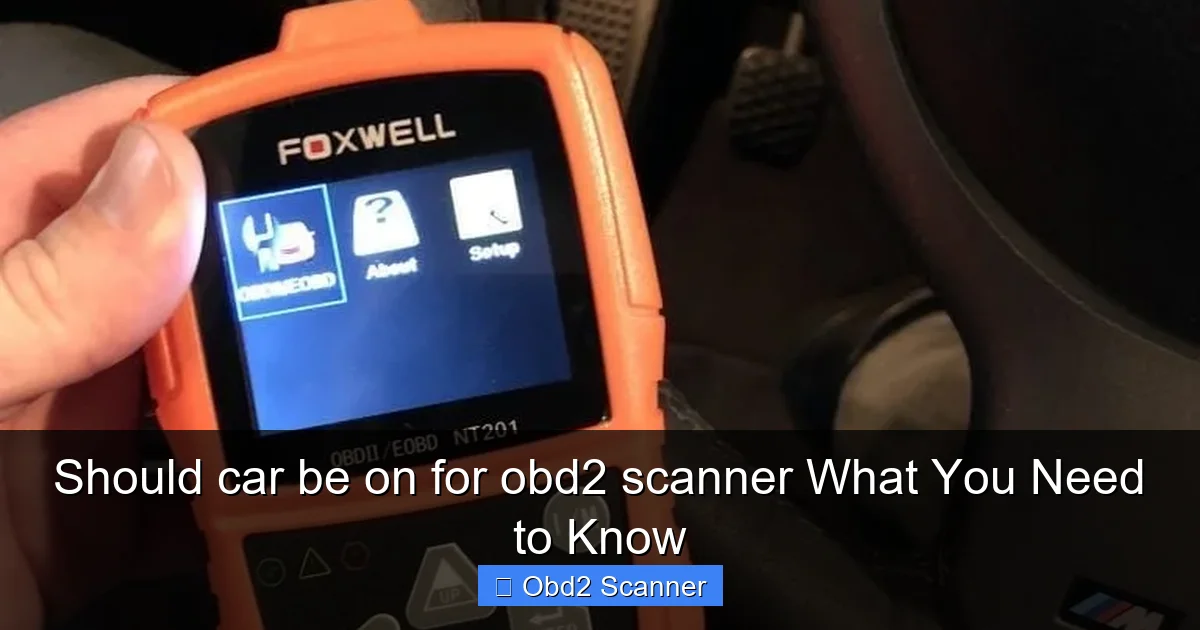
The OBD2 port is under the dash on the driver side in most cars. Plug in the scanner. Many scanners power on from the port. If the scanner does not power, switch the ignition to RUN. You may then ask: should car be on for obd2 scanner? If the scanner needs power, turn the key to the ON position first.
Step 4 — Power modes: key ON vs engine RUN
Turn the key to ON without starting the engine. Many scanners will connect. If you need live engine data, start the engine. For many tasks, the ignition ON state is enough. Always check: should car be on for obd2 scanner for the test you plan.
Step 5 — Connect and scan
Follow scanner prompts. Choose “Read Codes” to see stored codes. Choose “Live Data” if you want streaming values. When you choose live data, the answer to should car be on for obd2 scanner is usually yes. If you choose read codes, the engine can stay off.
Step 6 — Perform active tests
Some scanners let you command parts like fans or solenoids. For these, the engine often must be running. Ask: should car be on for obd2 scanner? For active tests, yes in most cases.
Step 7 — Clear codes
Use the clear code function if desired. Clearing codes does not require engine on. But after clearing, the system needs drive time. So think about the later step: will the car need to be on and driven? That is often the case.
Practical examples
Here are real examples to make the rule clear. These examples show when should car be on for obd2 scanner should be answered yes or no.
Example 1: Check engine light on — read codes
Car is parked. You want to see the code. Plug the scanner. Turn key to ON. No need to start the engine. So, should car be on for obd2 scanner? The ignition ON is fine. Start the engine only if you need live data.
Example 2: Checking idle issues — live data
Car idles rough. You need RPM and throttle data while running. Plug the scanner. Start the engine. For this test, should car be on for obd2 scanner? Yes — run the engine to capture real behavior.
Example 3: Emissions readiness failure
You failed an emissions check. You want to see which monitors are not ready. Plug the scanner. Some monitors show without running. But others need warm engine cycles. So ask: should car be on for obd2 scanner? You will often need to drive the car and run the engine to fully test readiness.
Safety tips when using a scanner
Safety matters. Always use these tips whether you ask should car be on for obd2 scanner or not.
- Wear gloves and safety glasses if working near moving parts.
- Keep loose clothing away from belts and fans if the engine is running.
- Make sure the car is in park or neutral with the parking brake set.
- Do not leave the engine running in an enclosed space. Ventilate the area.
Common mistakes to avoid
Avoid these errors when you wonder should car be on for obd2 scanner.
- Not reading the scanner manual. Some devices need specific states to connect.
- Forgetting to switch ignition to ON. The scanner may not power on if you do not.
- Working near moving parts with the engine running. This is dangerous.
- Assuming code clear means problem fixed. Tests and drives are needed to confirm.
Troubleshooting: Scanner won’t connect
If your scanner will not connect, try these steps. Each step will help answer whether the car should be on for obd2 scanner use.
Step A — Check power
Does the scanner light up? If not, turn the ignition to ON. If it still will not power, check the OBD2 port fuse. Some cars have a separate fuse for the port.
Step B — Try ignition ON then start engine
Some ECUs wake only with the engine running. If the scanner fails with ignition only, start the engine. Ask yourself again: should car be on for obd2 scanner? If starting the engine fixes it, the module needed full power.
Step C — Check adapter and cables
Inspect the adapter pins. A bent pin stops communication. Try another cable or adapter if you can. A bad cable can make you think the car must be on, when the issue is the cable.
Step D — Try a different scanner app
Bluetooth OBD2 adapters need a reliable app. Try another app or device. Some apps require the engine on to access features. This helps answer should car be on for obd2 scanner for that app’s functions.
Step E — Check vehicle-specific quirks
Some manufacturers lock the OBD2 port with the engine off for security. Others only provide full data with engine running. Look up your vehicle. If unsure, try both ignition ON and running engine and note what works.
Power considerations and battery health
Running the engine gives alternator power. This helps if the battery is low. If you ask should car be on for obd2 scanner and your battery is weak, start the engine to avoid draining the battery. If you cannot start the engine, use a jumper pack or start the car first, then scan.
Using wireless OBD2 adapters
Bluetooth and Wi‑Fi adapters change the flow. Many require the ignition to be ON to connect. Others power from the port. When using wireless tools, ask: should car be on for obd2 scanner? Check the adapter instructions. Some phone apps also need engine running for live data.
When to leave the engine running vs off — quick checklist
Use this simple list to decide. Each line helps answer: should car be on for obd2 scanner?
- Read stored trouble codes: ignition ON is usually enough.
- View live sensor data: engine RUN is usually required.
- Perform active tests: engine RUN in most cases.
- Clear codes: ignition ON or OFF works; driving needed after clear.
- Check readiness monitors: drive the car; the engine must run during drive cycles.
Practical tip: Try both states
If you are unsure, try both. Start with ignition ON. If you need more data, start the engine. This simple rule answers most should car be on for obd2 scanner questions without guesswork.
Examples of scanner prompts you will see
Scanners will often prompt you. They may say “Key ON” or “Engine RUN.” When you see those prompts, follow them. This is the scanner telling you whether the car should be on for obd2 scanner use for that function.
When professional help is needed
Some issues need a shop. If the scanner shows multiple complex codes or cannot connect despite following steps, see a pro. Tell them what you tried. Share whether you tested with ignition ON and engine RUN. This helps the technician fast.
Final checklist before you finish a scan
- Save the codes and notes for later reference.
- Clear codes only if you are ready to drive and complete testing.
- Disconnect the scanner carefully. Turn the ignition off if required.
- Keep records of any changes you make based on scanner data.
Troubleshooting common code examples
Here are a few codes and what to try. These help you decide if the engine should be on for obd2 scanner checks.
P0171 / P0174 — System too lean
Live data helps. Start the engine to watch fuel trims and O2 sensors. For these codes, should car be on for obd2 scanner? Yes, run the engine and monitor while you rev and idle.
P0300 — Random misfire
Misfires show under load. Run the engine and drive if safe. Use live data to see misfire counts. So, should car be on for obd2 scanner? Yes.
P0420 — Catalyst efficiency
This code often needs drive cycles. You can read it with ignition ON, but to test the catalyst you will need the engine running and a drive. Again, should car be on for obd2 scanner? For full testing, yes.
Summary
So, should car be on for obd2 scanner? It depends. For reading stored codes, the ignition ON state is usually enough. For live data, active tests, and many advanced checks, the engine must be running. Always follow safety steps. Check both the scanner manual and the vehicle manual. Try ignition ON first, then start the engine if you need more data. This keeps you safe and gets the right results.
Conclusion
Using an OBD2 scanner is simple with the right steps. Remember the main rule: start with the ignition ON. If you need live or active data, ask: should car be on for obd2 scanner? Most of the time, yes — run the engine. Use safety checks. If your scanner won’t connect, try the troubleshooting steps. With care, you can read codes, clear codes, and monitor systems like a pro.