

Mic gain controls the sensitivity of your CB radio’s microphone, affecting how loudly and clearly your voice transmits. Adjusting mic gain properly ensures your message comes through clearly without distortion or background noise. This guide explains what mic gain does and how to set it perfectly for your CB radio.
Contents
- 1 Key Takeaways
- 2 Quick Answers to Common Questions
- 3 📑 Table of Contents
- 4 Introduction: What Is Mic Gain on a CB Radio?
- 5 Understanding Mic Gain: The Basics
- 6 Why Adjusting Mic Gain Matters
- 7 How to Adjust Mic Gain on Your CB Radio
- 8 Tips for Optimizing Mic Gain and Audio Quality
- 9 Common Mistakes to Avoid
- 10 Conclusion: Mastering Mic Gain for Better CB Radio Communication
- 11 Frequently Asked Questions
- 12 Author
Key Takeaways
- Mic Gain Definition: It adjusts the microphone’s sensitivity to your voice on a CB radio.
- Impact on Transmission: Proper mic gain ensures clear, strong voice signals without distortion.
- Too High Mic Gain: Causes static, background noise, and distorted audio.
- Too Low Mic Gain: Makes your voice sound weak and hard to hear.
- How to Adjust: Use step-by-step methods and test transmissions to find the right balance.
- Environment Matters: Adjust mic gain depending on your surroundings and microphone type.
- Mic Placement: Proper mic positioning complements mic gain for best audio quality.
Quick Answers to Common Questions
What happens if mic gain is set too high on a CB radio?
The audio can become distorted, loud static or background noise may interfere, and your voice might be hard to understand.
Can mic gain affect how far my CB radio signal reaches?
Indirectly, yes. Proper mic gain ensures your voice is clear and strong, which improves effective communication range.
How often should I adjust my mic gain?
Adjust mic gain whenever you change locations, microphones, or notice changes in audio quality.
Is mic gain the same as volume on a CB radio?
No, mic gain controls microphone sensitivity for outgoing audio, while volume controls how loud you hear incoming signals.
What’s the ideal mic placement for adjusting mic gain?
Hold the microphone about 2-3 inches from your mouth, slightly off-center for clear, distortion-free audio.
📑 Table of Contents
Introduction: What Is Mic Gain on a CB Radio?
If you’ve recently started using a CB radio, you might have noticed a control labeled “mic gain” or “microphone gain.” But what does mic gain do on a CB radio, and why does it matter? In simple terms, mic gain controls how sensitive your microphone is to picking up your voice. This setting can make a big difference in how clear and loud your voice sounds to other users on the channel.
Many new CB radio users either leave mic gain at the factory default or crank it up to the max, thinking louder is better. But this can lead to problems like static, background noise, or your voice sounding distorted. On the other hand, setting it too low might make it tough for others to hear you at all. The key is to find the right balance.
In this article, we’ll explore exactly what mic gain does on a CB radio, how it affects your transmission quality, and practical tips to adjust it correctly. Whether you’re a trucker, hobbyist, or emergency communicator, mastering mic gain will improve your CB radio experience.
Understanding Mic Gain: The Basics
What Exactly Is Mic Gain?
Mic gain is a control on your CB radio that adjusts the microphone’s input sensitivity. Think of it like a volume knob—but instead of controlling how loud you hear others, it controls how much your voice signal gets boosted before transmission.
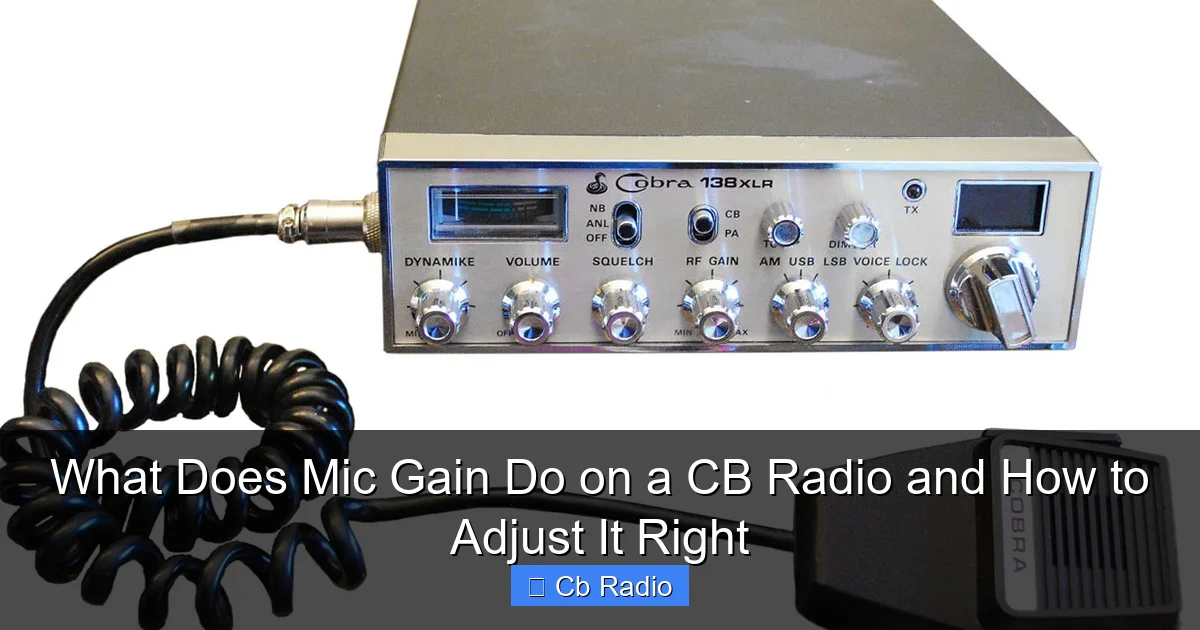
Visual guide about What Does Mic Gain Do on a CB Radio and How to Adjust It Right
Image source: audiolover.com
When you speak into the microphone, your voice creates an electrical signal. The mic gain amplifies that signal to a level suitable for transmission. If the gain is too high, the signal can become too strong, causing distortion. If it’s too low, your voice may be too quiet for others to understand.
Difference Between Mic Gain and Volume
It’s important not to confuse mic gain with volume controls on your CB radio. Volume controls adjust how loud you hear incoming signals. Mic gain, however, affects the outgoing signal—how loud and clear your voice is sent out.
Why Adjusting Mic Gain Matters
Clear Communication Is Key
CB radios rely on clear voice signals for effective communication. Adjusting mic gain correctly helps you avoid common problems like background noise, crackling, or weak transmissions. This is especially important in noisy environments or when communicating over longer distances.
Preventing Distortion and Noise
Too much mic gain causes the microphone to pick up unwanted sounds—such as static, wind noise, or other ambient sounds. Overdriving the mic input can also cause a distorted, harsh sound that’s difficult for others to understand.
Maximizing Range and Clarity
With the right mic gain, your voice comes through loud and clear, improving your effective range. This is crucial for truck drivers, off-roaders, or anyone relying on CB radio for safety and navigation.
How to Adjust Mic Gain on Your CB Radio
Step 1: Locate the Mic Gain Control
Most CB radios have a dedicated mic gain knob or a menu setting for microphone sensitivity. It’s usually near the microphone jack or on the front panel. Consult your user manual if you’re unsure.
Step 2: Start at a Moderate Level
Begin with the mic gain set to the middle position or the factory default. This gives a balanced starting point.
Step 3: Perform a Test Transmission
Use the CB radio’s “SWR” or “RF” test mode, or simply ask a fellow CB operator to listen to your transmission. Speak normally into the mic and see how your voice sounds on the other end.
Step 4: Fine-Tune the Setting
If your voice sounds too quiet, slowly increase the mic gain. If you hear static, crackling, or distortion, reduce it. Continue adjusting until your voice sounds clear without background noise.
Step 5: Consider Your Environment and Mic Type
If you’re in a noisy place or using a sensitive microphone, you might need to lower the mic gain. For quieter environments or less sensitive mics, a higher gain might be necessary.
Tips for Optimizing Mic Gain and Audio Quality
Use a Quality Microphone
A good microphone can make a big difference. Dynamic mics are less sensitive to background noise, while electret mics may require different gain settings.
Proper Mic Placement
Hold the microphone about 2-3 inches from your mouth, slightly off to one side. Speaking directly into the mic from too close can cause distortion, while holding it too far reduces clarity.
Check for Interference
Electrical interference from vehicle engines or other electronics can add noise. Adjusting mic gain can help minimize this, but also consider using ferrite beads or repositioning cables.
Use the Squelch and Noise Filters
Adjusting squelch settings and activating any noise filters on your radio can complement mic gain adjustments for better overall audio quality.
Common Mistakes to Avoid
Setting Mic Gain Too High
Many users think turning mic gain up to max will make them louder. Instead, it often results in distorted audio and static that frustrates listeners.
Ignoring Environmental Factors
Failing to adjust mic gain based on your surroundings (like wind or traffic noise) can degrade your transmission quality.
Not Testing Regularly
Mic gain settings may need adjustment over time or when switching locations. Regular testing ensures you maintain clear communication.
Conclusion: Mastering Mic Gain for Better CB Radio Communication
Understanding what mic gain does on a CB radio and how to adjust it right is essential for clear, effective communication. By controlling how sensitive your microphone is, you can prevent distortion, reduce background noise, and make sure your voice reaches others loud and clear.
Whether you’re chatting with friends, coordinating during work, or relying on your CB radio for safety, taking the time to dial in your mic gain properly pays off. Remember to start with moderate settings, test your transmissions, and adjust based on your environment and equipment. With a little practice, you’ll enjoy better audio quality and more confident conversations on the airwaves.
Frequently Asked Questions
What is the main function of mic gain on a CB radio?
Mic gain adjusts the microphone’s sensitivity, determining how much of your voice signal is amplified before transmission.
How do I know if my mic gain is set correctly?
If your voice sounds clear and easy to understand without static or distortion during test transmissions, your mic gain is likely set properly.
Can environmental noise affect mic gain settings?
Yes, noisy environments may require lowering mic gain to reduce background noise, while quiet settings might need higher gain for clarity.
Does every CB radio have a mic gain control?
Most modern CB radios include a mic gain control, but some older or basic models may not. Always check your radio’s manual.
What type of microphone works best with mic gain adjustments?
Dynamic microphones are popular for CB radios because they handle noise well and work effectively with mic gain controls.
Can improper mic gain damage my CB radio?
While improper mic gain won’t damage your radio, it can cause poor transmission quality and may strain your microphone or radio’s audio circuits over time.