

Squelch on a CB radio is a key feature that blocks unwanted background noise and static, allowing you to hear only clear transmissions. By adjusting the squelch setting, you can improve your signal quality and enjoy better communication without constant interference.
Contents
- 1 Key Takeaways
- 2 Quick Answers to Common Questions
- 3 📑 Table of Contents
- 4 Introduction
- 5 What Is Squelch on a CB Radio?
- 6 How Does Squelch Work?
- 7 Benefits of Using Squelch on Your CB Radio
- 8 How to Set the Squelch on a CB Radio
- 9 Common Misconceptions About Squelch
- 10 Advanced Squelch Features and Alternatives
- 11 Conclusion
- 12 Frequently Asked Questions
- 13 Author
Key Takeaways
- What is squelch: A function that eliminates background noise when no transmission is detected.
- How it works: It mutes the radio’s speaker until a strong enough signal is received.
- Improves signal clarity: Removes annoying static and weak signals for clearer audio.
- Adjustable settings: Users can fine-tune squelch sensitivity depending on environment and needs.
- Practical use: Essential for CB radio operators in noisy or busy areas.
- Helps conserve battery: By reducing unnecessary speaker activity when no signal is present.
- Enhances communication: Makes conversations easier to hear and less tiring over long periods.
Quick Answers to Common Questions
What does squelch do on a CB radio?
Squelch mutes the radio’s speaker when no strong signal is detected, eliminating background static and noise.
How do I adjust squelch on my CB radio?
Turn the squelch knob up slowly from the lowest position until the static just disappears, then fine-tune as needed.
Can squelch improve weak signals?
No, squelch does not boost signal strength; it only controls when the speaker is muted or unmuted based on signal level.
Is it better to have squelch on or off?
Most users benefit from having squelch on to reduce noise, but turning it off can help when you want to hear all signals, including weak ones.
What happens if squelch is set too high?
If set too high, squelch may block weak but important transmissions, causing you to miss messages.
📑 Table of Contents
Introduction
If you’ve ever used a CB radio, you might have noticed a control labeled “squelch.” But what exactly is squelch on a CB radio, and why does it matter? Whether you’re a trucker, hobbyist, or just curious about how CB radios work, understanding squelch can greatly improve your communication experience.
Squelch is a simple yet powerful feature designed to cut out the annoying static and background noise that come through your radio when no one is talking. It helps you focus on clear messages without constant interference, making your conversations smoother and more enjoyable.
In this article, we’ll dive into what squelch is, how it works, and practical tips on setting it up correctly. By the end, you’ll know how to use squelch to get the best possible signal from your CB radio.
What Is Squelch on a CB Radio?
The Basic Definition
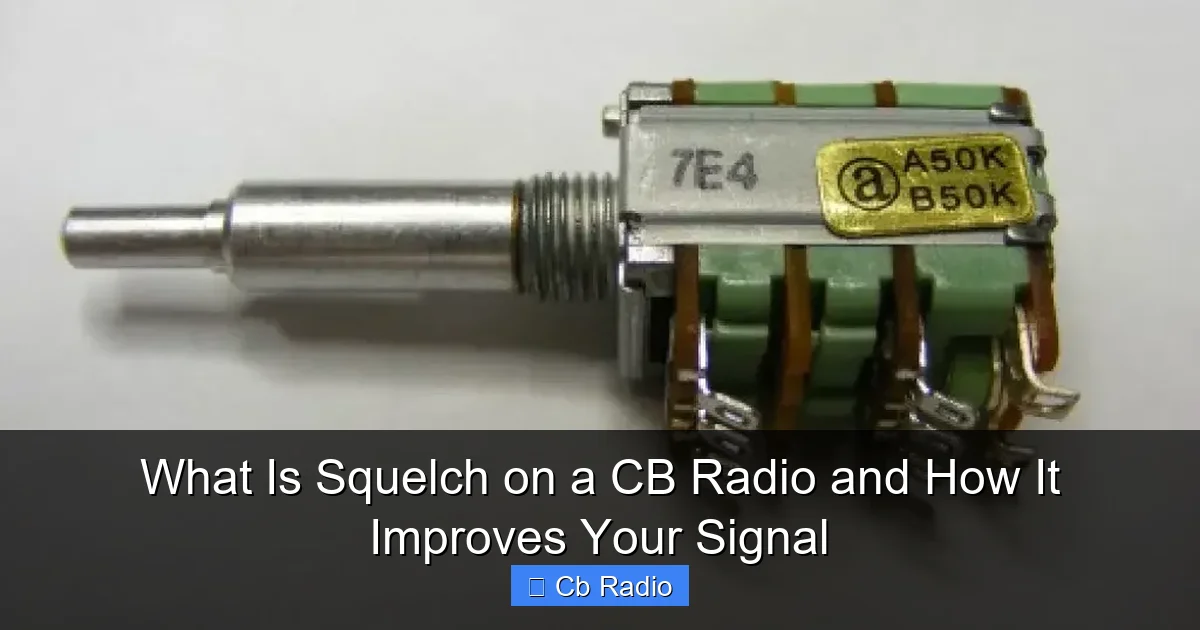
Squelch is a function on CB radios that mutes the audio output when no strong signal is detected. This means that when nobody is transmitting, your radio won’t blast static, hiss, or background noise. Instead, it stays silent until a clear transmission comes through.
Visual guide about What Is Squelch on a CB Radio and How It Improves Your Signal
Image source: customcbradios.com
Why Is It Important?
Without squelch, your radio speaker would constantly emit static noise when idle. This can be very irritating and make it hard to know when someone is actually talking. Squelch acts like a gatekeeper, only opening the audio when the incoming signal is louder than the background noise.
How Does Squelch Work?
The Technical Side
Inside your CB radio, there’s a circuit that measures the strength of the incoming signal. When the signal is below a certain threshold, the squelch circuit mutes the speaker. When the signal exceeds that level, it un-mutes the audio so you can hear the transmission clearly.
Adjusting the Squelch Threshold
Most CB radios have a squelch knob or control that lets you set this threshold. Turning it up makes the radio less sensitive to weak signals, blocking out more noise but also possibly missing faint transmissions. Turning it down makes the radio more sensitive, allowing more signals to come through but also more background noise.
Benefits of Using Squelch on Your CB Radio
Clearer Communication
The primary benefit is that squelch keeps your audio clear by muting the static and hiss. This means you only hear actual conversations, which reduces listening fatigue and makes it easier to understand messages.
Reduces Annoying Background Noise
Without squelch, you might hear constant crackling, buzzing, or other noises, especially in areas with poor signal or interference. Squelch filters this out so you’re not distracted by unwanted sounds.
Battery and Speaker Longevity
By muting the speaker when no transmissions are detected, squelch conserves battery life and reduces wear on the speaker. This is especially helpful if you use a portable CB radio or operate for long hours.
Practical Example: Highway Driving
Imagine driving on a busy highway where many CB users are chatting. Without squelch, your radio would be filled with constant noise. With squelch set correctly, you hear only strong transmissions, making it easier to catch important messages like road hazard alerts.
How to Set the Squelch on a CB Radio
Step 1: Start with the Squelch Low
Turn the squelch knob all the way down to the minimum setting. This makes your radio sensitive to all signals, including static and weak transmissions.
Step 2: Increase Squelch Slowly
Gradually turn the squelch knob up until the background static just disappears. This point is your optimal squelch setting, where the radio blocks unwanted noise but still picks up transmissions.
Step 3: Test with Incoming Messages
Ask a friend or use a scanner to check how well your radio picks up transmissions. Adjust the squelch slightly if you miss faint messages or if static sneaks back in.
Tips for Different Environments
- Urban areas: Set squelch higher to block interference from many sources.
- Rural areas: Set squelch lower to catch weaker signals from farther away.
- Mobile use: Adjust squelch as road noise and interference levels change.
Common Misconceptions About Squelch
Squelch Doesn’t Improve Signal Strength
Some users think squelch boosts signal strength. It doesn’t. Squelch only controls audio muting based on signal level; it doesn’t amplify the signal or make weak signals stronger.
Too High Squelch Can Block Important Messages
If set too high, squelch may mute faint but useful transmissions. Always balance squelch settings to avoid missing critical information.
Not Just Noise Cancelling
Squelch is different from noise-cancelling technology. It simply mutes the speaker when no signal is detected instead of actively removing noise from a transmission.
Advanced Squelch Features and Alternatives
Noise Blanker and Automatic Squelch
Some modern CB radios include noise blankers that actively reduce impulse noise and automatic squelch that adjusts the threshold dynamically for convenience.
Using External Squelch Devices
In some setups, external squelch circuits or signal processors are used to fine-tune noise reduction further, especially in professional or amateur radio environments.
When to Disable Squelch
If you want to monitor all signals, including weak ones or background noise for troubleshooting, you can turn squelch off. Just be prepared for constant static.
Conclusion
Squelch on a CB radio is a simple but essential feature that greatly improves your listening experience. By blocking background noise and static, it allows you to focus on clear transmissions and reduces fatigue during long communications. Adjusting the squelch properly based on your environment ensures you don’t miss important messages while keeping the audio clean.
Understanding and using squelch effectively is one of the easiest ways to enhance your CB radio performance. Next time you’re on the air, take a moment to set your squelch right—you’ll notice the difference immediately!
Frequently Asked Questions
Why do I hear static even with squelch on?
If the squelch is set too low, weak signals and noise may still come through. Try increasing the squelch level until the static disappears.
Can squelch protect my hearing?
Indirectly, yes. By muting constant static, squelch prevents sudden loud noises and reduces listening fatigue, protecting your ears.
Does squelch work the same on all CB radios?
While the basic function is the same, squelch sensitivity and control types may vary depending on the radio model and manufacturer.
How do I know if my CB radio has squelch?
Most modern CB radios have a squelch control knob or button labeled “SQ.” Check your radio’s manual if you’re unsure.
Can squelch be used with other radio types?
Yes, squelch is common in many radios like ham radios and scanners, serving the same purpose of reducing background noise.
What is the difference between squelch and volume?
Volume controls how loud the audio is, while squelch controls whether the audio is muted or unmuted based on signal strength.